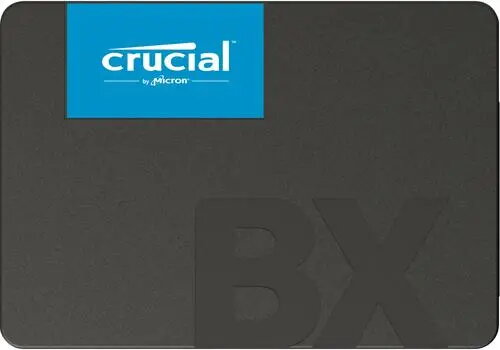
Crucial BX500 4TB is a 2.5-inch internal SATA III (6 Gb/s) solid state drive designed for mass storage and system responsiveness. With a 2.5" form factor and 4TB capacity, this SSD is suitable for laptops, desktops and external enclosures that accept standard SATA drives. The BX500 provides faster boot and application load times and lower power consumption compared with mechanical hard drives, making it an option for expanding storage, creating large media libraries and storing backups.
Advantages
The drive combines a large 4TB capacity with the SATA III interface to deliver high-density storage in a standard 2.5" package. Its solid-state architecture reduces seek times and power draw relative to HDDs, improving system responsiveness and battery life in mobile systems. Compatibility with standard SATA 6 Gb/s controllers and 2.5" bays makes installation straightforward in many desktops, laptops and USB/SATA external enclosures.
Suitable for
- Expanding storage on laptops and desktops that accept 2.5" SATA drives
- Large-scale file storage such as media libraries, photo and video collections
- Secondary system drives for faster access to frequently used applications and games
- External storage solutions when placed in compatible USB/SATA enclosures
- Regular backup destinations where large capacity is required
When it may not be suitable
This SATA III 2.5" SSD is constrained by the maximum throughput of the SATA 6 Gb/s interface; systems that require the highest possible sequential transfer speeds may benefit more from NVMe PCIe SSDs. It is not a direct fit for systems that only accept M.2 or PCIe form factors without an appropriate adapter or bay.
Key specifications
- Form factor: 2.5-inch
- Interface: SATA III (6 Gb/s)
- Capacity: 4 TB
- Device type: Internal solid state drive
- Typical use: Mass storage, system responsiveness
- Compatibility: Standard 2.5" SATA bays and controllers, compatible with external SATA enclosures
How to use
Install the drive into a free 2.5" drive bay in a laptop or desktop or place it into a compatible external SATA enclosure. Connect to the motherboard or controller using a SATA data cable and a SATA power connection from the power supply (or use the enclosure's cable). Initialize and format the drive in the operating system's disk management utility, then transfer files, clone an existing drive, or set it up as a secondary storage volume. Ensure the system firmware and SATA controller drivers are up to date for best compatibility.
What to consider before purchase
- Verify your system has a 2.5" SATA bay or use a compatible external enclosure or adapter.
- Check that SATA III (6 Gb/s) compatibility is available to achieve expected performance.
- Confirm that a 4TB capacity meets your storage needs and backup strategy.
- For the highest sequential speeds or ultra-low latency, consider NVMe PCIe alternatives if your system supports them.
Usage recommendations
Use the BX500 4TB as a high-capacity secondary or primary drive for bulk storage, media libraries and backups. For best results, pair it with a system that supports SATA III and keep firmware and drivers current. When used in laptops, consider power and thermal management settings to balance performance and battery life.