Dreame vacuums for fast and efficient cleaning!
In cart {{totalProductsCount}} item(s)
Your cart is empty
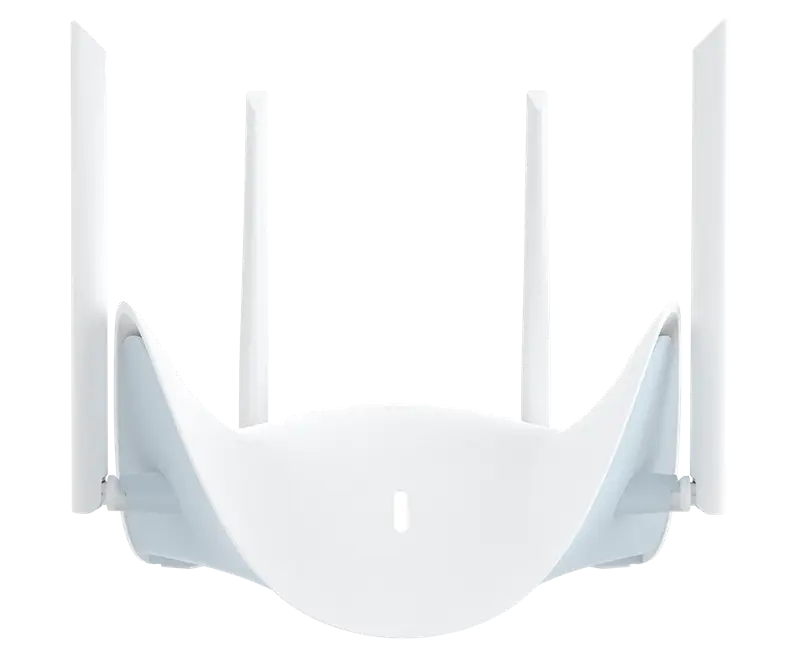
Wi‑Fi 7 Router D-Link BE9500 R95 — Wi‑Fi 7 access point, multi‑band, for home and office
D-Link BE9500 R95 is a Wi‑Fi 7 router built to provide next-generation wireless connectivity for home and small office environments. As a multi-band Wi‑Fi 7 access point, it supports backward compatibility with earlier Wi‑Fi standards and is designed to increase throughput, reduce latency and expand the number of concurrently supported devices. The router aims to deliver broader coverage and improved performance for streaming high-resolution media, online gaming, video conferencing and a mixed set of smart home devices.
The router offers multi-band operation to balance traffic across frequencies for improved simultaneous performance of multiple clients. It implements Wi‑Fi 7 capabilities that enable higher data rates and lower latency compared with previous generations, while remaining compatible with older devices. The device supports enhanced spatial and channel management to help maintain stable connections at greater distances and under heavier load. Its feature set focuses on stable throughput, reduced interference handling and scalable device capacity suitable for modern home and small office networks.
Place the router centrally in the area to be covered and connect it to your broadband modem via the WAN port. Access the router setup interface using a web browser or the manufacturer's management app, follow the guided configuration to set up SSID(s), security parameters and any guest network options. Connect client devices to the appropriate band or SSID depending on range and performance needs. Where multiple wired devices are required, connect them to the router's LAN ports and configure any required QoS or traffic prioritization settings for critical applications such as video calls or gaming.
For optimal performance, position the router away from large metal objects and sources of electromagnetic interference, keep firmware up to date, and assign high-priority traffic rules for latency-sensitive applications. Use separate SSIDs or band steering where available to distribute devices across frequencies and reduce congestion.
{{highlightedFeature.featureTitle}}:
{{getProductFeatureValueById(product, highlightedFeature.featureId)}}
{{ productComparisonGenerationError }}