
Dreame vacuums for fast and efficient cleaning!
In cart {{totalProductsCount}} item(s)
Your cart is empty
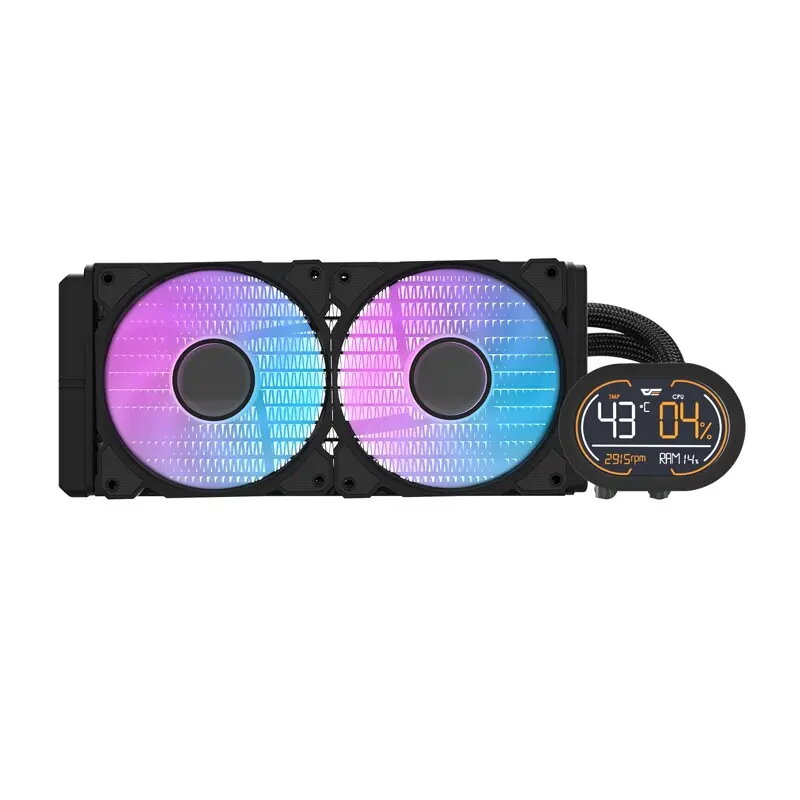
CPU liquid cooler Darkflash DH240D v2 (black) — 240mm dual-fan radiator
Darkflash DH240D v2 (black) is a 240mm dual-fan closed-loop CPU liquid cooler designed for mainstream desktop systems. The cooler features a 240mm radiator paired with two fans and a compact pump-block assembly to deliver lower CPU temperatures compared with many air coolers. Its all-in-one sealed design requires no maintenance and is intended for users seeking consistent cooling for gaming, content creation, or general productivity PCs.
The dual-fan radiator design improves heat dissipation across a larger surface area, reducing thermal buildup under sustained loads. The closed-loop system arrives pre-filled and sealed to eliminate user maintenance while providing a cleaner installation compared with custom water-cooling loops. The compact pump-block keeps mounting profiles low, easing compatibility with mid-tower cases and tall memory modules. The cooler is engineered to balance cooling performance and acoustic levels for quieter operation during typical desktop workloads.
Prepare the system by powering off and grounding yourself to avoid static discharge. Remove the existing CPU cooler following the motherboard and case manufacturer instructions. Position the radiator and fans in the chosen orientation within the case, secure the radiator to the case mounting points, and attach the pump-block to the CPU using the supplied mounting hardware. Connect the pump and fan power connectors to the appropriate headers on the motherboard or fan controller to enable pump power and fan speed control. After assembly, power on the system and verify pump operation and fan speeds in BIOS or monitoring software, then monitor CPU temperatures under idle and load to confirm correct installation.
For optimal results, install the radiator where case airflow supports intake or exhaust depending on your overall cooling layout. Ensure fans are oriented for consistent airflow direction and that tubing is routed without tight bends. Use motherboard fan curves or a fan controller to balance noise and cooling performance, and periodically check mounting screws for proper torque. Avoid opening the sealed loop; routine maintenance is limited to cleaning dust from fans and radiator fins.
{{highlightedFeature.featureTitle}}:
{{getProductFeatureValueById(product, highlightedFeature.featureId)}}
{{ productComparisonGenerationError }}