
Save time and money with our discounts!
In cart {{totalProductsCount}} item(s)
Your cart is empty
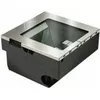
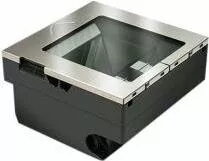
2D Imager Scanner Datalogic Magellan 3510HSi USB Multi-IF IP52
The Datalogic Magellan 3510HSi USB Multi-IF is a 2D imager scanner engineered for retail and point-of-sale environments. It reads both 1D and 2D barcodes with reliable speed and supports USB multi-interface connectivity for straightforward integration with POS terminals and PCs. The scanner’s IP52 ingress protection rating reduces risk from dust and water drips, making it suitable for busy checkouts and light industrial areas where devices face occasional exposure to contaminants. Its compact design fits beneath or alongside counters and enables hands-free or presentation scanning workflows typical of modern retail operations.
The Magellan 3510HSi delivers consistent barcode capture across a range of symbologies and printing qualities, minimizing rescans and streamlining transactions. USB Multi-IF connectivity enables plug-and-play installation with common POS systems while supporting flexible cabling layouts. The IP52 rating provides basic protection against dust and dripping water, increasing device uptime in everyday retail conditions. Its form factor supports both presentation and handheld scanning, offering operational versatility at checkout and during inventory tasks.
Connect the Magellan 3510HSi to a host system using the USB multi-interface cable and follow system prompts for driver installation or automatic configuration if supported. Position the scanner on the counter or in its stand for presentation mode; for handheld scanning pick the unit and align the imager with the barcode. Move the barcode across the scanning window steadily until the reader confirms a successful decode with an audible or visual indicator. For inventory tasks, use handheld mode to scan labels on shelves and boxes, ensuring labels are within the imager’s effective reading range.
Place the scanner in a stable position close to the checkout operator to enable quick presentation scanning. Keep the scanner window clean from dust and smudges to maintain optimal read rates. Use the appropriate interface mode supported by the POS system and verify system settings for keyboard emulation or serial input as required. For environments where water exposure is more likely, provide additional protection or mounting to limit direct exposure beyond the device’s IP52 rating.
{{highlightedFeature.featureTitle}}:
{{getProductFeatureValueById(product, highlightedFeature.featureId)}}
{{ productComparisonGenerationError }}
