


Powerful EcoFlow stations for energy anywhere!
In cart {{totalProductsCount}} item(s)
Your cart is empty
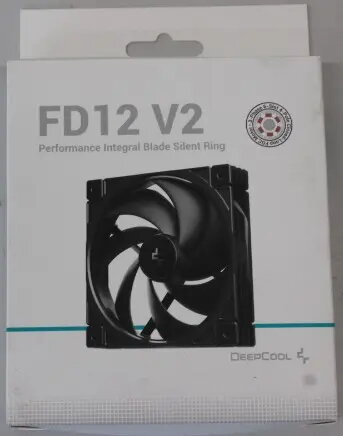
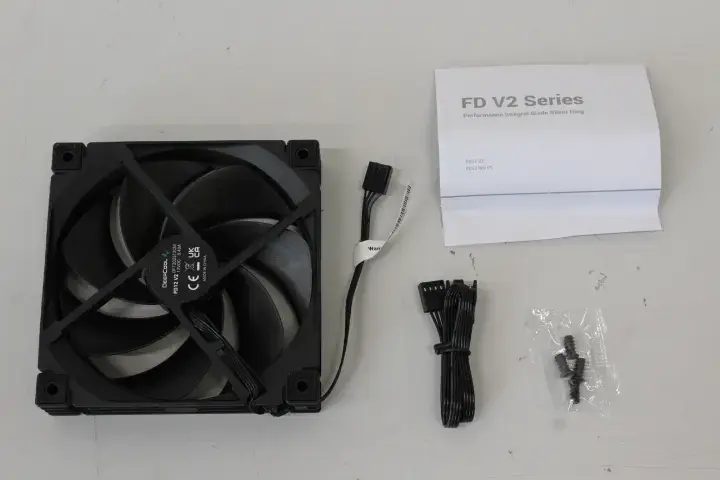
DeepCool FD12 V2 Cooling Fan, 4-pin PWM, Hydro Bearing, Black
The DeepCool FD12 V2 is a high-performance 120mm cooling fan engineered to provide consistent and efficient airflow for PC cases and heatsinks. Designed with a focus on reliability, this fan features a 4-pin PWM connector that allows for precise speed adjustments based on your system's thermal requirements. The integration of advanced Hydro Bearing technology ensures smooth rotation, reduced noise levels, and a significantly longer operational lifespan compared to standard sleeve bearing fans. Finished in a sleek black color, this component is a practical choice for users looking to maintain optimal system temperatures through a dependable cooling solution.
The primary benefit of the DeepCool FD12 V2 is its ability to balance airflow and noise output through its PWM-controlled motor. By allowing the motherboard to dynamically adjust the fan speed, the system remains quiet during light tasks and ramps up cooling performance when the hardware is under heavy load. The Hydro Bearing technology minimizes friction, which not only contributes to a quieter computing environment but also enhances the durability of the fan, making it a long-term investment for your PC build. Its standard 120mm size ensures broad compatibility with most modern computer cases and aftermarket CPU coolers.
This fan may not be suitable for specialized applications that require high-static pressure fans, such as thick liquid cooling radiators where airflow resistance is significantly higher. Additionally, users seeking aesthetic customization through RGB or ARGB lighting will find this model unsuitable, as it features a standard black design without integrated illumination.
Installation of the DeepCool FD12 V2 is straightforward. First, ensure your computer is powered off and disconnected from the electrical supply. Mount the fan to your PC case or heatsink using the appropriate screws, ensuring the airflow direction is oriented correctly toward the exhaust or intake path. Connect the 4-pin PWM cable to the corresponding fan header on your motherboard. Once installed, you can configure the fan speed curves within your BIOS or system software to achieve the desired balance between cooling performance and acoustic comfort.
Usage recommendations: For optimal performance and longevity, ensure the fan is kept free of dust accumulation by cleaning the blades periodically with compressed air. Always verify that the PWM settings in your BIOS are correctly configured to allow the fan to adjust its speed automatically based on CPU or system temperatures.
{{highlightedFeature.featureTitle}}:
{{getProductFeatureValueById(product, highlightedFeature.featureId)}}
{{ productComparisonGenerationError }}