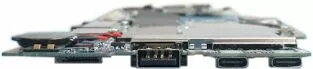
Dell 0XRTM is a genuine replacement mainboard for compatible Dell desktop and workstation systems. It restores core system functions by providing the original motherboard-level connections: CPU socket, memory slots, chipset pathways and peripheral interfaces as specified by the original Dell configuration. The board is intended for direct replacement in systems that require an original-equipment mainboard swap to recover full hardware compatibility and system stability.
Advantages
This Dell mainboard maintains original equipment compatibility with supported Dell chassis and system components, ensuring correct alignment of connectors, firmware expectations and hardware interfaces. Using an original replacement board reduces the risk of driver or firmware mismatch and preserves factory-tested power and thermal characteristics. It enables repair or refurbishment without the need to reconfigure mounting points, IO shields or front-panel connectors when the replacement is compatible.
Suitable for
- Repairing a compatible Dell desktop or workstation that has a failed or damaged motherboard
- Refurbishing systems to original factory configuration to ensure firmware and driver compatibility
- Replacing a board after physical damage, component failure, or to restore system stability
When it may not be suitable
This mainboard is intended as a direct replacement for compatible Dell models; it may not be suitable for non-Dell systems or Dell systems with different board revisions, chassis layouts, or firmware requirements. If your system has a different connector layout, proprietary mounting points, or a different CPU socket/generation, this board will not fit or function correctly.
Key specifications
- Form factor and mounting compatible with the original Dell chassis design
- CPU socket type and supported processor families as per the original Dell configuration
- Memory slot count and supported RAM types matching the original board (DDR generation and maximum capacity depend on OEM specification)
- Chipset and integrated subsystem interfaces as supplied on the original Dell mainboard (storage, USB, network, onboard graphics support where applicable)
- Rear IO panel and internal headers aligned to the original Dell system layout
- Power connectors and thermal sensor interfaces consistent with the OEM design
How to use
Before installation, verify model compatibility by comparing the replacement board's connector layout, CPU socket, memory slots and mounting points to the original board. Back up all data and disconnect power. Ground yourself to avoid electrostatic discharge and follow standard service procedures: remove the existing mainboard, transfer any compatible components such as CPU, heatsink, and memory if required, install the replacement board into the chassis, reconnect power, storage, and front-panel headers, then reflash or update firmware if recommended by Dell. Power on the system and confirm BIOS/UEFI recognizes installed components, then install or update drivers as needed.
What to consider before purchase
- Confirm physical compatibility with your Dell chassis and the board revision required by your system
- Verify supported CPU families, memory type/generation and maximum RAM capacity
- Ensure the rear IO and internal header layout matches your existing components and peripherals
- Check whether any BIOS/UEFI updates are required after replacement
Usage recommendations
Use this Dell mainboard only in systems listed as compatible by Dell documentation or by direct comparison to the original board. Install with appropriate ESD protection, follow OEM torque and mounting guidelines for heatsinks and power connectors, and verify firmware and driver updates after installation to ensure system stability and full functionality.