
Dreame vacuums for fast and efficient cleaning!
In cart {{totalProductsCount}} item(s)
Your cart is empty
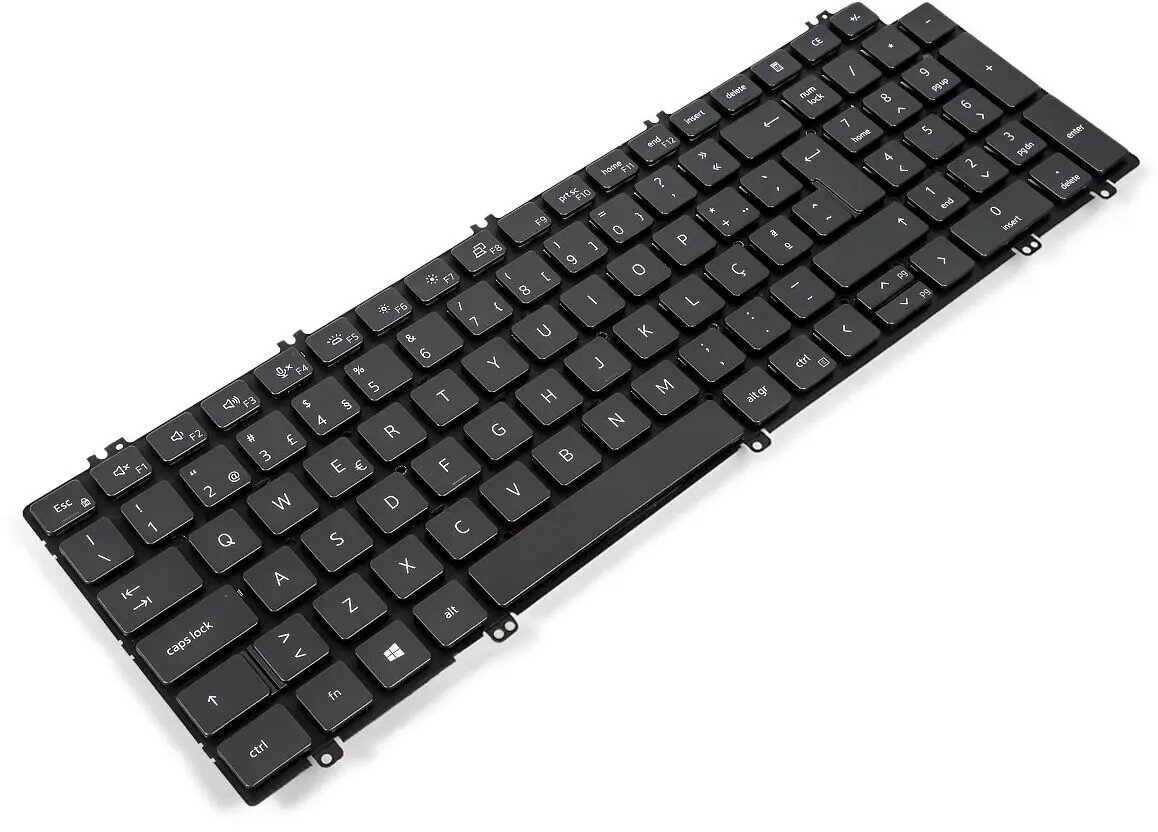
Keyboard Dell 100-key Portuguese — wired layout for Portuguese language
The Dell 100-key Portuguese wired keyboard is a full-size desktop keyboard configured for Portuguese language input. It offers a standard 100-key layout including alphanumeric keys, modifiers and function keys arranged to match Portuguese typing conventions. With a wired USB connection, the keyboard is designed for immediate plug-and-play compatibility with systems that support standard USB keyboards and provides reliable input for everyday office and home computing tasks.
This wired Dell keyboard delivers a familiar full-size key arrangement for comfortable typing in Portuguese, reducing the need for remapping or software layout changes. The physical keyset includes dedicated function and modifier keys for common system controls and shortcuts. The wired USB connection ensures consistent responsiveness and stable communication with the host device without requiring batteries or wireless pairing.
Connect the keyboard to an available USB port on your computer. The operating system should recognize the device automatically and select an appropriate driver for standard USB keyboards. If necessary, verify that the system input language is set to Portuguese to ensure the printed key legends correspond to input characters. Use the function keys and modifiers as required for shortcuts and system controls while typing on the full-size key layout.
Place the keyboard on a stable surface at a comfortable typing height, and adjust the host computer’s input language settings to Portuguese for accurate character mapping. Keep the USB connector and cable free of tension to maintain a reliable connection. Clean the key surfaces occasionally with a dry or slightly damp cloth and power down the computer before performing any deeper cleaning.
{{highlightedFeature.featureTitle}}:
{{getProductFeatureValueById(product, highlightedFeature.featureId)}}
{{ productComparisonGenerationError }}
