
Dreame vacuums for fast and efficient cleaning!
In cart {{totalProductsCount}} item(s)
Your cart is empty
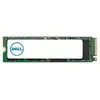
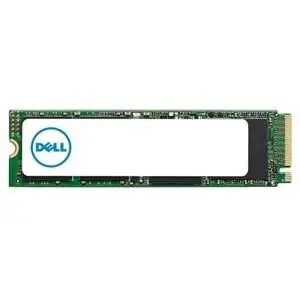
SSD drive Dell 256GB PCIe 3.4 M.2 (model 496FF-RFB)
Dell 256GB PCIe 3.4 M.2 SSD is an internal NVMe solid state drive designed for systems with an M.2 slot. With 256 gigabytes of non-volatile storage and a PCIe 3.4 interface, this drive is intended to hold operating systems, applications and user data while delivering faster access and lower latency than typical SATA drives. Its compact M.2 form factor makes it suitable for both laptops and desktop motherboards that support NVMe SSD modules.
The SSD provides quick random and sequential access compared with traditional hard drives, reducing boot and application load times. Its M.2 format minimizes physical footprint inside a chassis, and the PCIe 3.4 interface enables higher throughput for compatible systems. As a solid state device, it offers improved durability due to lack of moving parts and lower power consumption, which can be beneficial for portable devices.
This 256GB SSD may be insufficient if you require large-capacity storage for extensive media libraries, virtual machine images or large datasets; in such cases, consider higher-capacity SSDs or additional mass storage. It is also not suitable for systems that lack an M.2 NVMe-compatible slot or only support legacy SATA M.2 modules without NVMe over PCIe.
Install the M.2 SSD into an available M.2 slot on a compatible motherboard or laptop following the device manufacturer’s instructions. Secure the module with the appropriate screw, then enable NVMe storage in system firmware if required. After physical installation, initialize and format the drive in the operating system, or clone an existing system drive to migrate an OS and applications. Ensure firmware updates are applied when provided by the system or drive vendor.
Use the SSD as a primary boot and application drive for improved system responsiveness; keep bulk media or archival files on separate higher-capacity storage to maintain free space and performance. Periodically check for firmware updates and maintain regular backups of important data.
{{highlightedFeature.featureTitle}}:
{{getProductFeatureValueById(product, highlightedFeature.featureId)}}
