
Dreame vacuums for fast and efficient cleaning!
In cart {{totalProductsCount}} item(s)
Your cart is empty
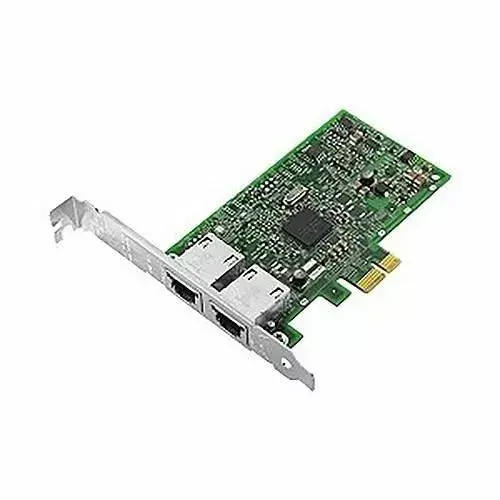
Network Adapter Dell BC57414 25GbE 2-port PCIe
Dell BC57414 25GbE 2-port PCIe network adapter (MPN 540-BDHY-RFB) is a dual-port 25 Gigabit Ethernet add-in card designed to provide high-throughput, low-latency network connectivity for servers and workstations. The adapter fits a standard PCIe slot and supplies two independent 25GbE links that support link aggregation and multi-host deployments. It is intended for environments where increased bandwidth, improved network density, and reduced latency are required, such as virtualization platforms, storage networks, and data center applications.
The Dell BC57414 delivers dual 25GbE ports to increase available network capacity while maintaining low CPU overhead and minimal latency. Its PCIe form factor enables straightforward installation into compatible servers and workstations. The adapter supports link aggregation for higher combined throughput and redundancy. Built to integrate with standard networking stacks and drivers, it provides predictable performance for bandwidth-sensitive workloads and scales network capacity without major platform changes.
Power down the host system, open the chassis, and insert the Dell BC57414 adapter into an available PCIe slot following the server or workstation manufacturer’s instructions. Secure the card to the chassis bracket and connect the 25GbE cables to the appropriate network switch ports or transceivers. Power on the system and install any vendor-provided or OS-native drivers recommended by Dell for the BC57414. Configure IP addressing, link aggregation (LACP) or other network settings in the operating system or hypervisor management console to match your network design.
Use certified SFP28 transceivers or direct-attach copper cables rated for 25GbE to ensure reliable physical connectivity. Verify driver compatibility with your server OS and firmware versions before deployment, and enable link aggregation on both the adapter and switch if combined throughput or redundancy is required. For storage and virtualization deployments, monitor latency and throughput after installation to confirm expected performance gains.
{{highlightedFeature.featureTitle}}:
{{getProductFeatureValueById(product, highlightedFeature.featureId)}}
{{ productComparisonGenerationError }}
