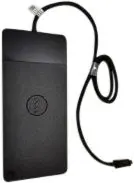
This comparison evaluates the Dell Thunderbolt Docking Station 72G12-RFB alongside alternative models, including similar options from the same brand (Dell WD22TB4, Dell WD22TB4-RFB, Dell WD15, Dell WD19TBS) and a comparable device from another manufacturer (HP Thunderbolt Dock 120W G2). All products in this category are designed to expand laptop and PC connectivity, reduce cable clutter, and enable seamless peripheral integration through a single connection. The main differences lie in connection interfaces, video output options, and intended professional or home use cases.
⚙️ The specifications comparison table below contrasts connection types, video interfaces, brand context, and the practical purpose of each docking station.
| Parameter | Dell 72G12-RFB | Dell WD22TB4 | Dell WD22TB4-RFB | Dell WD15 | Dell WD19TBS | HP G2 | Practical Significance |
|---|
| Brand | Dell | Dell | Dell | Dell | Dell | HP | Determines the overall ecosystem and compatibility preferences with specific laptop brands. |
| Connection Type | Thunderbolt | Thunderbolt | Thunderbolt | USB-C / Thunderbolt | Thunderbolt | Thunderbolt | Affects data transfer speeds and bandwidth capacity for driving external displays. |
| Video Interfaces | Not specified explicitly | HDMI and DisplayPort | HDMI and DisplayPort | Standard port expansion | Multiple display outputs | Thunderbolt with display support | Determines monitor compatibility and the ability to connect displays without adapters. |
| Primary Purpose | Office and home workstations | Multi-display office and home setups | Device expansion for workspaces | Basic office and home use | Professional and power user setups | Professional and mobile workflows | Indicates performance capability and suitability for standard versus advanced workflows. |
◎ The suitability table below evaluates which product is best suited for different user needs and workspace scenarios.
| Use Case | Recommended Product | Why |
|---|
| Everyday office work and standard peripheral connection | Dell WD15 | Provides straightforward single-cable connection suitable for basic office applications. |
| Modern workspaces requiring HDMI and DisplayPort connectivity | Dell WD22TB4 / Dell WD22TB4-RFB | Ideal for users who need versatile external monitor connections using HDMI and DisplayPort interfaces. |
| Demanding professional tasks and power user setups | Dell 72G12-RFB / Dell WD19TBS | Offers high-performance data transfer and stable connectivity for high-demand workstations. |
| Work environments utilizing HP mobile ecosystems | HP Thunderbolt Dock 120W G2 | Suitable for users operating HP laptops who require a compatible dedicated dock solution. |
The Dell Thunderbolt Docking Station 72G12-RFB is a high-performance connectivity accessory built for expanding professional and home workspaces, sharing a similar purpose with the WD22 and WD19TBS alternatives. Choose Dell 72G12-RFB if you need robust, high-speed peripheral and display integration for demanding tasks. If your setup specifically requires designated HDMI and DisplayPort outputs, models like WD22TB4 may be more suitable, while basic setups can be handled effectively by the WD15.