
Dreame vacuums for fast and efficient cleaning!
In cart {{totalProductsCount}} item(s)
Your cart is empty
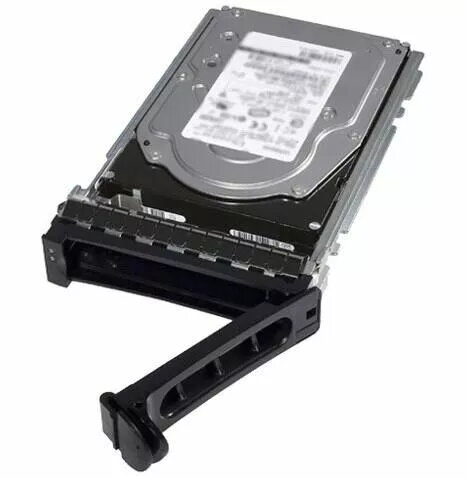
Internal Solid State Drive Dell 919J9-RFB 240GB SATA
Internal Solid State Drive Dell 919J9-RFB 240GB SATA is a 2.5-inch SATA SSD designed for installation in compatible desktops and servers. With 240GB storage capacity and SATA interface, this Dell-branded drive is intended to replace or complement traditional hard disk drives to deliver faster system boot, reduced application load times and improved overall responsiveness for operating systems, software and everyday files. The drive is compatible with systems that support standard SATA connections and typical 2.5-inch mounting locations.
The Dell 919J9-RFB SSD offers solid-state performance with no moving parts for increased reliability and lower access latency compared to HDDs. Its 240GB capacity provides a balance between OS and application storage while keeping a compact physical profile. Using a standard SATA interface ensures broad compatibility with many desktop and server motherboards and drive bays. The drive contributes to faster boot sequences, quicker file transfers and smoother multitasking in supported systems.
Power down the target computer and disconnect power. Open the computer case or access the drive bay according to the system manufacturer’s instructions. Mount the 2.5-inch Dell 919J9-RFB SSD in an available SATA drive bay or adapter tray. Connect a SATA data cable from the drive to a free SATA port on the motherboard and attach a compatible SATA power connector from the power supply. Reassemble the system, reconnect power and boot. Use the system BIOS/UEFI to verify the drive is detected, then proceed to initialize, partition and format the drive or install the operating system following standard installation procedures.
For best results, ensure the system BIOS is updated and set to AHCI mode for SATA where applicable. Use the SSD for the operating system and frequently accessed applications to benefit most from improved read/write performance. Maintain regular backups of important data and monitor available free space to preserve performance. If installing into a server or enterprise environment, verify compatibility with the host system and follow any vendor-specific installation guidelines.
{{highlightedFeature.featureTitle}}:
{{getProductFeatureValueById(product, highlightedFeature.featureId)}}
{{ productComparisonGenerationError }}
