


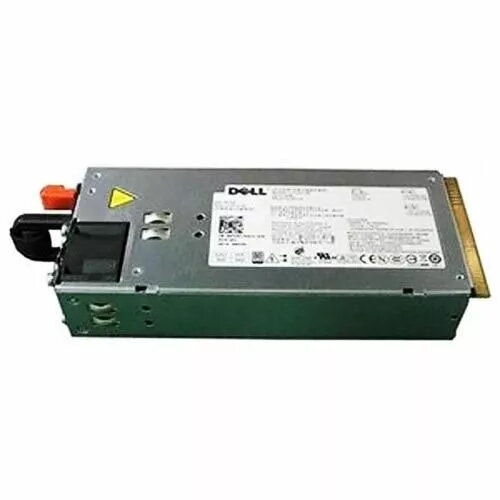
Rack server Dell 2U 9K04T-RFB compatible with PowerEdge R630/R730/R730xd/T430/T630
Markdown: Renew
Offer for a legal entity, non-cash payment.
Short description


Cheapest delivery:
Unisend LV
Product information
Description
Replacement 2U rack server unit Dell 2U 9K04T-RFB is a compatible chassis designed for use with PowerEdge R630, R730, R730xd, T430 and T630 systems. The unit fits a standard 2U rack form factor and is intended as a direct compatible option for repairs, upgrades or system rebuilds in datacenter and enterprise environments. It is supplied as a chassis assembly identified by manufacturer part number 9K04T-RFB and EAN 5715063007365 to ensure correct part matching when maintaining existing PowerEdge deployments.
Advantages
The Dell 2U 9K04T-RFB chassis provides a form-factor match for multiple PowerEdge models, enabling straightforward replacement without redesigning rack layouts or server mounting. Using this compatible unit helps maintain existing hardware configurations and cable routing while supporting standard 2U rack installations. The availability of a direct-compatible part simplifies maintenance logistics and reduces downtime associated with sourcing non-matching components.
Suitable for
- Repairing PowerEdge R630 systems that require a 2U chassis replacement
- Replacing or rebuilding PowerEdge R730 and R730xd servers
- Upgrading or servicing T430 and T630 tower-to-rack conversions that use a 2U form factor
- Datacenter operations needing standard 2U compatible chassis for inventory and spare parts
Key specifications
- Brand: Dell
- Model / MPN: 9K04T-RFB
- Compatibility: PowerEdge R630, R730, R730xd, T430, T630
- Form factor: 2U rack server chassis (compatible replacement)
- Category: Servers
- EAN: 5715063007365
How to use
Confirm chassis compatibility with your specific PowerEdge model and system configuration before installation by matching the manufacturer part number (9K04T-RFB) and EAN. Power down the server and follow standard datacenter procedures for ESD protection and safe handling. Remove existing components as required (front bezels, drive carriers, power supplies, and internal modules) and transfer or install components into the replacement 2U chassis according to Dell service manuals for the target PowerEdge model. Reconnect internal cabling, verify power and cooling connections, and perform a hardware post-check after reassembly.
Usage recommendations
Use this replacement chassis alongside official Dell service documentation for the specific PowerEdge model to ensure proper alignment of drive bays, fans, power supplies and cable routing. Verify firmware and hardware compatibility of transferred components after installation and maintain appropriate spare-part inventory to minimize service interruptions.


