
Filters you can trust. Pure water every day.
In cart {{totalProductsCount}} item(s)
Your cart is empty
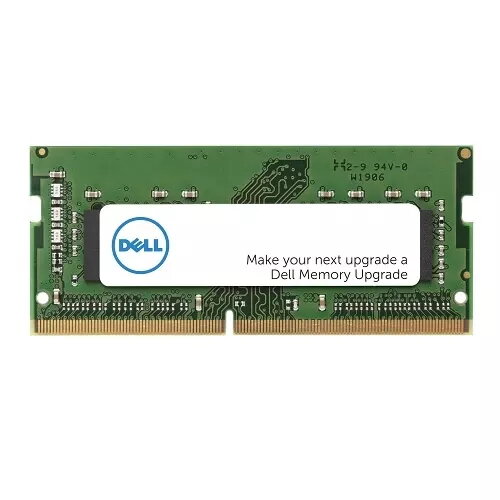
Memory Module DELL DDR4 16GB 3200MHz
The DELL DDR4 16GB 3200MHz memory module is a single 16 GB SO-DIMM designed for laptop upgrades. It provides DDR4 technology at a 3200 MHz clock speed to increase available system memory, reduce swapping to disk and improve responsiveness in multitasking, gaming and content creation workflows. The module is intended for systems that accept DDR4 SO-DIMM memory and compatible clock rates.
This 16 GB DDR4 module delivers higher bandwidth at 3200 MHz compared with lower-speed memory, supporting smoother multitasking and reduced application load times. A single-module layout simplifies upgrades by populating one slot while leaving others available for future expansion. The compact SO-DIMM format is built for laptop compatibility and energy-efficient operation relative to older memory types.
Power off the laptop and disconnect all power sources, including battery if removable. Open the memory compartment or access panel following the laptop manufacturer’s service instructions. Locate an empty SO-DIMM slot or remove the existing module if replacing one. Align the module notch with the slot key and press gently until the retaining clips snap into place. Reassemble the laptop, reconnect power and boot the system. Check system settings or BIOS/UEFI to confirm the new memory is recognized and operating at the expected speed.
Verify laptop compatibility with DDR4 SO-DIMM modules and supported clock frequencies before installation. When pairing modules, use matching capacities and speeds for optimal stability. Handle the module by its edges and avoid touching contacts to prevent electrostatic damage.
{{highlightedFeature.featureTitle}}:
{{getProductFeatureValueById(product, highlightedFeature.featureId)}}
{{ productComparisonGenerationError }}
