
Filters you can trust. Pure water every day.
In cart {{totalProductsCount}} item(s)
Your cart is empty
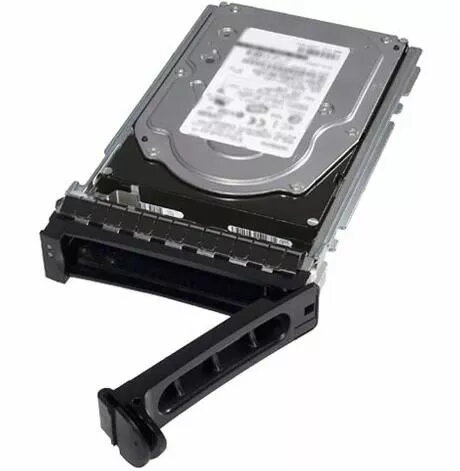
Dell 800GB 12G 2.5inch MLC WI SAS drive
The Dell 800GB 12G 2.5-inch MLC Write Intensive (WI) SAS drive is a high-performance solid-state storage solution engineered for demanding enterprise environments. Designed to integrate seamlessly with Dell server and storage infrastructure, this drive provides a robust 800GB capacity and utilizes a 12Gb/s SAS interface to ensure rapid data throughput and minimal latency. By leveraging Multi-Level Cell (MLC) NAND technology, the drive is specifically optimized for write-intensive workloads, offering superior endurance and data reliability for mission-critical applications.
This drive offers significant performance benefits for data centers requiring consistent high-speed access. The Write Intensive classification ensures that the drive can handle frequent data updates and heavy write cycles without compromising performance or longevity. Its 12Gb/s SAS interface provides the necessary bandwidth for complex enterprise tasks, while the 2.5-inch form factor allows for efficient space utilization in high-density server chassis. The integration of MLC technology provides a balanced approach to cost and durability, making it a dependable choice for environments where data integrity is paramount.
This drive is not intended for consumer-grade desktop computers or laptops, as it requires a SAS-compatible controller and enterprise-grade server backplane. It may also be inefficient for read-intensive workloads where a Read Intensive (RI) drive would offer a more cost-effective storage solution.
To install the drive, ensure your server is powered down and disconnected from the power source. Insert the drive into an available 2.5-inch drive bay on your compatible Dell server or storage enclosure. Secure the drive tray mechanism to ensure proper connection with the backplane. Once installed, power on the system and use your server's RAID controller or storage management software to initialize the drive and configure it within your storage pool or RAID array.
For optimal performance and data protection, it is recommended to configure this drive within a RAID array appropriate for your redundancy requirements. Regularly monitor the drive's health status using Dell management tools to track wear levels and ensure continued reliability in high-write environments.
{{highlightedFeature.featureTitle}}:
{{getProductFeatureValueById(product, highlightedFeature.featureId)}}
{{ productComparisonGenerationError }}
