
Dreame vacuums for fast and efficient cleaning!
In cart {{totalProductsCount}} item(s)
Your cart is empty
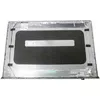
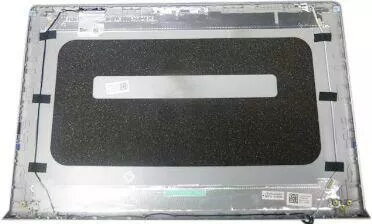
Laptop LCD back cover Dell DDM9D — silver replacement for compatible Dell models
Replacement LCD back cover Dell DDM9D — silver replacement for compatible Dell models is a silver-finish laptop lid designed to replace a damaged or worn outer screen panel on compatible Dell notebooks. It restores the external appearance and provides the correct attachment points and openings for hinges, camera, antenna cables and display connectors to ensure the screen assembly can be reinstalled and protected as originally intended.
This Dell LCD back cover offers an original-style fit with factory-aligned mounting points to simplify installation and minimize the need for modification. The silver finish matches common OEM aesthetics and resists everyday scratches and wear, helping to maintain a professional look. The cover provides structural protection for the LCD panel and internal display components while preserving access to camera and connector openings for full functionality.
Power off the laptop, disconnect the battery and remove the display assembly according to the manufacturer service guide. Detach the old back cover by removing screws and disconnecting any attached cables or components. Align the replacement back cover so that hinge mounts and connector openings match the display assembly, then secure with the original screws and reattach cables and brackets. Reinstall the display assembly and reconnect the battery, then verify display, camera and wireless antenna functions.
Handle the replacement back cover on a clean, static-free surface and use appropriate screwdrivers to avoid damaging screw heads. Confirm physical compatibility with your Dell model prior to installation and keep removed screws and small parts organized to ensure correct reassembly.
{{highlightedFeature.featureTitle}}:
{{getProductFeatureValueById(product, highlightedFeature.featureId)}}
{{ productComparisonGenerationError }}
