{{ totalProductsCount }}

In cart {{totalProductsCount}} item(s)

Total:
{{sum | formatAmount}}

Your cart is empty

header-product Monitor Dell Pro P P2426 24.1" (61.2 cm) WUXGA 1920x1200 IPS LCD, 8 ms, USB hub, VESA, Height-adjustable, Grey
178.99 €

Monitor Dell Pro P P2426 24.1" (61.2 cm) WUXGA 1920x1200 IPS LCD, 8 ms, USB hub, VESA, Height-adjustable, Grey

Fast shipping
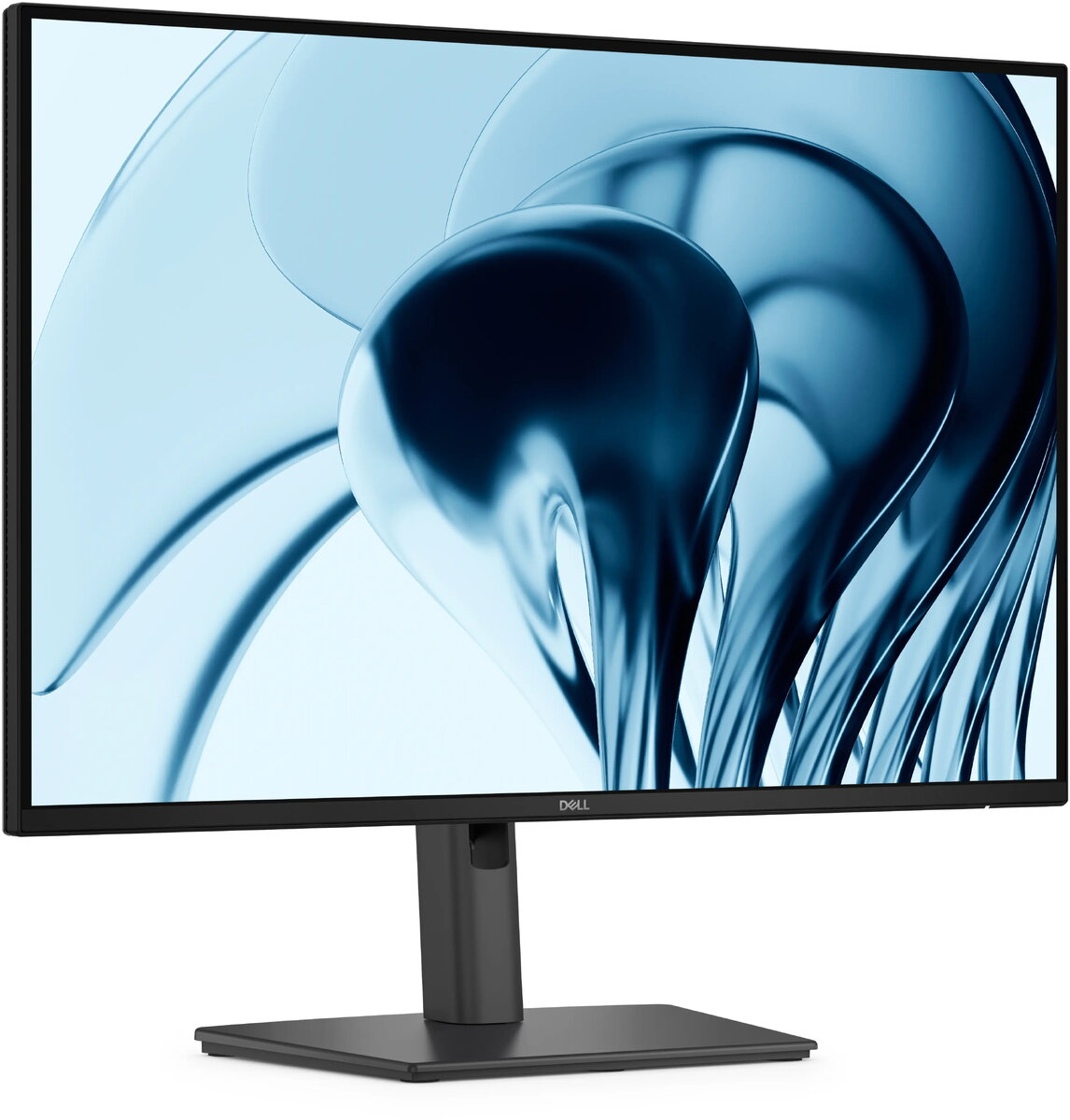
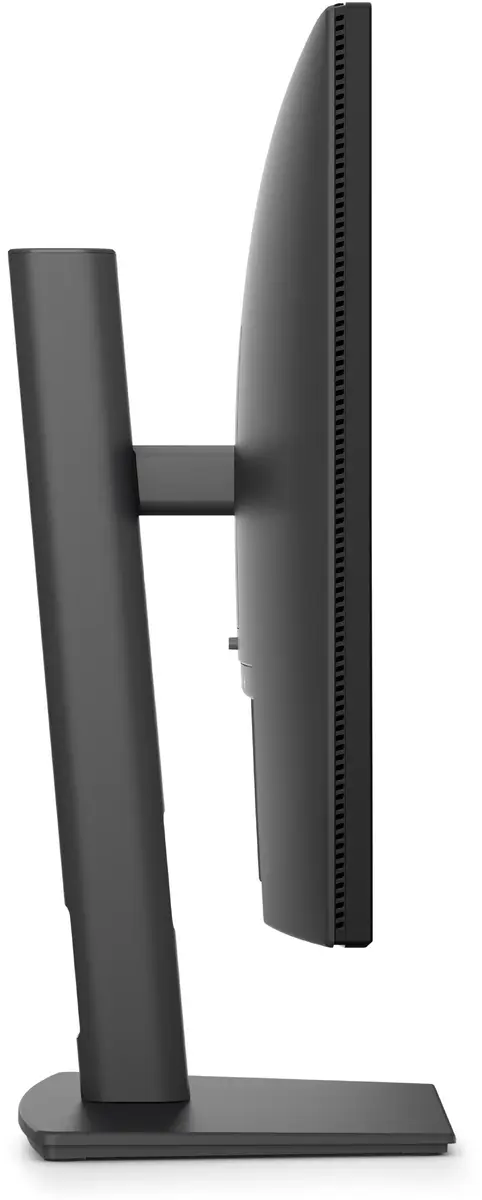
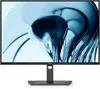
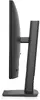
Dell Pro P P2426 24.1" WUXGA IPS monitor Photo 1
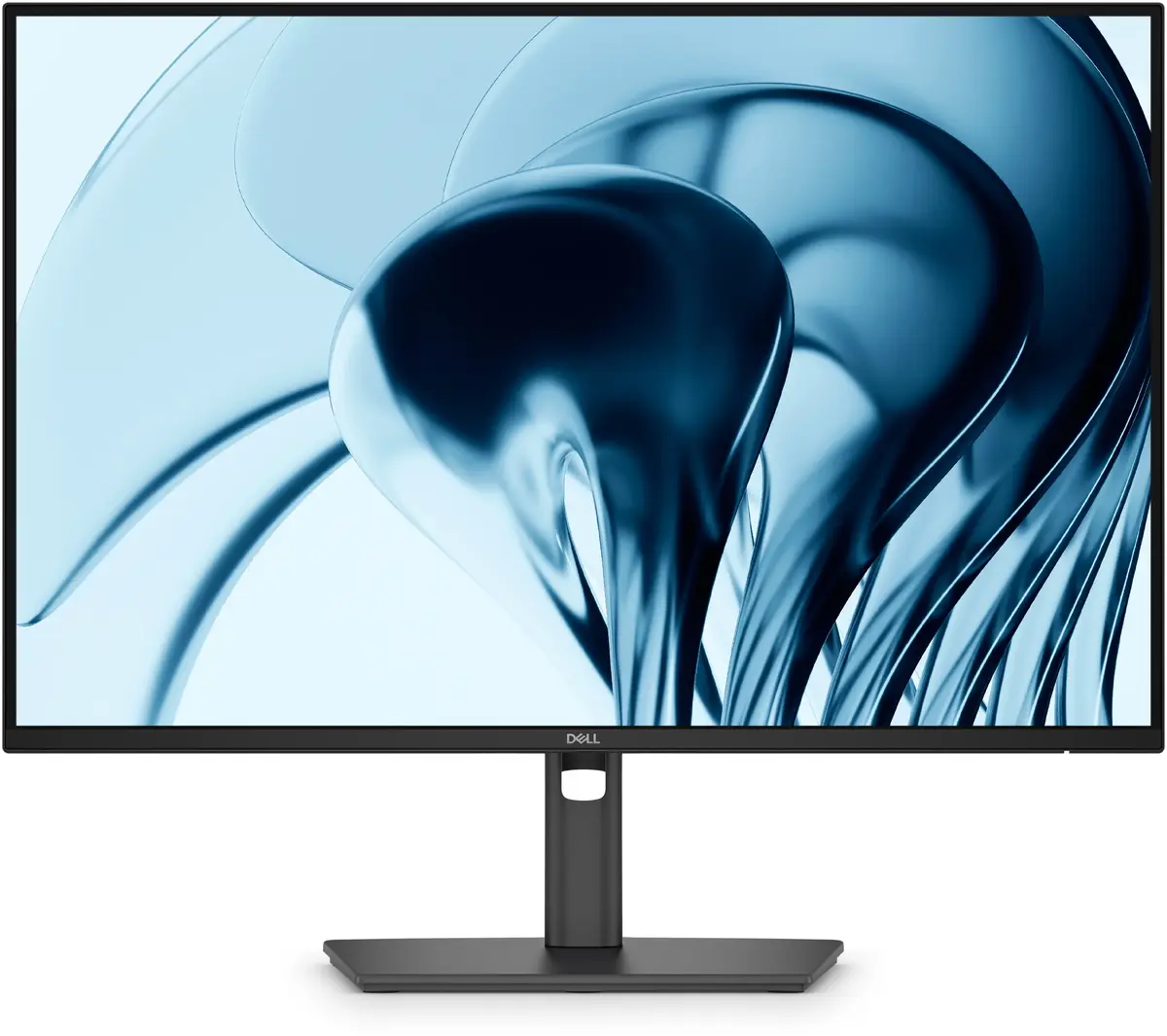
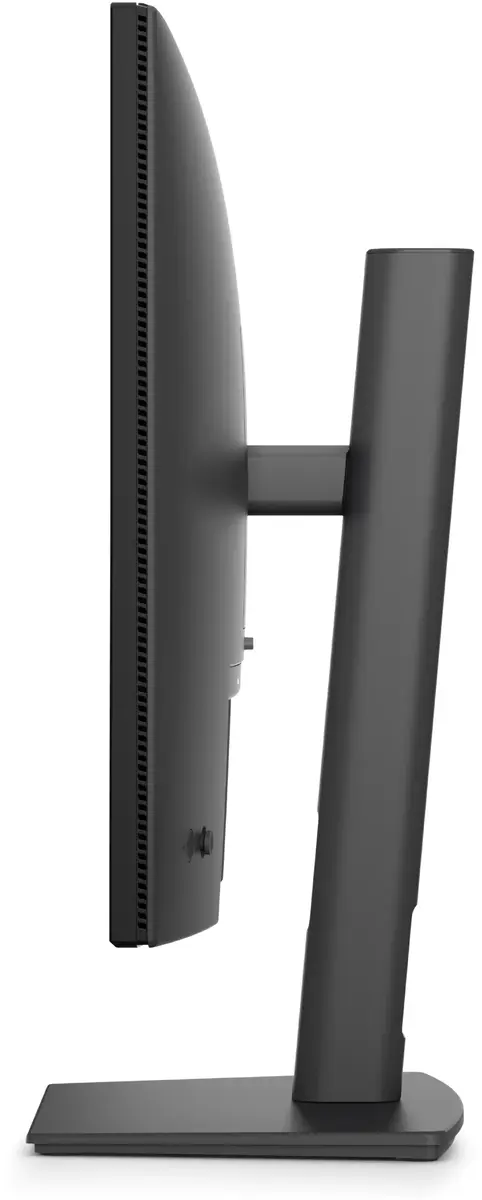
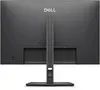
Dell Pro P P2426 24.1" WUXGA IPS monitor Photo 2
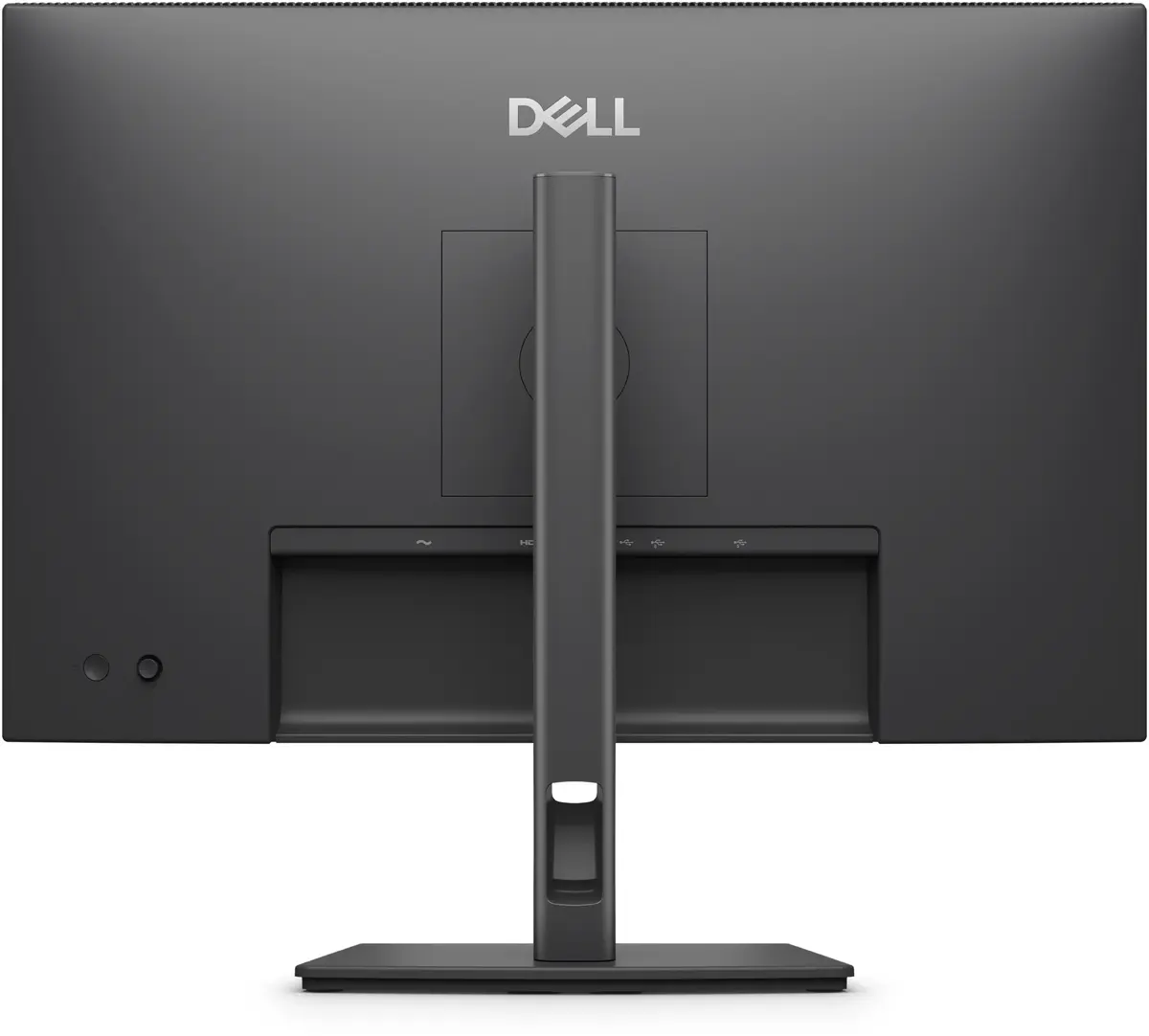
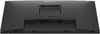
Dell Pro P P2426 24.1" WUXGA IPS monitor Photo 3
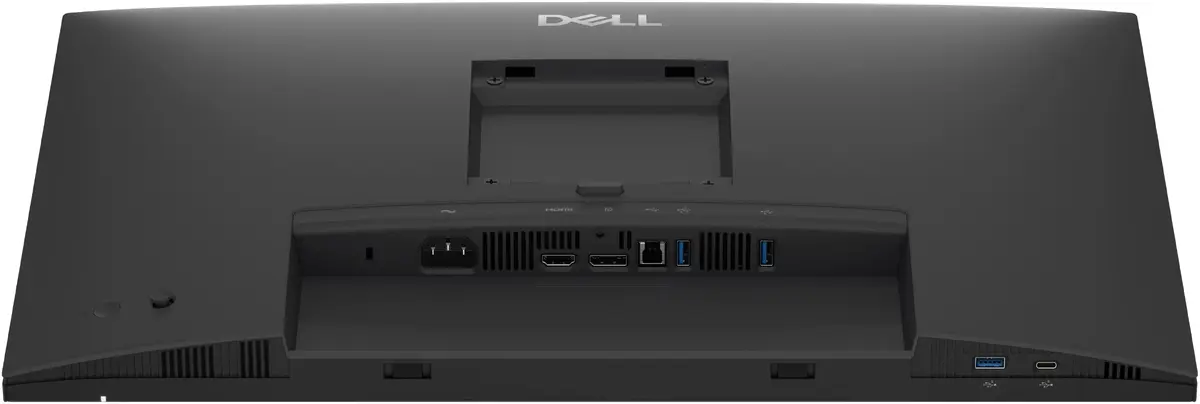
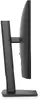
Dell Pro P P2426 24.1" WUXGA IPS monitor Photo 4
Dell Pro P P2426 24.1" WUXGA IPS monitor Photo 5
Dell Pro P P2426 24.1" WUXGA IPS monitor Photo 6
Dell Pro P P2426 24.1" WUXGA IPS monitor Photo 7
Dell Pro P P2426 24.1" WUXGA IPS monitor Photo 1
Dell Pro P P2426 24.1" WUXGA IPS monitor Photo 2
Dell Pro P P2426 24.1" WUXGA IPS monitor Photo 3
Dell Pro P P2426 24.1" WUXGA IPS monitor Photo 4
Dell Pro P P2426 24.1" WUXGA IPS monitor Photo 5
Dell Pro P P2426 24.1" WUXGA IPS monitor Photo 6
Dell Pro P P2426 24.1" WUXGA IPS monitor Photo 7
Keep track of price changes You keep track of price changes
Watch the price drop

Leave your address - as soon as the price of the product goes down, you'll know about it right away

You keep track of price changes

Monitor Dell Pro P P2426 24.1" (61.2 cm) WUXGA 1920x1200 IPS LCD, 8 ms, USB hub, VESA, Height-adjustable, Grey

{{email}}
You keep track of price changes

Monitor Dell Pro P P2426 24.1" (61.2 cm) WUXGA 1920x1200 IPS LCD, 8 ms, USB hub, VESA, Height-adjustable, Grey

{{email}}
{{selectedOffer && selectedOffer.price | formatAmount}}

Short description

Dell Pro P P2426 is a 24.1" (61.2 cm) WUXGA (1920 x 1200) IPS LCD monitor with 16:10 native aspect ratio and 8 ms response time. It features a 178°/178° viewing angle, 1500:1 typical contrast, built-in USB hub with one USB-C downstream port, VESA mount compatibility and height adjustment. Designed for office and productivity use where extended vertical space and ergonomic positioning are required.
Available at price 178.99 €: 1 pcs.
Total available for order: 256 pcs.
Warranty: 3 Years
SKU: 12242901
delivery
to the Customer Service Center at Kengaraga 2b, Riga
Wednesday {{selectedOffer.officeDeliveryString}}
free
Customer service center
2b. Kengaraga str., Riga, Latvia, LV-1063
Wednesday {{selectedOffer.officeDeliveryString}}
free
Courier Delivery Please note that in case of a large parcel additional delivery costs may apply!
22.06.2026 {{selectedOffer.courierDeliveryString}}
From 6.18 € (Weight: 6.70 kg)
Parcel couriers
Latvijas Pasts pakomāts / Unisend LV / DPD Paku skapis / Omniva LV / Venipak Pickup LV / Venipak Locker LV / Latvijas Pasts nodaļa
22.06.2026 {{selectedOffer.parcelStationDeliveryString}}
From 1.99 €
0 credit

pay in 3 equal parts

today

0 €

afterward

3 mth. х 59.66 €

overpayment

0 €

All payment Methods:
Cash payment, Bank transfer, Bank cards on-line, Apple Pay, Google Pay, Installment
36 months installment: from 4.97 euros per month
Together cheaper
{{product.price | formatAmount}}
{{product.title}}
{{productBundle.reference.specialPrice | formatAmount}}
{{productBundle.title}}
{{productBundlePreviousPrice | formatAmount}}
{{productBundleSpecialPrice | formatAmount}}

You saving {{productBundleYouSave | formatAmount}}

Product information

Description

Dell Pro P P2426 is a 24.1" (61.2 cm) WUXGA (1920 x 1200) IPS LCD monitor with a 16:10 native aspect ratio designed for office and productivity environments. The display provides extended vertical space compared with 16:9 panels, a wide 178°/178° viewing angle and a typical contrast ratio of 1500:1. The monitor includes a built-in USB hub with one USB-C downstream port, VESA mount compatibility and an adjustable-height stand to support ergonomic positioning. Its grey finish suits professional workspaces where neutral colour and practical design are preferred.

Advantages

The Dell Pro P P2426 offers a taller workspace from its 16:10 WUXGA resolution, allowing more content to be visible vertically without altering scaling. The IPS panel ensures consistent colour and viewing angles across the screen, while the typical 1500:1 contrast improves legibility for text and charts. Integrated USB hub functionality simplifies connection of peripherals, and the height-adjustable stand along with VESA mount support provides flexible ergonomic positioning for different desk setups.

Suitable for

  • Office work and document editing where extra vertical space is helpful
  • Spreadsheets, coding and data analysis requiring clear text rendering
  • Multi-window productivity and business applications
  • Workspaces needing a compact monitor with ergonomic adjustment and peripheral connectivity

Key specifications

  • Display diagonal: 24.1" (61.2 cm)
  • Native resolution: 1920 x 1200 (WUXGA), 16:10 aspect ratio
  • Panel type: IPS LCD
  • Pixel pitch: 0.27 x 0.27 mm
  • Response time: 8 ms
  • Typical contrast ratio: 1500:1
  • Viewing angles: 178° horizontal / 178° vertical
  • Built-in USB hub with one USB-C downstream port
  • VESA mounting compatible
  • Height-adjustable stand
  • Product colour: Grey
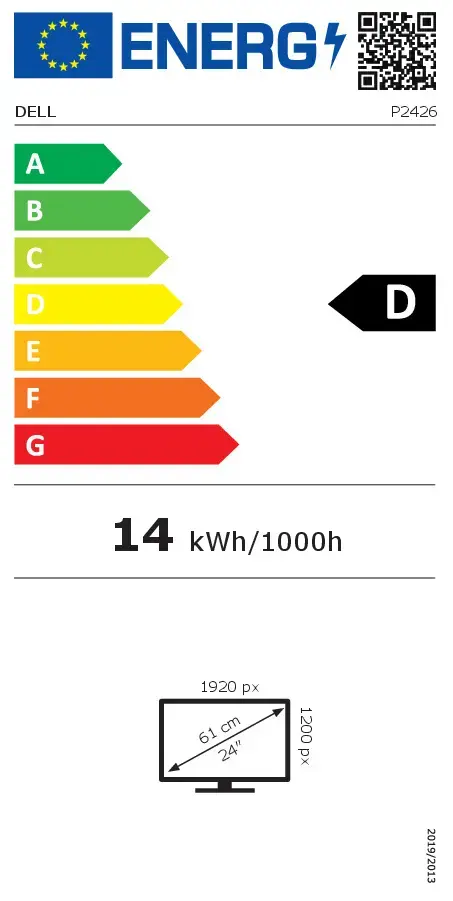
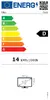
  • Energy efficiency class (SDR): D; Energy consumption (SDR) per 1000 hours: 14 kWh

How to use

Place the monitor on a stable desk surface or attach it to a VESA-compatible arm using the provided mounting pattern. Connect the video source using the supported video input on your system and attach peripherals to the built-in USB hub, including the USB-C downstream port if your device supports it. Use the height-adjustable stand to set the screen at eye level and tilt to reduce glare. Adjust display settings such as brightness, contrast and colour presets through the on-screen menu to match your ambient lighting and task requirements.

Usage recommendations

For prolonged office use, set the monitor so the top of the screen is at or slightly below eye level, maintain a distance of about an arm's length, and use moderate brightness to reduce eye strain. When using the USB hub, ensure connected devices meet the hub's power and data requirements. If wall- or arm-mounting, verify your VESA arm supports the monitor's weight and dimensions.

Specifications

Display diagonal: iagonal of the visible part of the screen expressed in centimeters and inches.
24.1 "
Display resolution:
1920 x 1200
HD type:
WUXGA
Panel type:
IPS
Display technology:
LCD
Pixel pitch:
0.27 x 0.27
Response time:
8 ms
Contrast ratio (typical):
1500:1
Screen shape:
Flat
USB Type-C downstream ports quantity:
1
Built-in USB hub:
Yes
VESA mounting:
Yes
Built-in speaker(s):
No
Energy efficiency class (SDR): Energy efficiency class is a standard classification that is used all over Europe and which is understandable at first sight. Products can be efficiently compared according to classes, starting from A (the most energy efficient class), and ending with G (the most energy-intensive class). The classification of energy efficiency is based on annual energy consumption which is being calculated on the basis of several different parameters.
D
Energy efficiency class (HDR): Energy efficiency class is a standard classification that is used all over Europe and which is understandable at first sight. Products can be efficiently compared according to classes, starting from A (the most energy efficient class), and ending with G (the most energy-intensive class). The classification of energy efficiency is based on annual energy consumption which is being calculated on the basis of several different parameters.
Not available
Energy consumption (SDR) per 1000 hours: Power consumption in switched-on state expressed in W.
14 kWh
Product colour:
Grey
All features

Display

Display diagonal: iagonal of the visible part of the screen expressed in centimeters and inches.
24.1 "
Display technology:
LCD
HD type:
WUXGA
Panel type:
IPS
Display resolution:
1920 x 1200
Pixel pitch:
0.27 x 0.27
Response time:
8 ms
Contrast ratio (typical):
1500:1
Viewing angle, vertical:
178 °
Viewing angle, horizontal:
178 °
Supported graphics resolutions:
640 x 480 (VGA), 720 x 400, 800 x 600 (SVGA), 1024 x 768 (XGA), 1152 x 864 (XGA+), 1280 x 1024 (SXGA), 1600 x 900, 1920 x 1080 (HD 1080), 1920 x 1200 (WUXGA)
Supported video modes:
1080p, 720p, 576p, 480p
Native aspect ratio:
16:10
Pixel density:
94 ppi
Display number of colours:
16.7 million colours
Backlight type:
Edge LED
Touchscreen:
No
Anti-glare screen:
Yes
LED backlight:
Yes
Response time (fast):
5 ms
Surface hardness:
3H
Response time measurement type:
GTG (Gray to Gray)

Design

Screen shape:
Flat
Product colour:
Grey
Panel mounting interface:
100 x 100
Bezel width (side):
6.7 mm
Bezel width (top):
6.7 mm
Bezel width (bottom):
13 mm
Market positioning:
Consumer

Ports & interfaces

HDMI ports quantity:
1
DisplayPorts quantity:
1
USB Type-C downstream ports quantity:
1
Headphone out:
No
Built-in USB hub:
Yes
USB upstream port type:
USB Type-B
USB Type-A downstream ports quantity:
3
HDMI version:
1.4
HDMI:
Yes
HDCP version:
1.4
Number of USB Type-B upstream ports quantity:
1
DisplayPort out version:
1.4

Ergonomics

Swivel angle range:
-45 - 45
Cable management:
Yes
Tilt adjustment:
Yes
Cable lock slot type:
Kensington
VESA mounting:
Yes
Adjustable height (max):
150 mm

Audio

Built-in speaker(s):
No

Performance

HDCP:
Yes
sRGB coverage (typical):
99 %
NVIDIA G-SYNC:
No
AMD FreeSync:
No
Flicker-free technology:
Yes
Low Blue Light technology:
Yes

Multimedia

Built-in camera:
No

Technical details

Sustainability certificates:
ENERGY STAR, TCO
Compliance certificates:
RoHS

Other features

Maximum refresh rate:
100 Hz
Viewable size diagonal:
324 mm
Viewable size, vertical:
518.4 mm
Input current:
1.5
Digital horizontal frequency:
30 - 127
Digital vertical frequency:
48 - 100
Power supply type:
Internal
Viewable size, horizontal:
611.3 mm
Display brightness (peak):
300 cd/m²
Cable lock slot:
Yes
Height adjustment:
Yes
Tilt angle range:
-5 - 21
Pivot:
Yes
Swivelling:
Yes
Pivot angle:
-90 - 90
Weight (without stand):
3070 g
Height (without stand):
343.7 mm
Depth (without stand):
50.03 mm

Power

Energy efficiency class (SDR): Energy efficiency class is a standard classification that is used all over Europe and which is understandable at first sight. Products can be efficiently compared according to classes, starting from A (the most energy efficient class), and ending with G (the most energy-intensive class). The classification of energy efficiency is based on annual energy consumption which is being calculated on the basis of several different parameters.
D
Energy efficiency class (HDR): Energy efficiency class is a standard classification that is used all over Europe and which is understandable at first sight. Products can be efficiently compared according to classes, starting from A (the most energy efficient class), and ending with G (the most energy-intensive class). The classification of energy efficiency is based on annual energy consumption which is being calculated on the basis of several different parameters.
Not available
Energy consumption (SDR) per 1000 hours: Power consumption in switched-on state expressed in W.
14 kWh
Power consumption (typical): Power consumption in switched-on state expressed in W.
13.6 W
Power consumption (off):
0.3 W
Power consumption (standby):
0.3 W
Power consumption (max):
68 W
AC input frequency:
50/60
AC input voltage:
100 - 240
Energy efficiency scale: Range of energy efficiency levels classifying devices from most to least energy-efficient.
A to G

Weight & dimensions

Weight (with stand):
4570 g
Width (with stand):
531.8 mm
Height (with stand):
511.2 mm
Depth (with stand):
181.75 mm
Width (without stand):
531.8 mm

Operational conditions

Operating relative humidity (H-H):
10 - 80
Storage temperature (T-T):
-20 - 60
Operating temperature (T-T):
0 - 40
Storage relative humidity (H-H):
5 - 90
Non-operating altitude:
5000 - 12192

Packaging content

Cables included:
Power, DisplayPort, USB Type-A to USB Type-B
Stand included:
Yes
DisplayPort cable length:
1.8 m

Packaging data

Package weight:
6740 g

Sustainability

Doesn't contain:
PVC/BFR, Arsenic, Mercury (element)

Reasons to buy

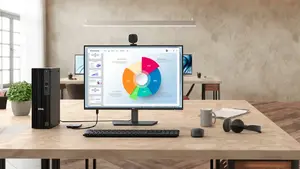
Connect to productivity

Designed for versatile workspaces, this Dell Pro monitor offers a broad set of ports to keep your accessories connected and your desk clutter-free. Built for everyday productivity, it adapts to a variety of setups so you can stay focused on work.

Connect to productivity

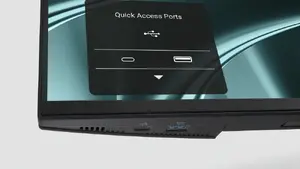
Quick-access ports for fast connectivity

Access your devices instantly using the thoughtfully placed bottom-bezel ports: 1 USB-C (supports up to 15W charging) and 1 USB-A quick-access port. An intuitive on-screen display highlights port locations, making it effortless to plug in peripherals and stay productive.

Quick-access ports for fast connectivity

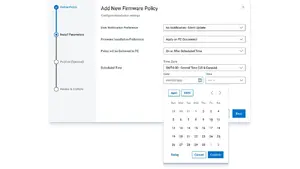
Silent firmware update for uninterrupted work

Keep your monitor up to date with near-silent firmware updates that complete in about 2–3 minutes—reducing update time by up to 90%. Updates run during PC disconnect or monitor sleep to prevent screen blackouts, and flexible scheduling ensures guaranteed execution without disrupting your productivity.

Silent firmware update for uninterrupted work

Reduced blue light for all-day comfort

Hardware low blue light technology lowers harmful blue light emissions to ≤35%, helping reduce eye strain during long workdays while preserving accurate colour reproduction.

Reduced blue light for all-day comfort

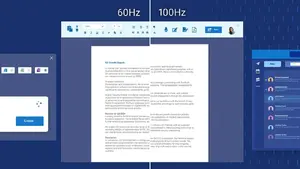
Smooth motion with 100Hz refresh rate

A 100Hz refresh rate minimises flicker for smoother scrolling and more consistent motion—making on-screen content feel more responsive during daily tasks.

Smooth motion with 100Hz refresh rate

Vivid, accurate colours

Enjoy wide colour coverage—99% sRGB and 99% BT.709—with up to 16.7 million displayable colours for vibrant, true-to-life visuals ideal for office content and media.

Vivid, accurate colours

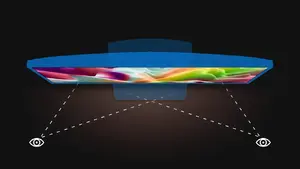
Consistent colour from every angle

IPS panel technology delivers consistent, vibrant colours across wide 178°/178° viewing angles, so images remain accurate whether you’re collaborating or viewing from off-centre positions.

Consistent colour from every angle

Exceptional contrast for deeper blacks

A typical 1500:1 contrast ratio provides deeper blacks and brighter whites, improving readability and visual depth in documents, presentations and multimedia.

Exceptional contrast for deeper blacks

Ergonomic tilt adjustment

Tilt the monitor from -5° to +21° to find a comfortable viewing angle and reduce neck strain during long work sessions.

Ergonomic tilt adjustment

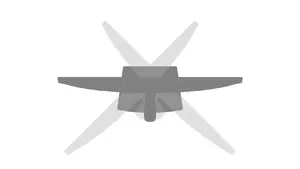
Flexible swivel for collaboration

Bi-directional swivel up to 45° lets you quickly reorient the screen for sharing content or adjusting your view.

Flexible swivel for collaboration

Pivot for portrait or landscape

Bi-directional pivot up to 90° enables easy switching between landscape and portrait modes, ideal for document editing and vertical content.

Pivot for portrait or landscape

Height adjustability for ergonomic positioning

Adjust the monitor height up to 150 mm to achieve an ergonomic setup that reduces strain and improves comfort throughout the day.

Height adjustability for ergonomic positioning

Dell Display and Peripheral Manager

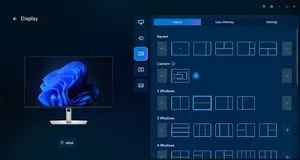
Optimise your workspace with Dell’s unified application to manage display and peripheral settings. Maximise productivity with Easy Arrange to tile and restore app layouts (save up to five windows), schedule or auto-restore window profiles, and customise brightness and contrast to match your work schedule. For IT, the Dell Device Management Console enables cloud-based management of Dell peripherals at scale and extended command line features for streamlined administration.

Dell Display and Peripheral Manager

Environmentally forward thinking

Built with sustainability in mind, this monitor uses recycled materials across its design—incorporating up to 95% post-consumer recycled plastic, 100% recycled aluminum, 80% recycled steel and 20% recycled glass. It meets strict environmental standards including ENERGY STAR®, EPEAT Gold with Climate+, TCO Certification and TCO Certified Edge. Packaging is made from 100% recycled or renewable materials, and Dell offers responsible IT retirement services to support your sustainability goals.

{{highlightedFeature.featureTitle}}:

{{product.title}}
{{product.price}}

{{getProductFeatureValueById(product, highlightedFeature.featureId)}}

Might be useful
{{product.manufacturerName}}
{{product.categoryName}}
{{product.title}}
{{product.specialPrice}}
{{product.price}}
Stock data
Warehouse Stock Delivery to the store Store Price
BT5 1 Wednesday Best delivery 178.99 € Best price
BT23 20 Wednesday Best delivery 180.99 €
BT45 34 Thursday 184.99 €
Show all offers Hide
Available only for legal entities
Warehouse Stock Delivery to the store Store Price
EU9 10 01.07.2026 205.49 €
WH109 7 15.07.2026 218.99 €
178.99 €
Stock: 1
Delivery Date: Wednesday Best delivery
Warehouse: BT5
180.99 €
Stock: 20
Delivery Date: Wednesday Best delivery
Warehouse: BT23
184.99 €
Stock: 34
Delivery Date: Thursday
Warehouse: BT45
208.49 €
Stock: 22
Delivery Date: 01.07.2026
Warehouse: WH113
Discount 0%
211.99 €
Stock: 20
Delivery Date: 01.07.2026
Warehouse: EU3
219.99 €
Stock: 1
Delivery Date: 30.06.2026
Warehouse: EU57
220.49 €
Stock: 44
Delivery Date: 03.07.2026
Warehouse: WH353
221.49 €
Stock: 77
Delivery Date: 01.07.2026
Warehouse: WH94
268.49 €
Stock: 20
Delivery Date: 01.07.2026
Warehouse: WH320
Available only for legal entities
205.49 €
Stock: 10
Delivery Date: 01.07.2026
Warehouse: EU9
218.99 €
Stock: 7
Delivery Date: 15.07.2026
Warehouse: WH109

Energy label

Energy label
DELL-P2426
Model

Device manufacturer code

Dell
Manufacturer

Device manufacturer

24.1 "
Display diagonal

iagonal of the visible part of the screen expressed in centimeters and inches.

D
Energy efficiency class (SDR)

Energy efficiency class is a standard classification that is used all over Europe and which is understandable at first sight. Products can be efficiently compared according to classes, starting from A (the most energy efficient class), and ending with G (the most energy-intensive class). The classification of energy efficiency is based on annual energy consumption which is being calculated on the basis of several different parameters.

Not available
Energy efficiency class (HDR)

Energy efficiency class is a standard classification that is used all over Europe and which is understandable at first sight. Products can be efficiently compared according to classes, starting from A (the most energy efficient class), and ending with G (the most energy-intensive class). The classification of energy efficiency is based on annual energy consumption which is being calculated on the basis of several different parameters.

14 kWh
Energy consumption (SDR) per 1000 hours

Power consumption in switched-on state expressed in W.

Customer reviews

Customer questions

FAQ

How much does the Dell Pro P P2426 24.1" WUXGA IPS monitor cost, and is it available for purchase?

The price is 178.99 € (valid at the time of publication and already includes all taxes). The item is available for order — 256 pcs. are in stock, and you can place your purchase right now with delivery across Latvia and Europe or choose pickup at the Riga collection point. We offer favorable purchase terms, including the option to split the payment into convenient monthly installments. Availability and price are updated in real time, so we recommend placing your order in advance.

If I order this product today, when will I receive my order?

If you place your order today, delivery will be as fast and convenient as possible. You will be able to pick up your order on Wednesday at the Riga pickup point or choose delivery across Latvia and Europe. We carefully inspect every purchase and pack it securely for safe transportation.

What payment options are available?

AiO.lv offers several payment methods: Cash payment, Bank transfer, Bank cards on-line, Apple Pay, Google Pay, Installment. All transactions are 100% secure and encrypted.

Can Dell Pro P P2426 24.1" WUXGA IPS monitor be purchased with a lease?

Yes, the purchase is available both on credit and with an interest-free installment plan. We work with leading banks and leasing companies in Latvia, allowing you to make your purchase on convenient terms — with a minimal down payment and a repayment period from 3 to 36 months. You can apply for credit or installments for the Dell Pro P P2426 24.1" WUXGA IPS monitor online, and the application process is as simple as possible:
  • Select the product on the website and add it to your cart;
  • When placing your order, choose the payment method “Installments”;
  • Fill in the required details for the lending partner;
  • Receive a decision within a few minutes.
For more information about available payment options, interest-free installment terms, and credit conditions in Latvia, please visit the Payment page.

Can this product be purchased for a company (with VAT)?

Yes. AiO.lv works with legal entities in Latvia and across Europe. The product price already includes VAT. For certain product categories, as well as for companies from other EU countries with a valid VAT number, a 0% VAT rate may apply. We issue the invoice immediately after the order is placed, support electronic BIS invoices, and automatically generate all necessary accounting documents. You can complete the purchase for a company online — simply select the company profile and choose bank transfer as the payment method during checkout.

What is the warranty period?

All Dell products come with an official 2 Years warranty. It covers all manufacturing defects and malfunctions that may occur during use. The warranty is valid at all authorized Dell service centers and through AiO.lv

Can the product be returned after purchase?

Yes, you can return the product within 14 days of purchase if you bought it as a consumer (not a legal entity). Returns are possible without giving any reason — the main condition is that the product retains its original appearance and full set of accessories. We will make the process as simple and convenient as possible: just contact our customer support team, and we will help you arrange the return.

Where should I contact for warranty service?

For warranty-related questions you can contact the AiO.lv (SIA VSPRO) customer support team. We will assist with consultation, warranty claim processing, and coordination with certified service centers.

How can I tell if this product suits my needs?

When making a choice, we recommend paying attention to the key features: display diagonal, display resolution, hd type, panel type, display technology, pixel pitch, response time, contrast ratio (typical), screen shape, usb type-c downstream ports quantity, built-in usb hub, vesa mounting, built-in speaker(s), energy efficiency class (sdr), energy efficiency class (hdr), energy consumption (sdr) per 1000 hours, product colour, compatibility with your devices or usage conditions, material quality, functionality, and warranty terms. These characteristics will help you determine how well the model meets your needs.

Where can I download the instructions for Dell Pro P P2426 24.1" WUXGA IPS monitor?

You can download the instructions in PDF format from the “Instructions” section on the product description page. The file contains complete information about installation, setup, and usage.
warranty
14-Day Return Policy We are confident in our quality, but if the purchase doesn’t fit — you have 14 days to return the product with peace of mind.
shipping
Fast Delivery Get your orders as quickly as possible — right to your door, parcel lockers, or pickup points across Latvia and the EU.
payment
Secure Payment Pay the way you prefer: cash, VISA, MasterCard, Apple Pay, Google Pay, bank transfer, or 0% installment plan.
warranty
Quality Since 2008 AiO.lv has been on the market for over 18 years and has earned trust — with more than 6000 genuine positive reviews on Google.