
Leave your address - as soon as the price of the product goes down, you'll know about it right away
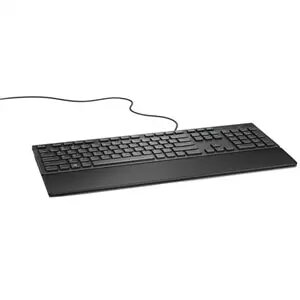
Wired USB Keyboard Dell KB216 — Full-size (100%), Black
In cart {{totalProductsCount}} item(s)
Your cart is empty
Wired USB Keyboard Dell KB216 — Full-size (100%), Black
Leave your address - as soon as the price of the product goes down, you'll know about it right away
Wired USB Keyboard Dell KB216 — Full-size (100%), Black
The Dell KB216 Wired USB Keyboard is a full-size (100%) black keyboard designed for universal desktop use. It connects via USB for plug-and-play operation and provides a standard straight layout with a separate numeric keypad and chiclet-style keys for comfortable, accurate typing. The keyboard does not include a mouse and is intended for reliable, everyday use in office, home, and general-purpose computer setups.
The keyboard offers a full-layout design with an integrated numeric keypad and standard Windows keys, making it suitable for data entry and general productivity tasks. Its wired USB connection ensures a stable, low-latency link without the need for batteries or wireless pairing. Quiet, low-profile chiclet keys reduce typing noise while maintaining tactile feedback. Built for desk-centric use, the Dell KB216 provides a durable housing and a consistent typing surface that fits common workplace and home environments.
Connect the keyboard to an available USB port on your computer; the device is recognized automatically by most modern operating systems without additional drivers. Place the keyboard on a stable surface with the numeric keypad on the right for standard layout orientation. Use the multimedia keys to control playback and volume directly. For optimal comfort, adjust the keyboard angle using built-in feet if present and position it at a comfortable distance from your body to maintain ergonomic posture.
For reliable long-term operation, keep the keyboard away from liquids and excessive dust. If you require extended comfort during heavy typing sessions, consider adding a separate palm rest. Regularly clean the keycaps with a soft, dry cloth and disconnect the keyboard before cleaning or servicing your workstation.
{{highlightedFeature.featureTitle}}:
{{getProductFeatureValueById(product, highlightedFeature.featureId)}}
