{{ totalProductsCount }}

In cart {{totalProductsCount}} item(s)

Total:
{{sum | formatAmount}}

Your cart is empty

header-product Monitor DELL Pro Plus P1425 14" WUXGA LCD 1920 x 1200
280.49 €

Monitor DELL Pro Plus P1425 14" WUXGA LCD 1920 x 1200

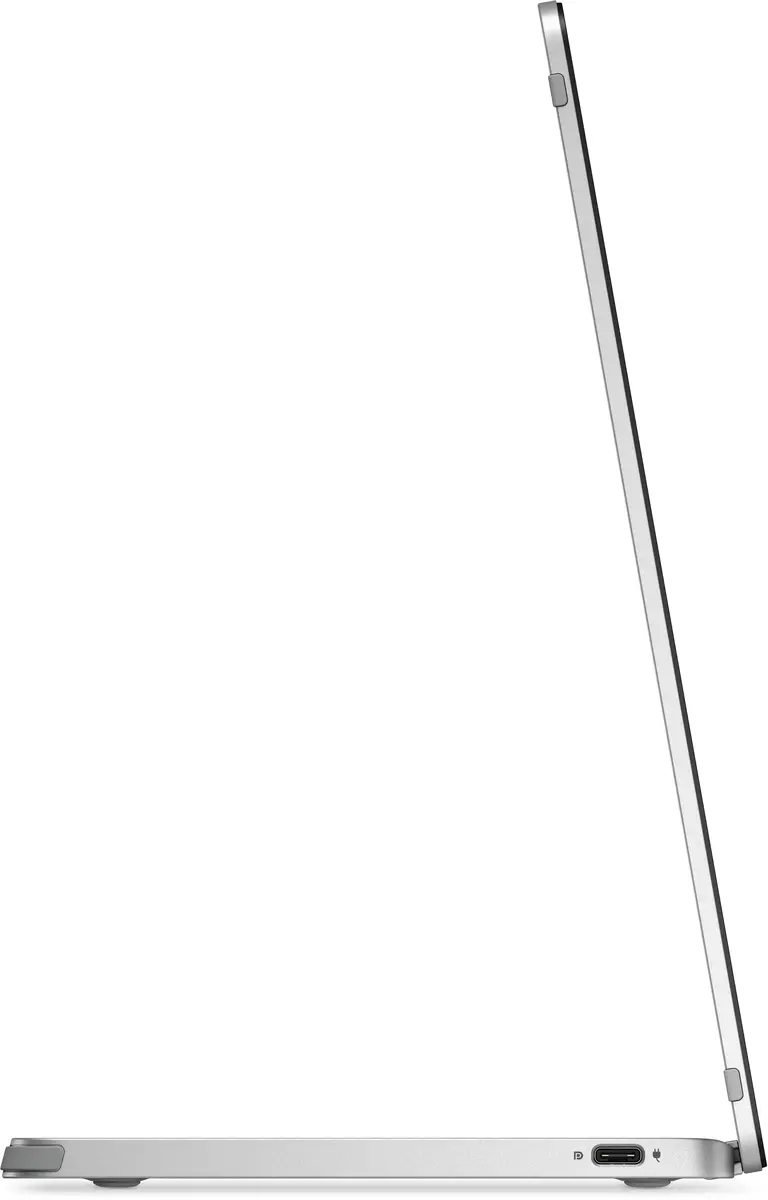
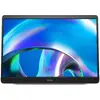
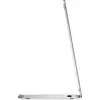
Monitor DELL Pro Plus P1425 Photo 1
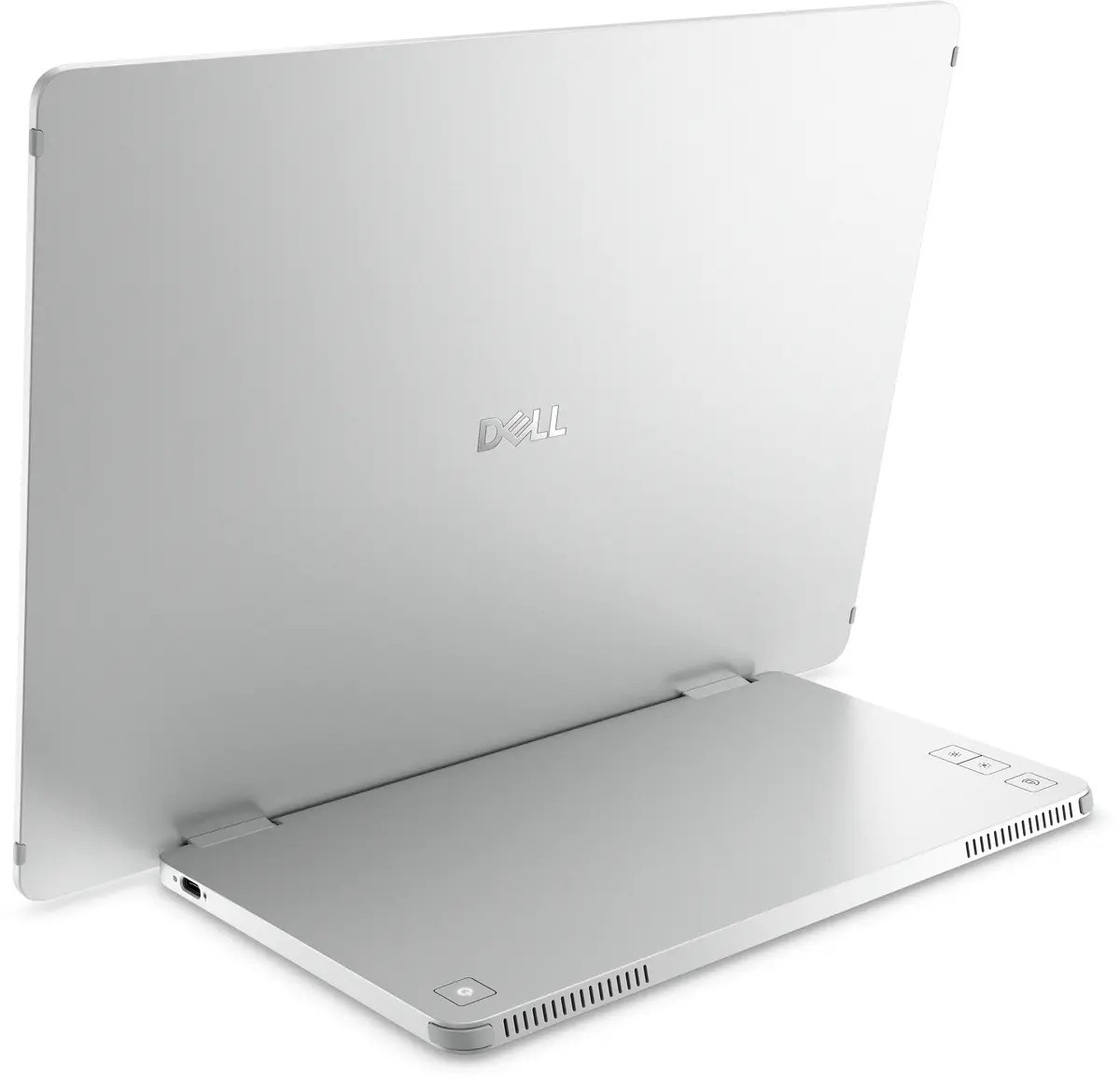
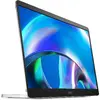
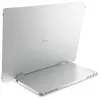
Monitor DELL Pro Plus P1425 Photo 2
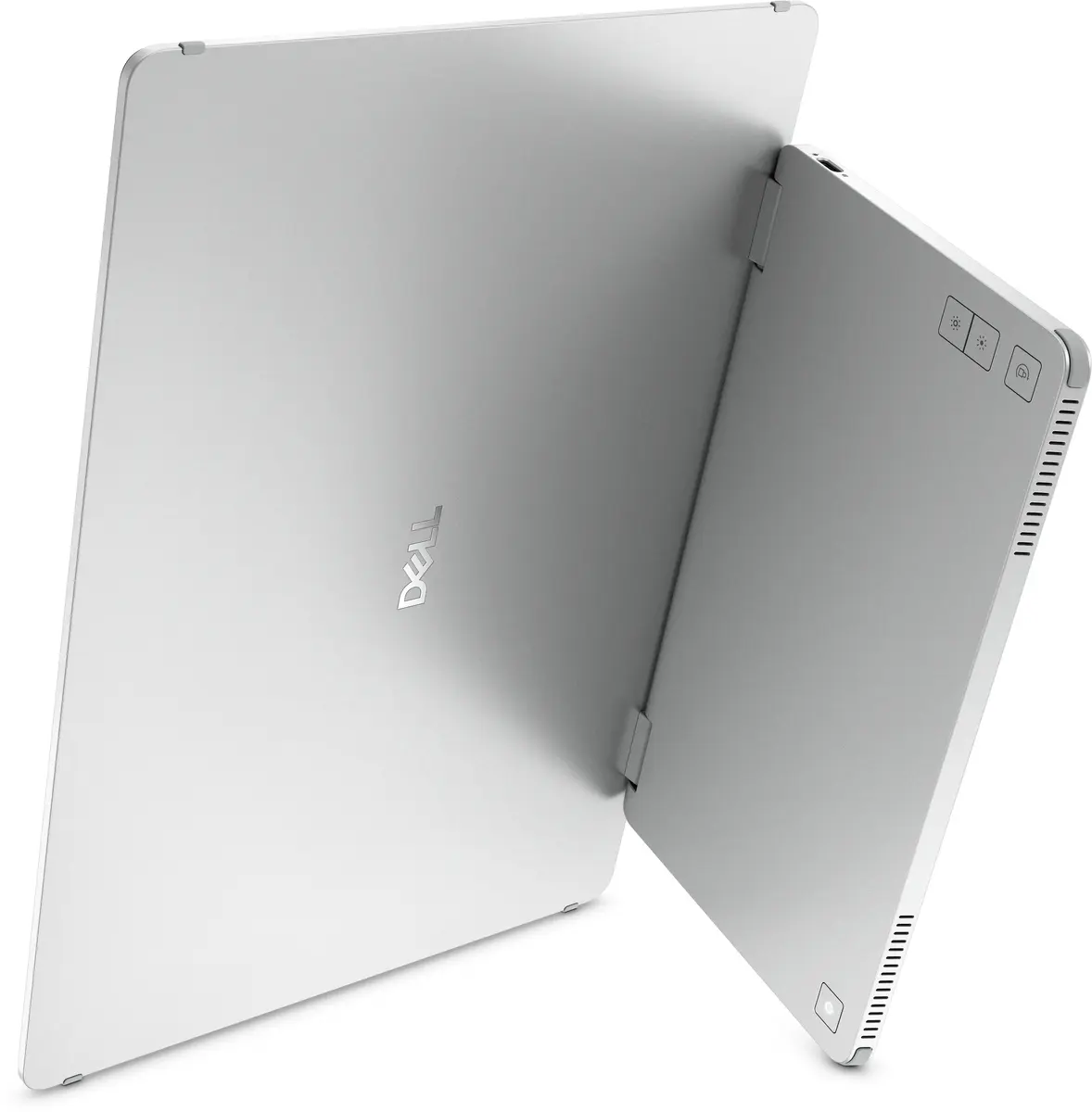
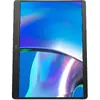
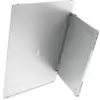
Monitor DELL Pro Plus P1425 Photo 3
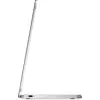
Monitor DELL Pro Plus P1425 Photo 4
Monitor DELL Pro Plus P1425 Photo 5
Monitor DELL Pro Plus P1425 Photo 6
Monitor DELL Pro Plus P1425 Photo 7
Monitor DELL Pro Plus P1425 Photo 8
Monitor DELL Pro Plus P1425 Photo 1
Monitor DELL Pro Plus P1425 Photo 2
Monitor DELL Pro Plus P1425 Photo 3
Monitor DELL Pro Plus P1425 Photo 4
Monitor DELL Pro Plus P1425 Photo 5
Monitor DELL Pro Plus P1425 Photo 6
Monitor DELL Pro Plus P1425 Photo 7
Monitor DELL Pro Plus P1425 Photo 8
Keep track of price changes You keep track of price changes
Watch the price drop

Leave your address - as soon as the price of the product goes down, you'll know about it right away

You keep track of price changes

Monitor DELL Pro Plus P1425 14" WUXGA LCD 1920 x 1200

{{email}}
You keep track of price changes

Monitor DELL Pro Plus P1425 14" WUXGA LCD 1920 x 1200

{{email}}
{{selectedOffer && selectedOffer.price | formatAmount}}

Short description

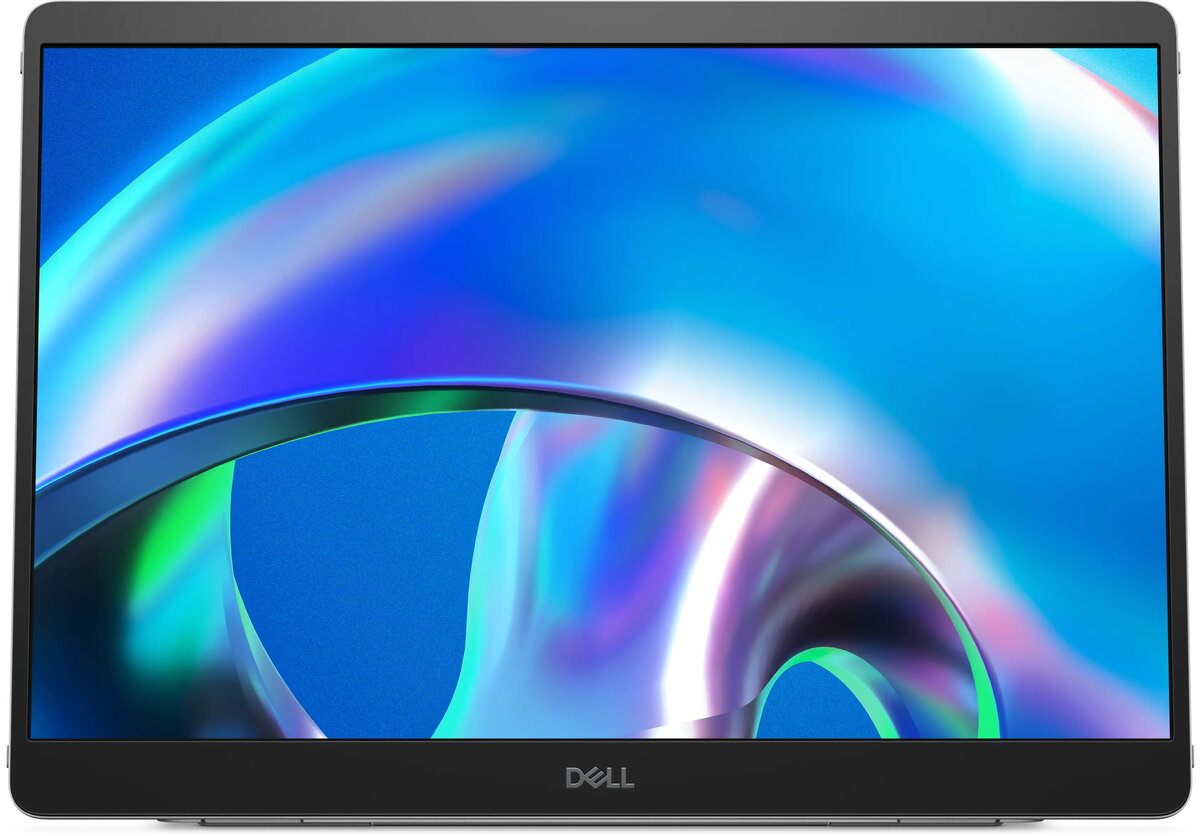
The DELL Pro Plus P1425 is a 14" LCD monitor with a resolution of 1920 x 1200 pixels. It features a 7 ms response time, 178° viewing angles, and a native aspect ratio of 16:10. The monitor includes a built-in USB hub and supports VESA mounting, making it ideal for various setups.
Available for order: 14 pcs.
Warranty: 2 Years
SKU: 11591655
free shipment

Cheapest delivery:

Venipak Locker LV

Pick-up points

Venipak Locker LV

Cost

1.89 €

Deliver

{{selectedOffer.parcelStationDeliveryString}}

Customer service center
2b. Kengaraga str., Riga, Latvia, LV-1063
09.07.2026 {{selectedOffer.officeDeliveryString}}
free
Courier Delivery Please note that in case of a large parcel additional delivery costs may apply!
14.07.2026 {{selectedOffer.courierDeliveryString}}
From 4.99 € (Weight: 1.22 kg)
Parcel couriers
Venipak Locker LV / Latvijas Pasts pakomāts / Unisend LV / DPD Paku skapis / Omniva LV / Venipak Pickup LV / Latvijas Pasts nodaļa
14.07.2026 {{selectedOffer.parcelStationDeliveryString}}
From 1.89 €
0 credit

pay in 3 equal parts

today

0 €

afterward

3 mth. х 93.5 €

overpayment

0 €

All payment Methods:
Bank transfer, Bank cards on-line, Apple Pay, Google Pay, Installment
36 months installment: from 7.79 euros per month
Together cheaper
{{product.price | formatAmount}}
{{product.title}}
{{productBundle.reference.specialPrice | formatAmount}}
{{productBundle.title}}
{{productBundlePreviousPrice | formatAmount}}
{{productBundleSpecialPrice | formatAmount}}

You saving {{productBundleYouSave | formatAmount}}

Product information

Description

Expand your productivity on the go with this 14-inch portable monitor featuring a WUXGA 1920 x 1200 IPS display. The compact 14" screen offers a 16:10 aspect ratio and an Edge LED backlight, designed for secondary display use with laptops, tablets and compatible USB devices. The monitor combines a high pixel density and portable form factor to provide clearer text and more workspace compared with many standard 13–14" displays.

Advantages

This 14-inch portable monitor delivers a bright 400 cd/m² panel and a 1500:1 contrast ratio for distinguishable text and images in typical indoor lighting. The IPS technology ensures wide viewing angles and consistent color across the panel. Its USB connectivity supports simple plug-and-play operation with compatible hosts, while the thin, lightweight design makes it convenient for travel and mobile work.

Key specifications

  • Screen size: 35.6 cm (14")
  • Panel type: IPS (Edge LED)
  • Resolution: WUXGA 1920 x 1200 pixels (16:10)
  • Refresh rate / Response time: 60 Hz / 7 ms
  • Luminance: 400 cd/m²
  • Contrast ratio: 1500:1
  • Power: B 5 kWh, 5.4 W
  • Connectivity: USB

How to use

Connect the monitor to a compatible host device using the provided USB cable and follow the host device prompts for display setup. Position the monitor on a stable surface or use a compatible stand/case for adjustable viewing angles. Adjust brightness and display settings through the monitor's on-screen menu or the connected device as needed. For best results, use at typical indoor lighting and keep drivers or firmware up to date on the host device.

Рекомендации

Use a quality USB cable and verify the host device supports display output over USB. For extended mobile use, ensure the host device provides adequate power or use an external power source if required. When transporting the monitor, protect the panel with a padded sleeve or the supplied cover to avoid scratches and impacts.

Specifications

Display diagonal: iagonal of the visible part of the screen expressed in centimeters and inches.
14 "
Display resolution:
1920 x 1200
HD type:
WUXGA
Panel type:
IPS
Display technology:
LCD
Pixel pitch:
0.157 x 0.157
Response time:
7 ms
Contrast ratio (typical):
1500:1
Display brightness (typical):
400 cd/m²
Screen shape:
Flat
Built-in USB hub:
Yes
VESA mounting:
Yes
Built-in speaker(s):
No
Energy efficiency class: Rating of how efficiently a device uses energy, affecting power consumption and costs.
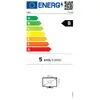
B
Energy efficiency class (SDR): Energy efficiency class is a standard classification that is used all over Europe and which is understandable at first sight. Products can be efficiently compared according to classes, starting from A (the most energy efficient class), and ending with G (the most energy-intensive class). The classification of energy efficiency is based on annual energy consumption which is being calculated on the basis of several different parameters.
B
Energy efficiency class (HDR): Energy efficiency class is a standard classification that is used all over Europe and which is understandable at first sight. Products can be efficiently compared according to classes, starting from A (the most energy efficient class), and ending with G (the most energy-intensive class). The classification of energy efficiency is based on annual energy consumption which is being calculated on the basis of several different parameters.
Not available
Energy consumption (SDR) per 1000 hours: Power consumption in switched-on state expressed in W.
5 kWh
Product colour:
Silver
All features

Display

Display diagonal: iagonal of the visible part of the screen expressed in centimeters and inches.
14 "
Display technology:
LCD
HD type:
WUXGA
Panel type:
IPS
Display resolution:
1920 x 1200
Pixel pitch:
0.157 x 0.157
Response time:
7 ms
Contrast ratio (typical):
1500:1
Display brightness (typical):
400 cd/m²
Viewing angle, vertical:
178 °
Viewing angle, horizontal:
178 °
Horizontal scan range:
30 - 118
Display diagonal (metric):
35.57 cm
Supported graphics resolutions:
640 x 480 (VGA), 800 x 600 (SVGA), 1024 x 768 (XGA), 1280 x 1024 (SXGA), 1280 x 768, 1280 x 800, 1366 x 768, 1440 x 900, 1600 x 1200 (UXGA), 1680 x 1050 (WSXGA+)
Supported video modes:
480p, 576p, 720p, 1080p
Native aspect ratio:
16:10
Vertical scan range:
56 - 60
Pixel density:
162 ppi
Product type:
Portable monitor
Display number of colours:
16.7 million colours
Backlight type:
Edge LED
Touchscreen:
No
Anti-glare screen:
Yes
LED backlight:
Yes
Surface hardness:
3H
Colour gamut standard:
sRGB
Response time measurement type:
GTG (Gray to Gray)

Design

Screen shape:
Flat
Product colour:
Silver
Bezel width (side):
5.95 mm
Bezel width (top):
13.6 mm
Bezel width (bottom):
21.44 mm

Ports & interfaces

Headphone out:
No
Built-in USB hub:
Yes
USB upstream port type:
USB Type-C
Number of upstream ports:
2
USB ports quantity:
2
HDMI:
No
HDCP version:
1.4
USB Type-C DisplayPort Alternate Mode:
Yes
Number of USB Type-C upstream ports quantity:
2

Ergonomics

Tilt adjustment:
Yes
VESA mounting:
Yes

Audio

Built-in speaker(s):
No

Performance

HDCP:
Yes
sRGB coverage (typical):
100 %
On Screen Display (OSD):
Yes
NVIDIA G-SYNC:
No
AMD FreeSync:
No

Multimedia

Built-in camera:
No

Technical details

Energy efficiency class: Rating of how efficiently a device uses energy, affecting power consumption and costs.
B
Sustainability certificates:
ENERGY STAR
Compliance certificates:
RoHS

Computer system

Windows operating systems supported:
Windows 10, Windows 11
Mac operating systems supported:
Y

Other features

Maximum refresh rate:
60 Hz
Viewable size, vertical:
188.5 mm
Power supply type:
External
Viewable size, horizontal:
301.59 mm
Plug and Play:
Yes
Cable lock slot:
No
Height adjustment:
No
Tilt angle range:
10 - 90
Weight (without stand):
570 g
Height (without stand):
223.54 mm
Depth (without stand):
4.6 mm

Power

Energy efficiency class (SDR): Energy efficiency class is a standard classification that is used all over Europe and which is understandable at first sight. Products can be efficiently compared according to classes, starting from A (the most energy efficient class), and ending with G (the most energy-intensive class). The classification of energy efficiency is based on annual energy consumption which is being calculated on the basis of several different parameters.
B
Energy efficiency class (HDR): Energy efficiency class is a standard classification that is used all over Europe and which is understandable at first sight. Products can be efficiently compared according to classes, starting from A (the most energy efficient class), and ending with G (the most energy-intensive class). The classification of energy efficiency is based on annual energy consumption which is being calculated on the basis of several different parameters.
Not available
Energy consumption (SDR) per 1000 hours: Power consumption in switched-on state expressed in W.
5 kWh
Power consumption (typical): Power consumption in switched-on state expressed in W.
5.4 W
Power consumption (off):
0.3 W
Power consumption (standby):
0.3 W
Power consumption (max):
7 W
Energy efficiency scale: Range of energy efficiency levels classifying devices from most to least energy-efficient.
A to G

Weight & dimensions

Width (with stand):
315.15 mm
Height (with stand):
223.54 mm
Depth (with stand):
14.65 mm
Width (without stand):
315.15 mm

Operational conditions

Operating altitude:
0 - 5000
Operating relative humidity (H-H):
10 - 90
Storage temperature (T-T):
-20 - 60
Operating temperature (T-T):
0 - 40
Storage relative humidity (H-H):
5 - 90
Non-operating altitude:
0 - 12192

Packaging content

Stand included:
Yes

Packaging data

Package weight:
1240 g

Carbon footprint

Total carbon footprint (kg of CO2e):
71.5
Carbon emissions, manufacturing (kg of CO2e):
40.5405
Carbon emissions, logistics (kg of CO2e):
2.3595
Carbon emissions, energy usage (kg of CO2e):
27.456
Carbon emissions, end-of-life (kg of CO2e):
1.144
Total carbon emissions, w/o use phase (kg of CO2e):
44.044
PAIA version:
GaBi version 1, 2024

Sustainability

Doesn't contain:
Arsenic, Mercury (element), PVC/BFR

Reasons to buy

Expand productivity on the go

Compact convenience
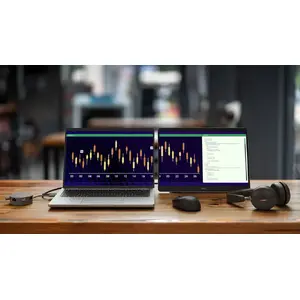
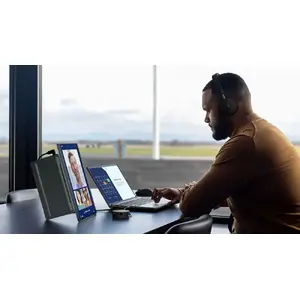
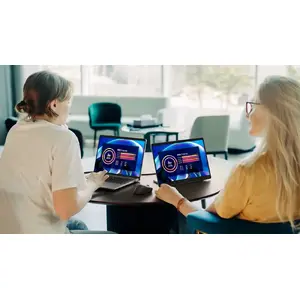
Take dual-screen productivity everywhere with this ultrathin, ultralight portable monitor.

Adapts to your needs
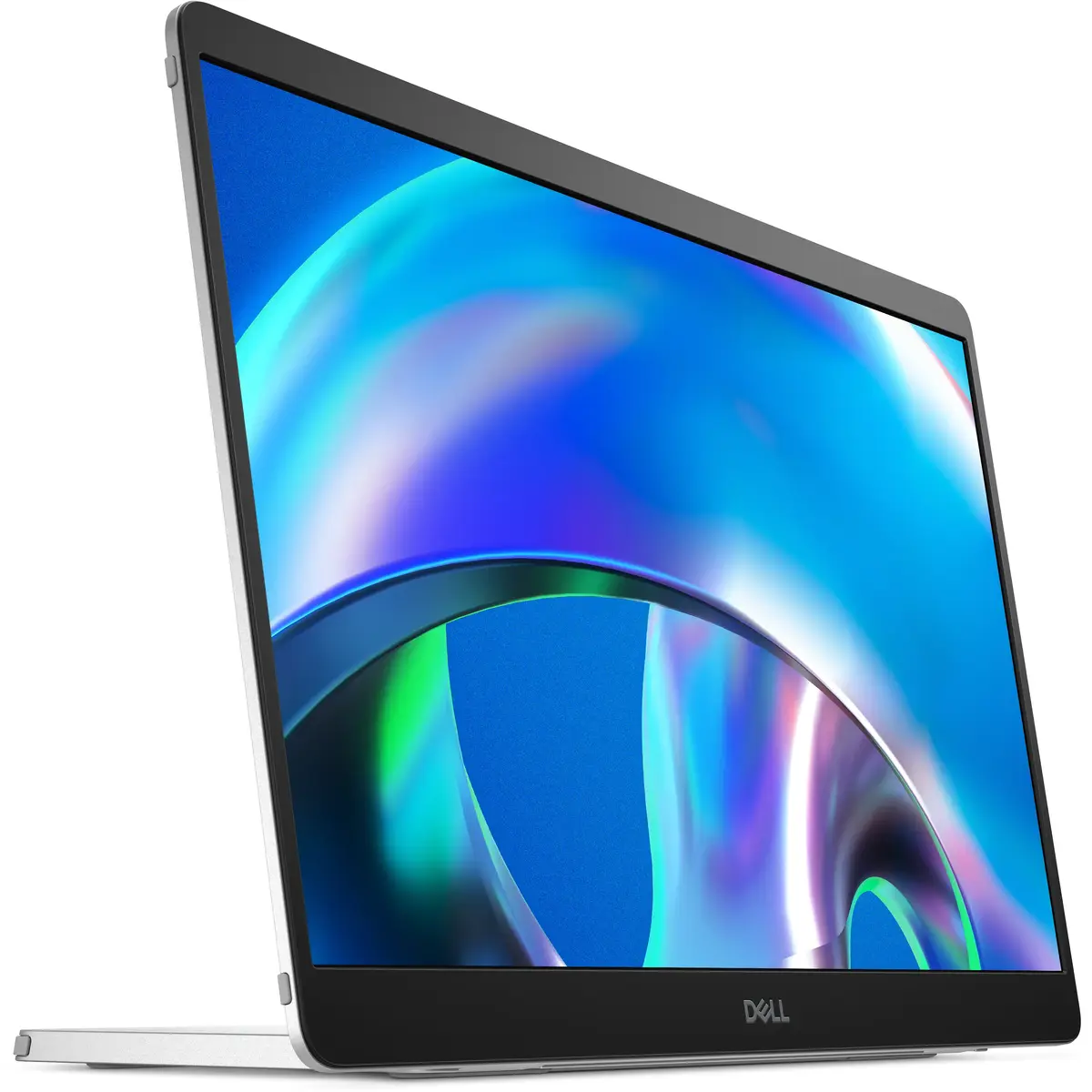
Find your perfect setup with a continuous tilt stand that adjusts from 10 to 90 degrees. This monitor is also VESA-mount compatible.

Adjusts to your environment
Quick access buttons easily control brightness, ensuring optimal picture quality indoors and outdoors.

On-the-go protection
Keep your monitor safe with a sleeve that has a compartment for cable storage.

Expand productivity on the go

Choose your view

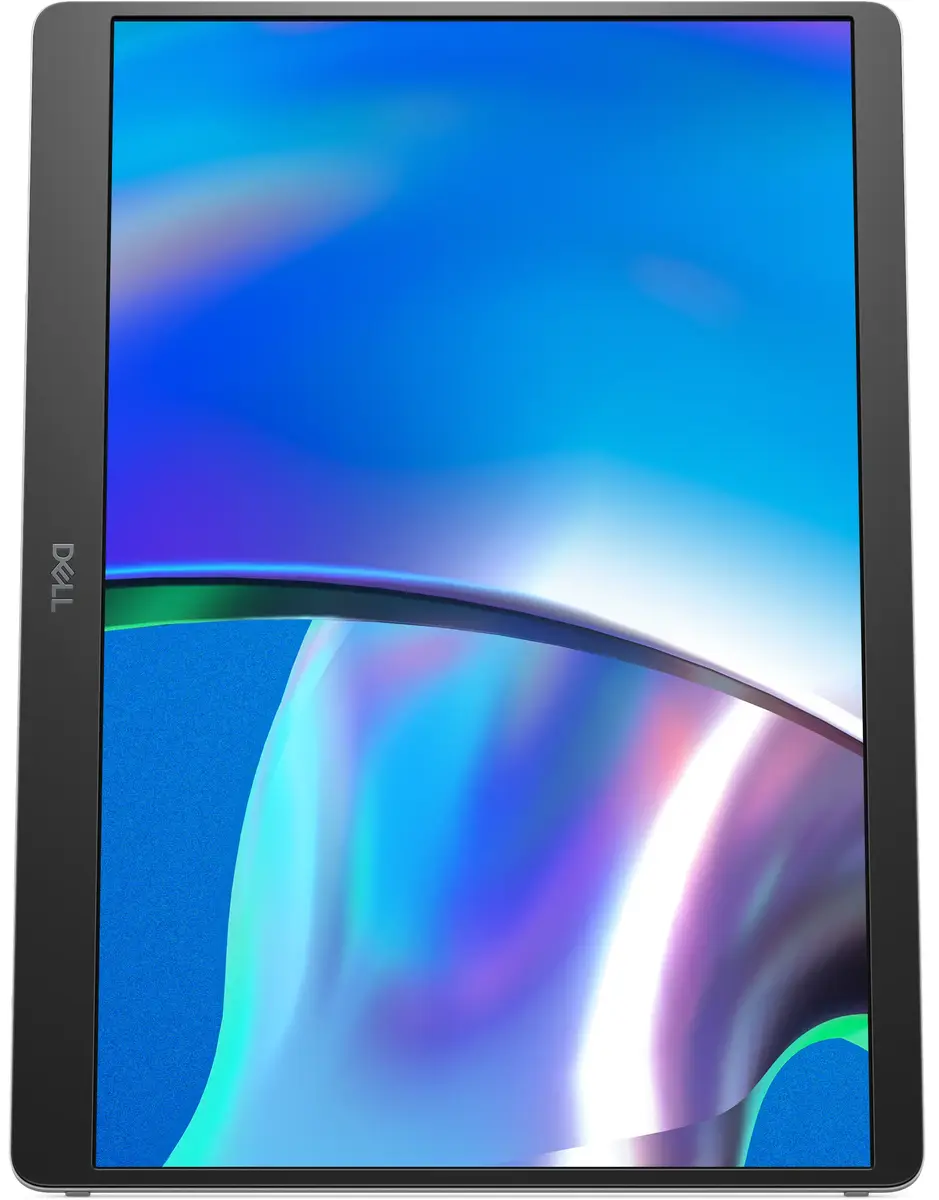
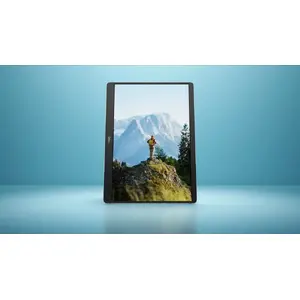
Switch between landscape and portrait modes easily with a built-in sensor and a smartly designed stand. Once you set it up, the screen will automatically adjust every time you change the orientation.

Choose your view

Work in clear detail

Consistent visuals
Expand your view with a FHD+ 16:10 panel. Get consistent, vibrant colours across wide viewing angles thanks to In-Plane Switching (IPS) technology.

Easy on the eyes
Reduce potentially harmful blue light emissions without compromising colour with ComfortView Plus, a built-in, always-on, low blue light screen.

More vivid colours
See more details with a wide colour coverage – up to 16.7m displayable colours of 100% sRGB. See deeper blacks and brighter whites with a 1500:1 contrast ratio.

Work in clear detail

Connect with ease

Space-saving design: An L-shaped USB-C cable connector keeps your setup neat and sleek.

Power pass-through: Charge while you work with USB-C charging that delivers up to 65W of power.

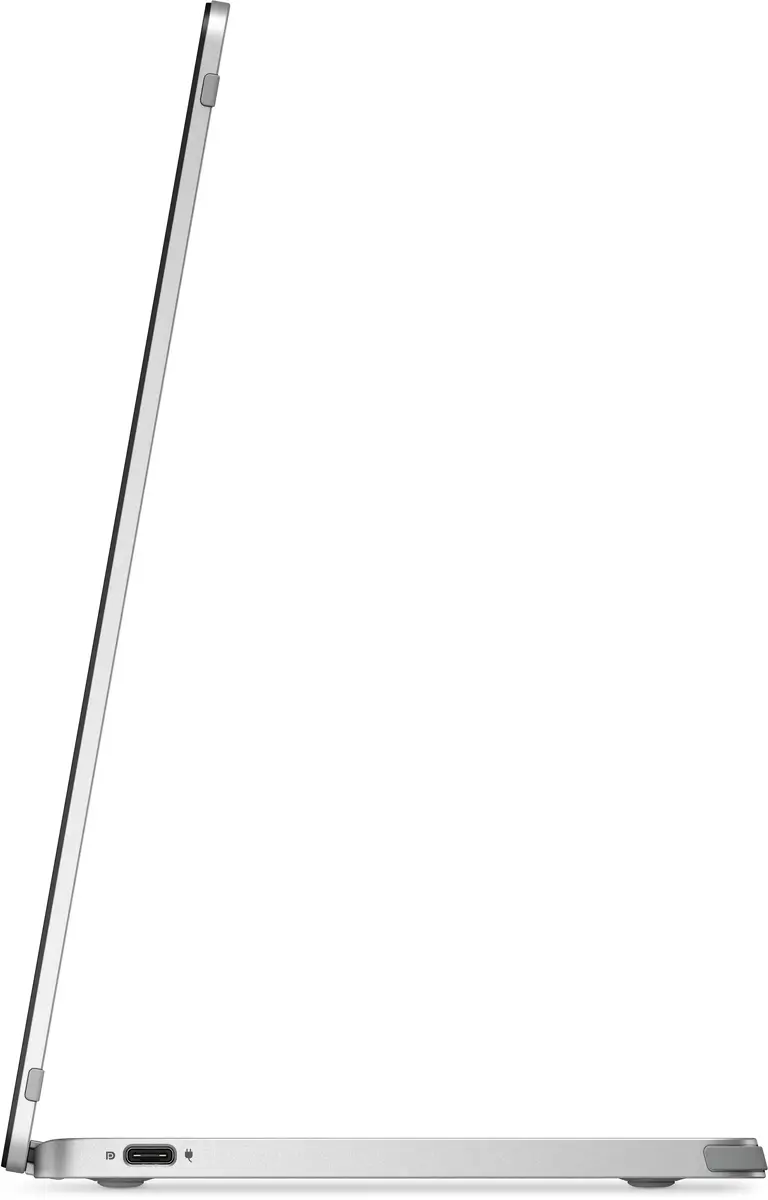
Plug and play simplicity: Set up quickly and easily with a single USB-C cable for both video and power. Place your monitor to the left, right or behind your laptop thanks to convenient USB-C ports on each side.

Connect with ease

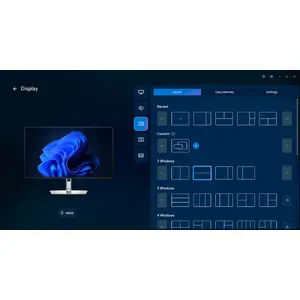
Dell Display and Peripheral Manager

Experience Dell’s singular, innovative application to optimise the performance of your entire Dell PC workspace.

Maximise productivity
Easy Arrange tiles apps across screens with pre-set partitions and customises up to five windows, enhancing multitasking. Easy Arrange Memory saves and restores app profiles manually, on schedule, or at start-up.

Customise your views
Work comfortably, day or night. Automate your brightness and contrast settings to match your schedule.

More manageable
Scale up management across your entire fleet of Dell displays and client peripherals with streamlined firmware update and expanded Command Line Interface features.

Dell Display and Peripheral Manager

Made for you, sustainably

Intentional design in every part
At the heart of our design is a commitment to sustainability. That's why our monitor helps reduce waste with a design made from recycled materials like 93% post-consumer recycled plastic including closed-loop ITE derived plastic, at least 20% recycled glass and lowers logistical footprint to fit the on-the-go lifestyle.

Environmental standards
This monitor is certified ENERGY STAR® and registered EPEAT Gold with Climate+ meaning it has met high standards for energy efficiency and climate impact.

Seamlessly modernise your tech
We can help you responsibly and securely retire your legacy IT equipment, regardless of brand, while addressing your sustainability goals.

Packaging with purpose
This monitor ships in a box made from 100% renewable materials. We are reducing plastic waste wherever possible and transitioning to a responsible fiber-based solution.

Made for you, sustainably

Similar products

{{product.title}} Show details Hide details

{{highlightedFeature.featureTitle}}:

{{getProductFeatureValueById(product, highlightedFeature.featureId)}}

{{product.price | formatAmount}}
Might be useful
{{product.manufacturerName}}
{{product.categoryName}}
{{product.title}}
{{product.specialPrice}}
{{product.price}}

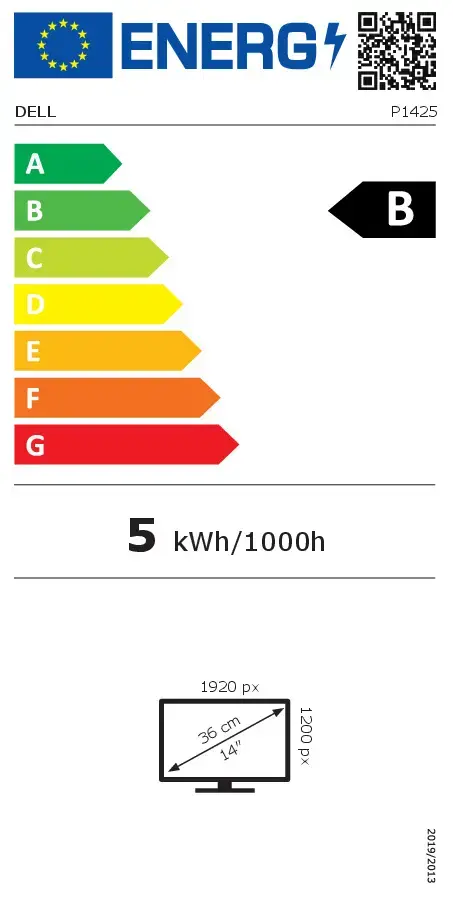
Energy label

Energy label
P1425
Model

Device manufacturer code

Dell
Manufacturer

Device manufacturer

14 "
Display diagonal

iagonal of the visible part of the screen expressed in centimeters and inches.

B
Energy efficiency class

Rating of how efficiently a device uses energy, affecting power consumption and costs.

B
Energy efficiency class (SDR)

Energy efficiency class is a standard classification that is used all over Europe and which is understandable at first sight. Products can be efficiently compared according to classes, starting from A (the most energy efficient class), and ending with G (the most energy-intensive class). The classification of energy efficiency is based on annual energy consumption which is being calculated on the basis of several different parameters.

Not available
Energy efficiency class (HDR)

Energy efficiency class is a standard classification that is used all over Europe and which is understandable at first sight. Products can be efficiently compared according to classes, starting from A (the most energy efficient class), and ending with G (the most energy-intensive class). The classification of energy efficiency is based on annual energy consumption which is being calculated on the basis of several different parameters.

5 kWh
Energy consumption (SDR) per 1000 hours

Power consumption in switched-on state expressed in W.

Customer reviews

Customer questions

FAQ

How much does the Monitor DELL Pro Plus P1425 cost, and is it available for purchase?

The price is 280.49 € (valid at the time of publication and already includes all taxes). The item is available for order — 14 pcs. are in stock, and you can place your purchase right now with delivery across Latvia and Europe or choose pickup at the Riga collection point. We offer favorable purchase terms, including the option to split the payment into convenient monthly installments. Availability and price are updated in real time, so we recommend placing your order in advance.

If I order this product today, when will I receive my order?

If you place your order today, delivery will be as fast and convenient as possible. You will be able to pick up your order on 09.07.2026 at the Riga pickup point or choose delivery across Latvia and Europe. We carefully inspect every purchase and pack it securely for safe transportation.

What payment options are available?

AiO.lv offers several payment methods: Bank transfer, Bank cards on-line, Apple Pay, Google Pay, Installment. All transactions are 100% secure and encrypted.

Can Monitor DELL Pro Plus P1425 be purchased with a lease?

Yes, the purchase is available both on credit and with an interest-free installment plan. We work with leading banks and leasing companies in Latvia, allowing you to make your purchase on convenient terms — with a minimal down payment and a repayment period from 3 to 36 months. You can apply for credit or installments for the Monitor DELL Pro Plus P1425 online, and the application process is as simple as possible:
  • Select the product on the website and add it to your cart;
  • When placing your order, choose the payment method “Installments”;
  • Fill in the required details for the lending partner;
  • Receive a decision within a few minutes.
For more information about available payment options, interest-free installment terms, and credit conditions in Latvia, please visit the Payment page.

Can this product be purchased for a company (with VAT)?

Yes. AiO.lv works with legal entities in Latvia and across Europe. The product price already includes VAT. For certain product categories, as well as for companies from other EU countries with a valid VAT number, a 0% VAT rate may apply. We issue the invoice immediately after the order is placed, support electronic BIS invoices, and automatically generate all necessary accounting documents. You can complete the purchase for a company online — simply select the company profile and choose bank transfer as the payment method during checkout.

What is the warranty period?

All Dell products come with an official 2 Years warranty. It covers all manufacturing defects and malfunctions that may occur during use. The warranty is valid at all authorized Dell service centers and through AiO.lv

Can the product be returned after purchase?

Yes, you can return the product within 14 days of purchase if you bought it as a consumer (not a legal entity). Returns are possible without giving any reason — the main condition is that the product retains its original appearance and full set of accessories. We will make the process as simple and convenient as possible: just contact our customer support team, and we will help you arrange the return.

Where should I contact for warranty service?

For warranty-related questions you can contact the AiO.lv (SIA VSPRO) customer support team. We will assist with consultation, warranty claim processing, and coordination with certified service centers.

How can I tell if this product suits my needs?

When making a choice, we recommend paying attention to the key features: display diagonal, display resolution, hd type, panel type, display technology, pixel pitch, response time, contrast ratio (typical), display brightness (typical), screen shape, built-in usb hub, vesa mounting, built-in speaker(s), energy efficiency class, energy efficiency class (sdr), energy efficiency class (hdr), energy consumption (sdr) per 1000 hours, product colour, compatibility with your devices or usage conditions, material quality, functionality, and warranty terms. These characteristics will help you determine how well the model meets your needs.

Where can I download the instructions for Monitor DELL Pro Plus P1425?

You can download the instructions in PDF format from the “Instructions” section on the product description page. The file contains complete information about installation, setup, and usage.

warranty
14-Day Return Policy We are confident in our quality, but if the purchase doesn’t fit — you have 14 days to return the product with peace of mind.
shipping
Fast Delivery Get your orders as quickly as possible — right to your door, parcel lockers, or pickup points across Latvia and the EU.
payment
Secure Payment Pay the way you prefer: cash, VISA, MasterCard, Apple Pay, Google Pay, bank transfer, or 0% installment plan.
warranty
Quality Since 2008 AiO.lv has been on the market for over 18 years and has earned trust — with more than 6000 genuine positive reviews on Google.