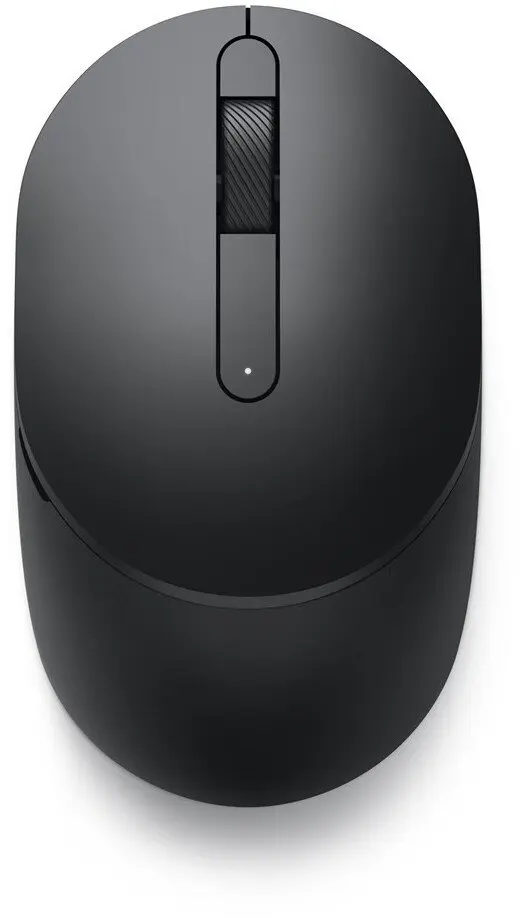
We are comparing the current product Dell Mobile Wireless Mouse MS3320W Black Optical Dual Mode Connectivity Bluetooth and 2.4GHz with several alternative wireless mice from Dell and Kensington. All of them are designed for everyday office work and mobile use, featuring an ambidextrous shape and battery power. The main differences lie in connection types, sensor resolution, button counts, and color choices, which directly impact multitasking and navigation convenience.
⚙️ Below is a comparison of key specifications, including connection types, sensor resolution (DPI), button quantities, colors, and intended purposes to highlight the technical and practical differences between the options.
| Specification | Dell MS3320W (current) | Dell MS3320W (alternative 1) | Dell MS3320W (alternative 2) | Dell MS5120W (option 1) | Dell MS5120W (option 2) | Kensington Pro Fit | Practical Conclusion |
|---|
| Connectivity | Bluetooth and 2.4GHz | RF Wireless + Bluetooth | RF Wireless + Bluetooth | RF Wireless + Bluetooth | RF Wireless + Bluetooth | RF Wireless only | Dell models offer flexible dual-mode connectivity, whereas the Kensington option is limited to a single wireless receiver connection. |
| Movement resolution | Not specified (Optical) | 1600 DPI | 1600 DPI | 1600 DPI | 1600 DPI | 1000 DPI | Dell mice with 1600 DPI provide faster cursor movement compared to the 1000 DPI sensor on the Kensington mouse. |
| Buttons quantity | Not specified | 3 | 3 | 7 | 7 | 2 | The MS5120W variants provide 7 buttons for enhanced control, while the basic models offer a standard 3-button setup. |
| Form factor | Ambidextrous | Ambidextrous | Ambidextrous | Ambidextrous | Ambidextrous | Ambidextrous | All compared models feature a comfortable symmetrical design suitable for both left and right-handed users. |
| Product colour | Black | Black | Black | Titanium, Grey | Titanium, Grey | Black | Users can choose between classic black finishes and modern titanium grey tones depending on their workspace aesthetic. |
◎ The table below evaluates how well each product matches specific user needs and practical usage scenarios.
| Use case | Recommended product | Why |
|---|
| Multi-device workflow and travel | Dell Mobile Wireless Mouse MS3320W | Dual-mode Bluetooth and wireless connectivity allow seamless switching between multiple laptops and tablets on the go. |
| Advanced office navigation | Dell Mobile Pro Wireless Mouse MS5120W | Equipped with 7 buttons, this model facilitates efficient navigation and quick access to shortcuts in productivity applications. |
| Basic single-PC use | Kensington Pro Fit 2.4GHz Wireless Mobile Mouse | A simple, reliable choice for standard everyday tasks on a single desktop setup. |
Choose the Dell Mobile Wireless Mouse MS3320W if you need a versatile wireless mouse with dual-mode connectivity for effortless switching between multiple devices. Alternative models from Dell offer more buttons for advanced tasks, while the Kensington option suits users looking for a straightforward single-connection alternative.