
Leave your address - as soon as the price of the product goes down, you'll know about it right away
Barcode scanner DELTACO CCD-1800 with CCD technology, USB interface
In cart {{totalProductsCount}} item(s)
Your cart is empty
Barcode scanner DELTACO CCD-1800 with CCD technology, USB interface
Leave your address - as soon as the price of the product goes down, you'll know about it right away
Barcode scanner DELTACO CCD-1800 with CCD technology, USB interface
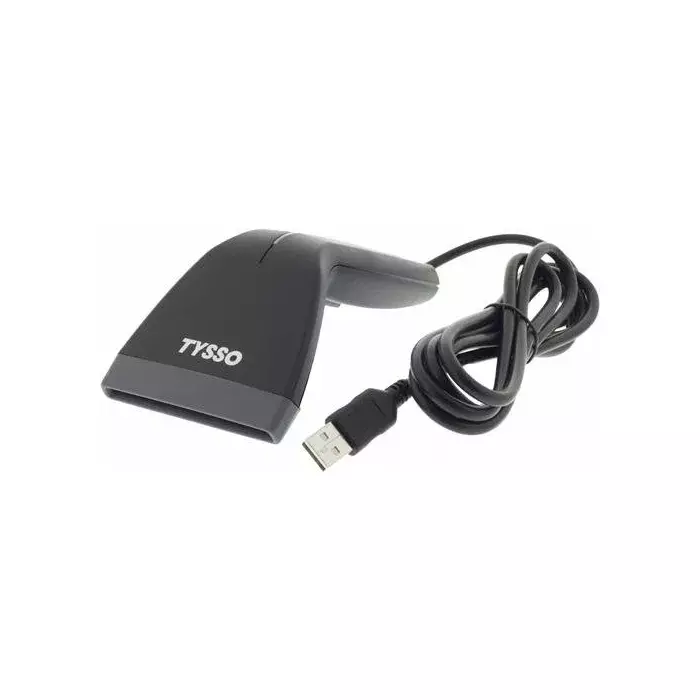
Handheld barcode scanner DELTACO CCD-1800 uses CCD technology and connects via USB for power and data, providing a compact wired scanning solution suitable for retail, inventory and logistics tasks. The scanner reads a broad range of 1D barcodes and offers plug-and-play integration with PC systems using the integrated USB cable. Dimensions (WxDxH): 73.8 x 169.2 x 52.3 mm.
The DELTACO CCD-1800 delivers reliable reading of printed 1D barcodes with an effective reach of up to 80 mm. It is powered directly through the USB interface, eliminating the need for a separate power supply. Configuration can be performed via supplied software or by manual programming, enabling flexible setup for different workflows. The compact form factor and wired connection ensure consistent performance in point-of-sale and warehouse environments.
Connect the DELTACO CCD-1800 to a computer using the integrated USB cable; the device is powered and communicates via USB. Install any required driver or configuration software if your system does not recognise the scanner automatically. Configure barcode symbologies and output format through the provided software or by manual programming according to the included configuration guide. Aim the scanner at the barcode within the specified read range (up to 80 mm) and sweep or hold steady until a successful read is confirmed by the scanner's indicator (e.g., beep or LED).
Use the scanner in well-lit conditions and ensure barcodes are free of heavy damage, extreme smudging or glare. For best results, position the scanner so the barcode fills the active scan window and maintain a consistent distance up to the 80 mm reading range. Regularly clean the scanner window to prevent reading errors caused by dust or residue.
{{highlightedFeature.featureTitle}}:
{{getProductFeatureValueById(product, highlightedFeature.featureId)}}