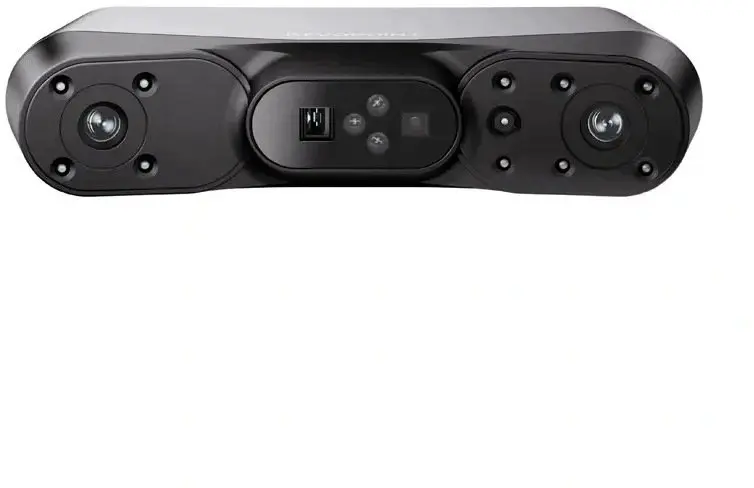
The Revopoint POP 4 3D Scanner is a versatile and high-precision device engineered to capture detailed digital representations of physical objects. By utilizing advanced scanning technology, this scanner provides reliable geometry and texture data, making it an essential tool for professionals and hobbyists who require accuracy in their digital modeling workflows. Its compact design and efficient processing capabilities allow for seamless integration into various technical and creative environments.
Advantages
The primary benefit of the Revopoint POP 4 is its ability to deliver high-fidelity 3D models with significant detail, ensuring that complex shapes and textures are accurately represented. The device is designed for ease of use, allowing users to achieve professional results without requiring extensive technical expertise. Its robust performance ensures consistent data acquisition, which is vital for projects where precision is paramount. Furthermore, the scanner's portability and compatibility with standard software workflows make it a practical solution for both studio and field operations.
Suitable for
- Reverse engineering of mechanical parts
- Digital archiving of historical artifacts
- Creating 3D assets for game development and animation
- Custom product design and prototyping
- Educational projects involving 3D modeling
When it may not be suitable
This scanner may not be the optimal choice for capturing extremely large-scale structures like buildings or landscapes, as it is primarily designed for smaller to medium-sized objects. Additionally, it may face challenges when scanning highly reflective, transparent, or pitch-black surfaces without the use of specialized scanning sprays or preparation.
Key specifications
- High-precision structured light scanning technology
- Support for color texture capture
- Compact and portable form factor
- Compatibility with major 3D modeling software
- USB connectivity for stable data transfer
How to use
To begin using the Revopoint POP 4, connect the device to a compatible computer or mobile device using the provided cables. Install the necessary scanning software and ensure the scanner is calibrated according to the manufacturer's instructions. Position the object to be scanned on a stable surface, ideally using a turntable for consistent rotation. Initiate the scan through the software interface, moving the scanner or the object slowly to ensure all angles are captured. Once the scan is complete, use the software to process, align, and export the data into your preferred 3D file format.
What to consider before purchase
- Ensure your computer hardware meets the minimum system requirements for processing 3D data
- Consider the size of the objects you intend to scan most frequently
- Check compatibility with your existing 3D design or CAD software
- Evaluate the need for additional accessories such as a turntable or tripod
Usage recommendations
For the best scanning results, maintain a consistent distance from the object and ensure the lighting conditions are stable. If scanning difficult surfaces, apply a thin layer of scanning spray to improve data capture accuracy.