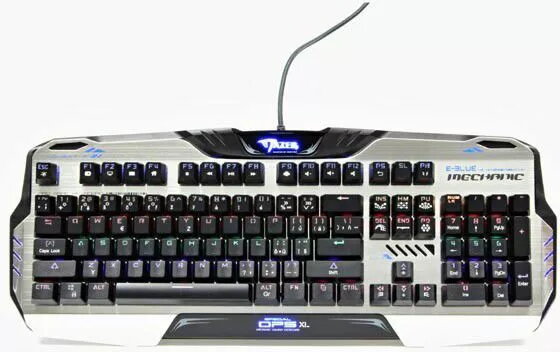
The e-blue Mazer 729 is a compact mechanical keyboard equipped with tactile Kailh Blue switches that provide audible click feedback and a distinct actuation point. Designed for both desktop and mobile setups, this model supports wired USB connection and Bluetooth wireless pairing. Its space-saving layout keeps essential keys accessible while reducing overall footprint on the desk, making it suitable for users who prioritize precise keystrokes and versatile connectivity.
Advantages
This mechanical keyboard delivers responsive, tactile feedback from Kailh Blue switches, which helps with typing accuracy and provides clear key registration during fast input. Dual connectivity lets you switch between a stable wired connection for low-latency use and Bluetooth for wireless convenience with laptops, tablets, or smartphones. The compact layout preserves key functions in a reduced size, and the build is intended for regular daily use with consistent switch performance.
Suitable for
- Typing-heavy tasks such as writing, coding, and data entry
- Casual and competitive gaming where tactile feedback is preferred
- Portable desk setups that require a smaller keyboard footprint
- Working across multiple devices using Bluetooth and wired modes
When it may not be suitable
The audible click of Kailh Blue switches can be loud and may disturb people in quiet environments or shared offices. The compact layout reduces or relocates some keys compared with full-size keyboards, which may not suit users who rely on a dedicated numeric keypad or specific key placements.
Key specifications
- Switch type: Tactile clicky mechanical switches (Kailh Blue)
- Connectivity: Wired USB and Bluetooth wireless
- Layout: Compact form factor to save desk space
- Intended use: Desktop and mobile devices (multi-device pairing via Bluetooth)
- Key actuation: Distinct tactile and audible feedback for each keystroke
How to use
Connect via the included USB cable for a direct wired connection and plug into a compatible USB port. For wireless operation, enable Bluetooth on the host device, put the keyboard into pairing mode according to the manufacturer's pairing procedure, and select the keyboard from the device's Bluetooth list. Switch between wired and Bluetooth modes as required; ensure the keyboard has power or a charged internal battery when using Bluetooth. Adjust typing position and desk layout to accommodate the compact form factor for comfortable use.
What to consider before purchase
- Switch noise: Kailh Blue switches produce audible clicks that may be unsuitable for quiet environments
- Compact layout: Check whether a reduced-size layout meets your needs for specific keys or a numeric keypad
- Device compatibility: Ensure your devices support Bluetooth pairing or have an available USB port for wired mode
Usage recommendations
For prolonged typing sessions, use a wrist rest and maintain a neutral wrist angle to reduce strain. If Bluetooth latency is a concern for fast-paced gaming, use the wired mode for more consistent responsiveness. Place the keyboard on a stable surface to preserve key stability and reduce accidental movement.