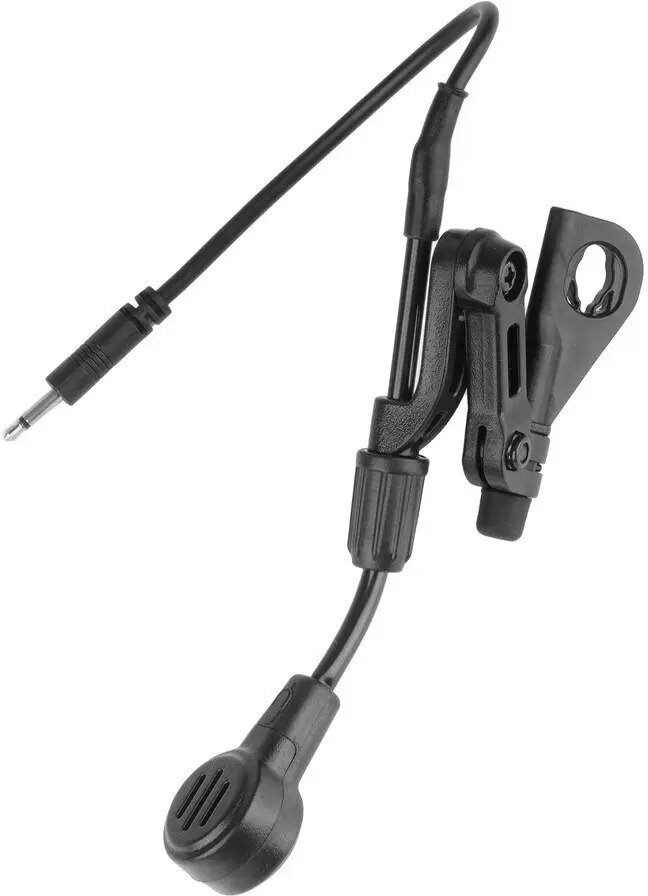
The Earmor replacement microphone is a specialized communication accessory designed specifically for the Earmor M32, M32H, and M31 series hearing protection headsets. This boom microphone is engineered to provide clear and reliable voice transmission, ensuring that users can maintain effective communication in demanding environments. By replacing a damaged or worn-out microphone, you can restore the full functionality of your tactical or industrial hearing protection equipment without needing to replace the entire headset.
Advantages
This microphone offers a seamless integration with compatible Earmor headsets, ensuring that the audio quality remains consistent with the original equipment. Its robust design is built to withstand the rigors of tactical operations, shooting ranges, and industrial settings. The installation process is straightforward, allowing users to quickly swap out components in the field. By maintaining clear communication, this accessory enhances situational awareness and coordination during critical tasks.
Suitable for
- Tactical operations and military training
- Shooting sports and range activities
- Industrial environments requiring hearing protection
- Communication-heavy field operations
When it may not be suitable
This microphone is exclusively designed for the Earmor M32, M32H, and M31 series. It is not compatible with other brands of hearing protection or different Earmor models not explicitly listed. It should not be used if the headset's internal port is damaged or if the headset itself is no longer functional.
Key specifications
- Compatible with Earmor M32, M32H, and M31 series
- Boom-style microphone design
- Optimized for clear voice transmission
- Durable construction for field use
How to use
To install the microphone, locate the microphone port on your Earmor headset. Carefully align the connector pins and insert the microphone boom into the designated slot until it clicks or is securely seated. Once attached, test the microphone by speaking into it while the headset is powered on to ensure the audio is transmitting correctly. Adjust the flexible boom arm to position the microphone close to your mouth for optimal voice pickup.
What to consider before purchase
- Verify your headset model matches the M32, M32H, or M31 series
- Ensure the headset's microphone port is clean and free of debris
- Check if the issue is with the microphone or the headset's internal electronics
Usage recommendations
For the best performance, keep the microphone boom positioned approximately one centimeter from your lips. Regularly inspect the connector for any signs of moisture or dirt to maintain a stable connection.