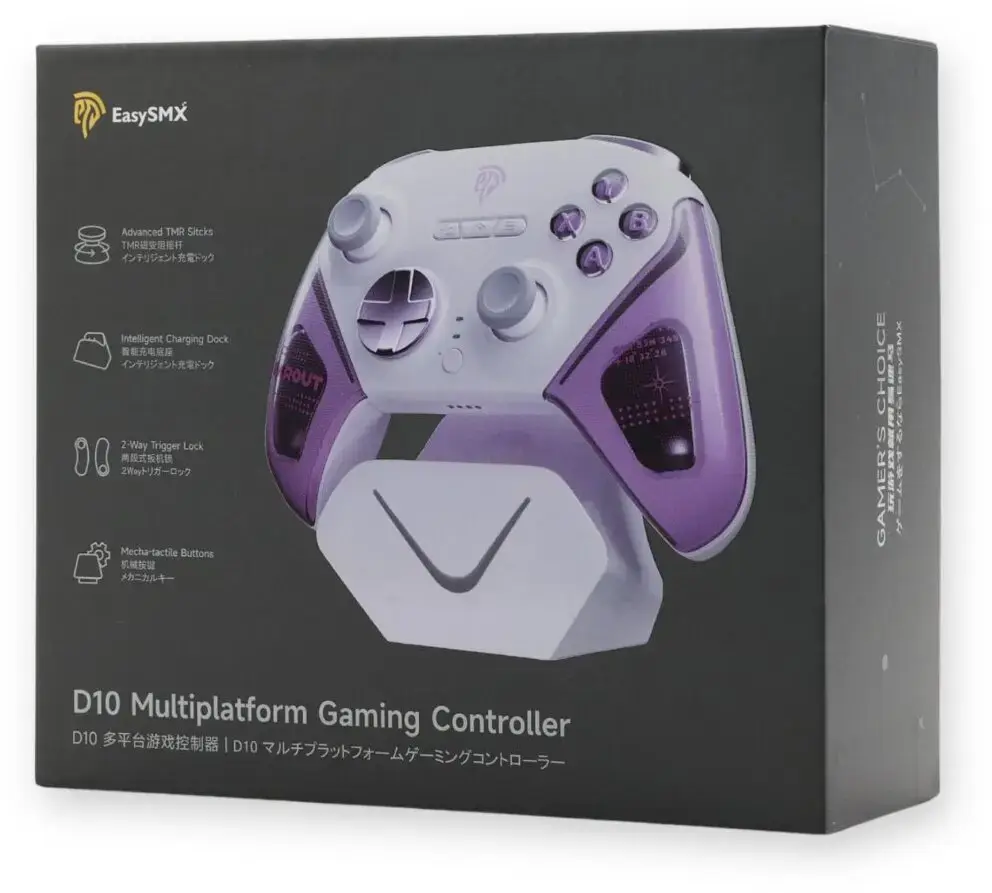
The EasySMX D10 Wireless Game Controller is a versatile gaming peripheral engineered to provide seamless performance across multiple platforms, including PC, Nintendo Switch, iOS, Android, and Steam Deck. Featuring a distinct purple finish, this controller combines ergonomic design with reliable wireless connectivity to ensure a comfortable and responsive gaming experience. Its intuitive button layout and durable build quality make it a dependable choice for both casual and dedicated gamers who require a single, flexible solution for various gaming environments.
Advantages
The primary advantage of the EasySMX D10 is its broad cross-platform compatibility, which allows users to switch between devices without needing multiple controllers. The ergonomic shape is designed to reduce hand fatigue during extended gaming sessions, while the high-precision inputs ensure that every command is registered accurately. Furthermore, the wireless connectivity offers freedom of movement, eliminating cable clutter and providing a cleaner gaming setup. The robust construction ensures long-term reliability, making it a practical investment for any gaming enthusiast.
Suitable for
- Playing games on PC and Steam Deck
- Gaming on Nintendo Switch consoles
- Mobile gaming on iOS and Android devices
- Users seeking a multi-platform wireless controller
When it may not be suitable
This controller may not be suitable for users who require specific professional-grade features such as mechanical switches or advanced back-button mapping found in high-end competitive controllers. Additionally, it is not compatible with older gaming consoles that do not support standard Bluetooth or USB wireless input protocols.
Key specifications
- Wireless connectivity
- Multi-platform support: PC, Nintendo Switch, iOS, Android, Steam Deck
- Ergonomic design
- Intuitive button layout
- Durable construction
How to use
To use the EasySMX D10, first ensure the controller is charged using the provided cable. Activate the pairing mode on the controller and navigate to the Bluetooth settings on your target device to establish a connection. Once paired, the controller will be recognized as an input device, allowing you to configure button mapping within your game settings if necessary. For wired use, simply connect the controller directly to your device via the USB interface.
What to consider before purchase
- Verify the operating system version of your mobile device for compatibility
- Ensure your gaming platform supports standard wireless gamepads
- Consider the ergonomic size if you have specific preferences for controller dimensions
Usage recommendations
For optimal performance, keep the controller firmware updated if applicable and ensure the device is fully charged before long gaming sessions. Store the controller in a cool, dry place when not in use to maintain the integrity of the internal battery and exterior finish.