Leave your address - as soon as the price of the product goes down, you'll know about it right away
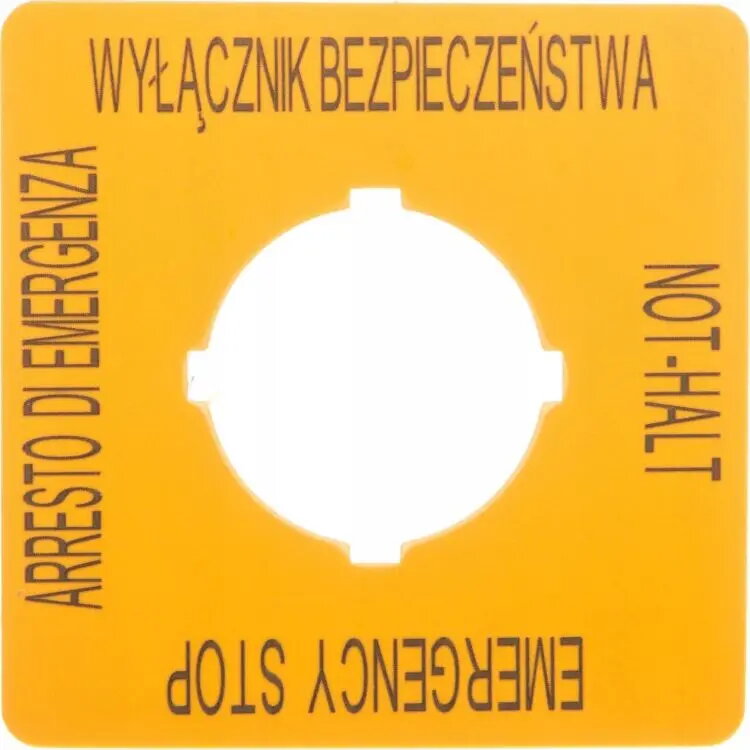
Eaton M22-XYK15 Emergency Stop Button Label Plate PL GB DE
In cart {{totalProductsCount}} item(s)
Your cart is empty
Eaton M22-XYK15 Emergency Stop Button Label Plate PL GB DE
Leave your address - as soon as the price of the product goes down, you'll know about it right away
Eaton M22-XYK15 Emergency Stop Button Label Plate PL GB DE
The Eaton M22-XYK15 is a professional-grade label plate specifically engineered for emergency stop buttons within the RMQ-Titan series. This component provides clear, standardized visual identification for safety-critical control panels and industrial machinery. Featuring multilingual inscriptions in English, German, and Polish, it ensures that safety instructions are easily understood by operators in diverse international work environments.
This label plate is constructed from high-quality, durable materials designed to withstand the rigors of industrial settings, including exposure to dust and mechanical vibrations. Its clear, high-contrast printing ensures that the emergency stop function is immediately recognizable, which is essential for maintaining workplace safety standards. The design is optimized for seamless integration with standard control panel layouts, allowing for quick and efficient installation on existing equipment.
This label plate is designed specifically for the RMQ-Titan series and may not be compatible with emergency stop buttons from other manufacturers or different product lines. It is not intended for use in environments where the label might be obscured by heavy debris or where specific regulatory requirements mandate a different language set or color scheme.
To install the label plate, ensure the emergency stop button is properly de-energized and the mounting surface is clean and dry. Position the plate behind the actuator head of the emergency stop button before securing the button to the control panel. Ensure the label is oriented correctly so that the text is legible to the operator. Once positioned, tighten the mounting nut of the button to lock the plate firmly in place.
Regularly inspect the label plate during routine maintenance to ensure the text remains legible and the plate is securely fastened. If the surface becomes damaged or the text fades, replace the plate immediately to maintain compliance with safety regulations.
{{highlightedFeature.featureTitle}}:
{{getProductFeatureValueById(product, highlightedFeature.featureId)}}