

Filters you can trust. Pure water every day.
In cart {{totalProductsCount}} item(s)
Your cart is empty
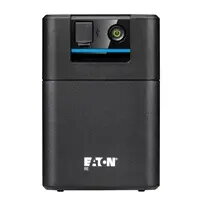
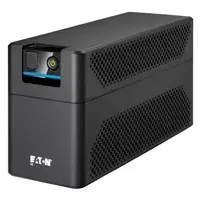
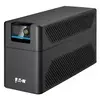
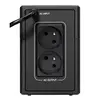
Eaton 5E 900 USB FR G2 Line-Interactive UPS, 900VA / 480W, 2x French Sockets
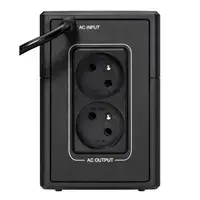
The Eaton 5E 900 USB FR G2 is a reliable line-interactive uninterruptible power supply designed to protect desktop computers, workstations, and essential office equipment from power outages and voltage fluctuations. With a capacity of 900VA and 480W, this compact tower unit provides a stable power supply, ensuring that your hardware remains operational during unexpected electrical disturbances. The device features two French-type output sockets and integrated USB connectivity for seamless communication with your computer, allowing for controlled shutdowns and status monitoring.
This UPS offers a robust solution for maintaining productivity by preventing data loss and hardware damage caused by sudden power cuts. The line-interactive technology automatically regulates voltage levels, correcting both under-voltage and over-voltage conditions without switching to battery power, which extends the lifespan of the internal battery. Its compact design allows for easy placement in home offices or small business environments, while the user-friendly interface and USB integration provide straightforward management of power events.
This unit is not designed to support high-power consumption devices such as laser printers, space heaters, or large server racks that exceed the 480W power limit. It is also not intended for outdoor use or environments with extreme temperature and humidity levels.
To set up the Eaton 5E 900 USB FR G2, place the unit in a well-ventilated area near your equipment. Connect your devices to the French-type output sockets on the back of the unit. Plug the UPS into a standard wall outlet and ensure the battery is fully charged before initial use. Connect the USB cable to your computer to enable power management features through the compatible software, which allows you to monitor the status and configure automatic shutdown settings.
Regularly test the battery status via the connected software and ensure the ventilation slots remain unobstructed to prevent overheating during operation.
{{highlightedFeature.featureTitle}}:
{{getProductFeatureValueById(product, highlightedFeature.featureId)}}
{{ productComparisonGenerationError }}