


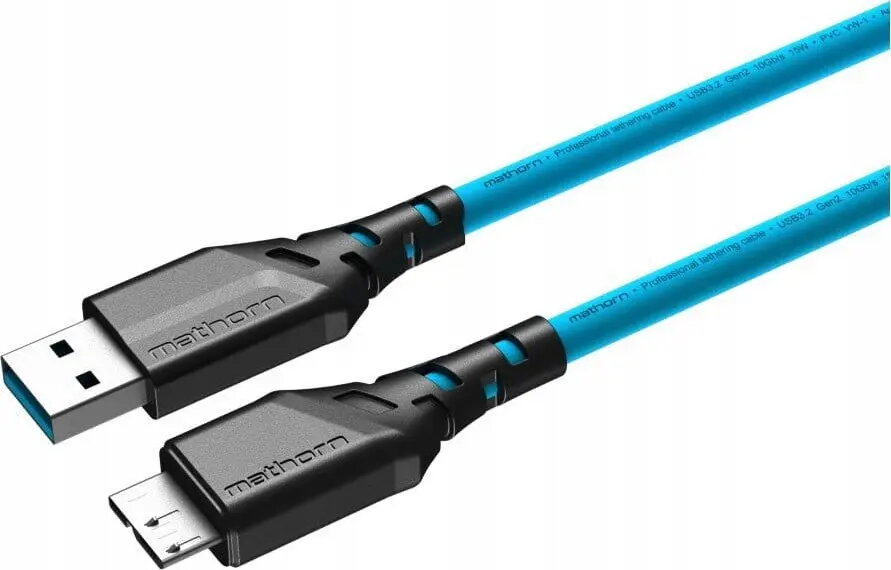
USB-A to micro-B data cable EDNET MTC-520, 5 m, blue
Short description


Cheapest delivery:
Unisend LV
Product information
Description
EDNET MTC-520 is a 5 m USB-A to micro-B data cable in blue designed to connect devices with micro-B ports to USB-A hosts. The cable supports both data transfer and charging for compatible smartphones, tablets, cameras and other peripherals. Its extended length allows flexible device placement in desktop setups and convenient charging from distant power outlets while maintaining a straightforward wired connection.
Advantages
The cable combines a standard USB-A connector with a micro-B plug to ensure broad compatibility with many legacy and current devices that use the micro-B interface. With a 5 m length, it provides more reach than typical short cables, reducing the need to reposition devices or move power sources. The blue jacket aids visual identification among other cables and the simple construction supports reliable everyday use for charging and data exchange.
Suitable for
- Connecting micro-B equipped smartphones and tablets to computers or USB chargers
- Transferring files between cameras or portable drives and a PC
- Charging devices from power adapters located farther from the workstation
- Use in home offices, shared workspaces and multimedia setups where extra cable length is needed
Key specifications
- Cable type: USB-A to micro-B data cable
- Length: 5 meters
- Color: blue
- Functionality: data transfer and charging
- Connector orientation: standard USB-A plug and micro-B plug
How to use
Connect the USB-A end to a host device such as a computer, laptop or USB power adapter and insert the micro-B plug into the target device's micro-B port. For data transfer, ensure the connected devices are powered on and, where required, set the device to the appropriate USB mode (e.g., file transfer). For charging, verify the power source provides suitable current for the target device. Avoid forcing connectors; they should fit snugly without excessive force.
Usage recommendations
To prolong cable life, avoid sharp bends, kinking or pinching, and route the cable to prevent repeated stress at the connector ends. Keep the cable away from high heat sources and liquids. For stable data transfer, use a direct connection to the host rather than through low-quality hubs or adapters.


