


electro base FLT-110 10mW 10 km Visual Fault Locator Fiber Optic Cable Tester
Short description

Cheapest delivery:
Unisend LV
Product information
Description
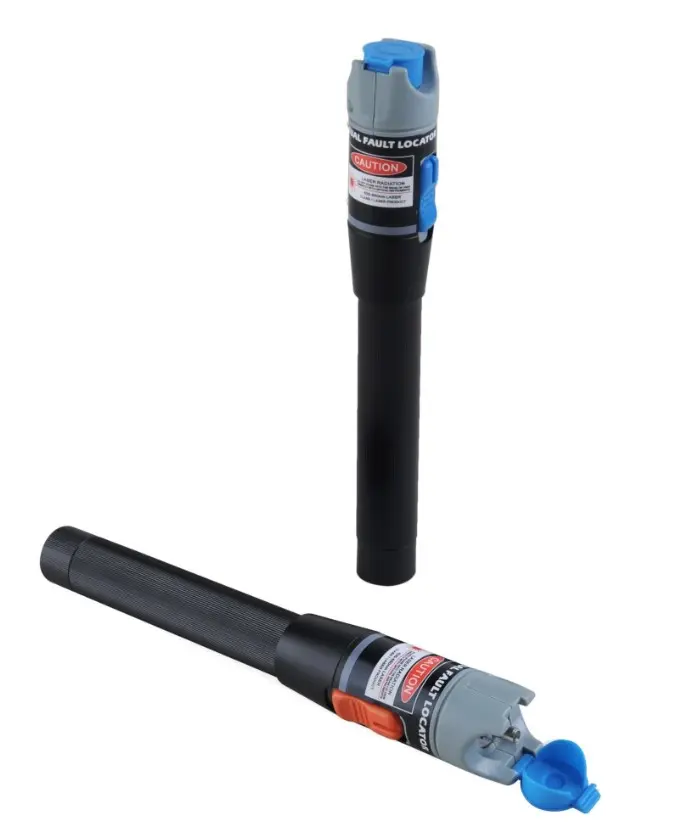
The electro base FLT-110 10mW Visual Fault Locator is a professional network tool designed for accurate fiber optic testing over distances of up to 10 km. Utilizing a powerful 10mW laser source, this device enables technicians to quickly locate fiber breaks, sharp bends, splices, and other physical faults in fiber optic cables. Built for reliability and ease of use, it is an essential instrument for installation, maintenance, and troubleshooting in telecommunication and data network infrastructures.
Advantages
The electro base FLT-110 visual fault locator offers high operational efficiency for fiber optic cable diagnostics. Its 10mW laser provides strong visual identification of faults, even over longer distances up to 10 km, making it suitable for both indoor and outdoor network segments. The compact and robust design ensures durability in field conditions, while the straightforward operation reduces testing time and improves overall productivity for network technicians.
Suitable for
- Testing single-mode and multi-mode fiber optic cables
- Locating fiber breaks, micro-bends, and macro-bends
- Checking continuity and tracing fibers in patch panels
- Maintenance and troubleshooting of local area networks and telecommunication lines
When it may not be suitable
This visual fault locator is not designed for measuring exact fiber attenuation or long-distance loss mapping, tasks that typically require an optical time-domain reflectometer (OTDR). Additionally, it cannot identify faults in fully opaque or armored cables where visible light cannot escape through the fiber jacket.
Key specifications
- Laser power: 10mW
- Maximum testing distance: Up to 10 km
- Device type: Visual Fault Locator (VFL)
- Application: Fiber optic cable testing and troubleshooting
How to use
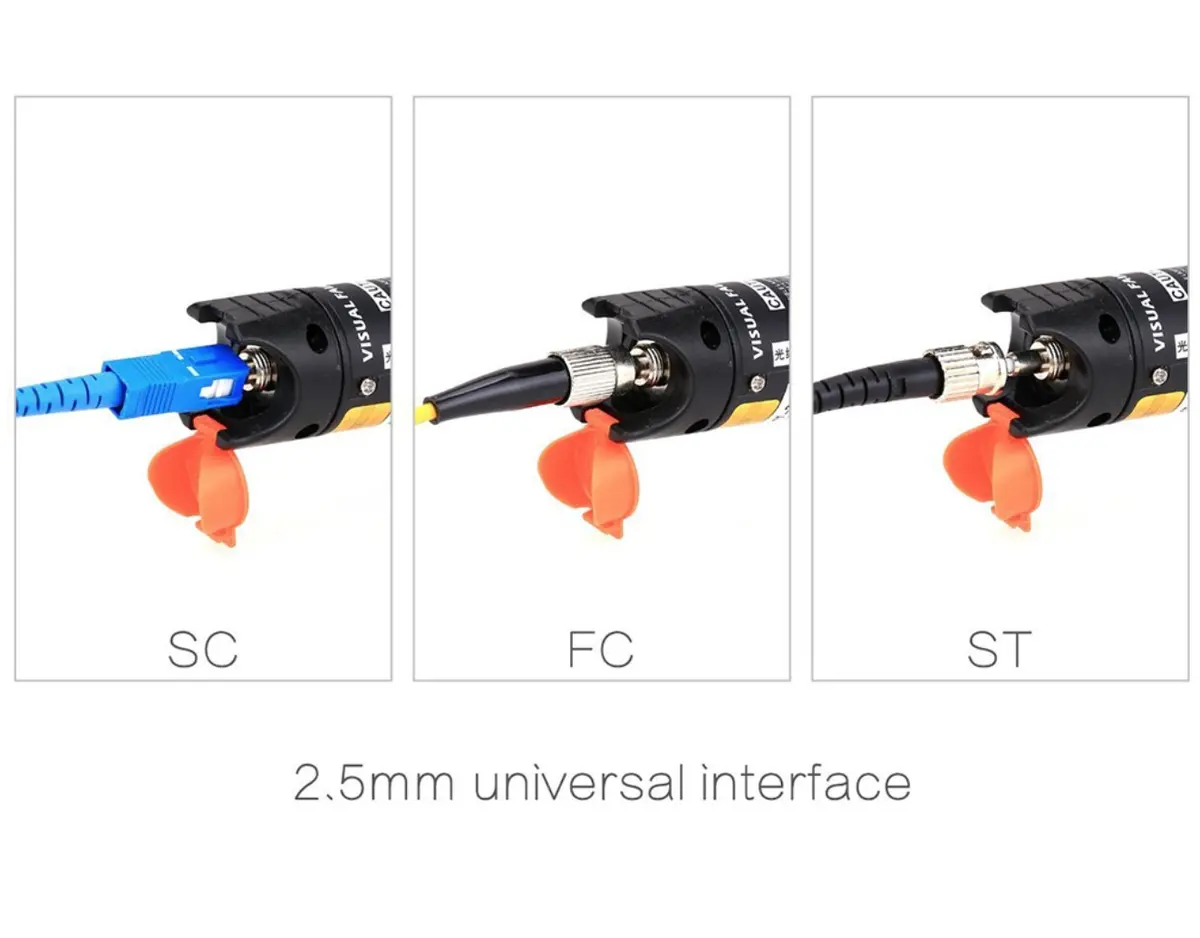
To use the device, remove the protective cap from the optical output port and connect the fiber optic cable to be tested using the appropriate connector. Activate the laser output using the power control button. Inspect the cable along its route to visually identify any spots where red laser light escapes, which indicates a break, bend, or fault in the fiber. Always ensure the laser is turned off before disconnecting the cable.
What to consider before purchase
- Verify that the maximum testing range of up to 10 km meets your network requirements
- Ensure compatibility with your existing fiber optic connector types
- Confirm whether a visual fault locator is sufficient for your diagnostic needs compared to advanced testing equipment
Usage recommendations: Always avoid direct eye exposure to the laser beam. Store the device with the protective cap attached in a clean, dry environment when not in use to prevent dust accumulation on the optical output.


