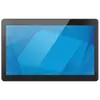
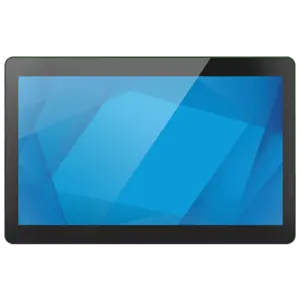
This overview compares Elo I-Series 3.0 Interactive Signage System Intel Celeron 8GB RAM 128GB SSD Wi-Fi 6 Black with several alternative all-in-one touch systems and digital signage panels from Elo Touch Solutions and Colormetrics. All evaluated models are designed for commercial environments, retail sales support, interactive kiosks, and point-of-sale (POS) applications, but they differ in processor performance, RAM and storage capacities, display resolutions, operating systems, and specialized hardware configurations.
⚙️ Below is a comparison of key characteristics, including processor type, memory configurations, display specifications, wireless connectivity, and the intended practical use case for each commercial model.
| Comparison parameter | Elo I-Series 3.0 Celeron 8GB/128GB | Elo I-Series 15.6" Celeron 8GB/128GB | Elo I-Series 3.0 Core i3 | Elo I-Series 3.0 Celeron 256GB Win 11 | Elo I-Series 5 Slate Android | Colormetrics P5100 POS | Practical significance |
|---|
| Processor & Platform | Intel Celeron | Intel Celeron 7305L (1.1 GHz) | Intel Core i3-1215UL | Intel Celeron 7305L | Built-in processor (Android) | Intel Celeron (fanless) | The Core i3 processor offers higher processing power for demanding apps, Celeron handles standard POS tasks efficiently, and Android suits lightweight signage. |
| RAM Capacity | 8 GB | 8 GB DDR5 | 8 GB DDR5-SDRAM | 8 GB DDR5-SDRAM | Not specified | 8 GB | An 8 GB RAM allocation ensures smooth multitasking for standard commercial applications and web-based kiosk software. |
| Storage (SSD) | 128 GB SSD | 128 GB SSD | 128 GB SSD | 256 GB SSD | Not specified | 128 GB M.2 SSD | The 256 GB configuration provides more local storage for data-intensive setups, whereas 128 GB is sufficient for standard terminals. |
| Display & Resolution | Projected capacitive touch, 1920x1080 | 15.6" Full HD touchscreen | 15-inch touchscreen, 1024x768 | 15.6" Full HD 1920x1080 touchscreen | 15.6" Full HD LED touchscreen (350 cd/m²) | 15-inch touchscreen, 1024x768 (300 cd) | Full HD displays deliver sharper visuals for interactive content, while 1024x768 remains common for traditional legacy POS software. |
| OS & Connectivity | Wi-Fi 6, Bluetooth | Wi-Fi 6 | Wi-Fi 6, Intel UHD Graphics | Windows 11 IoT Enterprise, Wi-Fi 6 | Android, Wi-Fi | Wired interfaces (USB, RS232, Ethernet), fanless design | Pre-installed Windows 11 IoT simplifies corporate software integration, whereas Android models excel in dedicated self-service kiosks. |
◎ The table below evaluates how well each product matches specific user needs, operational scenarios, and deployment environments in retail and hospitality.
| Use case | Recommended product | Why |
|---|
| General interactive sales and retail terminals | Elo I-Series 3.0 Interactive Signage System Intel Celeron 8GB RAM 128GB SSD Wi-Fi 6 Black | Offers a well-rounded Celeron hardware package with reliable touch control and fast Wi-Fi 6 connectivity for commercial spaces. |
| High-demand multitasking and heavy software | Elo Touch Solutions I-Series 3.0 All-in-One PC Intel Core i3-1215UL | Equipped with an Intel Core i3 processor to support more intensive commercial software and faster response times. |
| Extended local storage and Windows enterprise software | Elo Touch Solutions I-Series 3.0 All-in-One PC Intel Celeron 7305L 256GB Win 11 IoT | Features Windows 11 IoT Enterprise and a larger 256 GB SSD, making it ideal for standalone terminals requiring local data storage. |
| Dedicated mobile-platform self-service kiosks | Elo Touch Solutions I-Series 5 Slate Digital Signage Android | Runs on Android, providing a streamlined user experience specifically suited for interactive digital signage and info panels. |
| Traditional checkout counters requiring silent operation | Colormetrics P5100 POS System | Features a fanless design and extensive legacy peripheral connectivity (RS232, PoweredUSB) tailored for retail checkout counters. |
The primary strength of Elo I-Series 3.0 Interactive Signage System Intel Celeron 8GB RAM 128GB SSD Wi-Fi 6 Black is its balanced and reliable hardware configuration for standard interactive retail and point-of-sale deployments. It is most suitable for businesses seeking a dependable touch display system without paying for high-end processor performance, while alternatives with Core i3, Android, or Windows 11 IoT should be chosen only when specific software demands or operating system requirements dictate otherwise.