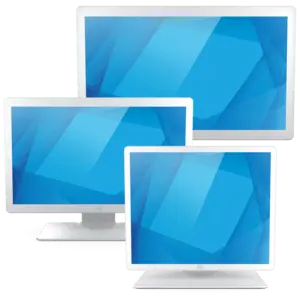
The Elo Touch Solutions 03-Series 48.3 cm 19-inch Touch Screen Monitor is a professional-grade display designed for reliable interactive commercial applications. Featuring advanced projected capacitive multi-touch technology supporting up to 10 simultaneous touch points, this black monitor delivers smooth and accurate touch response for various operational environments. Built with a 5:4 aspect ratio and a resolution of 1280x1024 pixels, it offers clear visuals backed by a 1000:1 contrast ratio, 225 cd brightness, and wide viewing angles of 178/178 degrees. The unit is equipped with versatile connectivity options including VGA, HDMI, and USB interfaces, making it easy to integrate into existing setups. With an IP54 protection class, it provides resistance against dust and splashing water, ensuring durability in demanding professional spaces. The package includes necessary cables, a power supply unit, power cables, and a sturdy stand for immediate deployment.
Advantages
This touch screen monitor stands out for its robust build quality and responsive projected capacitive technology that registers up to 10 distinct touch points effortlessly. The inclusion of an IP54 protection class ensures that the display remains functional even in environments prone to dust and moisture exposure. Its wide viewing angles maintain consistent image clarity and color accuracy from almost any perspective. Versatility is further enhanced by multiple interface options such as HDMI, VGA, and USB, allowing seamless connection with various host systems. Additionally, VESA mount compatibility provides flexible installation choices, whether using the included desktop stand or mounting it on a wall or arm.
Suitable for
- Interactive commercial applications and retail kiosks
- Point of sale and self-service terminals
- Professional office and industrial control setups
- Information display points in public areas
When it may not be suitable
This monitor may not be suitable for tasks requiring ultra-high 4K resolutions or color-critical graphic design work due to its standard 1280x1024 resolution and 5:4 aspect ratio. It is also not designed for outdoor use in direct, harsh weather conditions as its IP54 rating only offers limited protection against dust and splashes.
Key specifications
- Screen size: 48.3 cm (19 inches)
- Panel type: TFT screen with 5:4 aspect ratio
- Resolution: 1280x1024 pixels
- Touch technology: Projected Capacitive with 10 touch points
- Response time: 14 ms
- Brightness: 225 cd/m²
- Contrast ratio: 1000:1
- Viewing angles: 178/178 degrees horizontal and vertical
- Interfaces: VGA, HDMI, USB Host, USB touch interface
- Protection class: IP54
- Mounting: VESA mount 100x100 mm
- Color: Black
How to use
To set up the monitor, place it securely on a flat surface using the included stand or attach it to a compatible VESA mounting arm. Connect the appropriate video cable, such as HDMI or VGA, from your computer or host device to the corresponding port on the monitor. Connect the USB cable to enable the touch functionality and plug in the power supply unit using the provided power cable. Once connected, power on the device and adjust the display settings on your operating system to ensure optimal touch calibration and resolution alignment.
What to consider before purchase
- Verify that the 1280x1024 resolution and 5:4 aspect ratio meet your specific software requirements.
- Check the available ports on your host device to ensure compatibility with HDMI, VGA, or USB connections.
- Evaluate the mounting requirements, keeping in mind the 100x100 mm VESA compatibility and physical dimensions.
- Confirm that the IP54 protection rating is sufficient for your intended operating environment.
Usage recommendations
Regularly clean the touch screen surface with a soft, lint-free cloth and appropriate non-abrasive cleaning agents to maintain touch sensitivity and clarity. Ensure proper ventilation around the monitor and avoid exposing the device to continuous direct sunlight or extreme moisture beyond its IP54 rating.