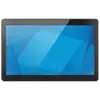
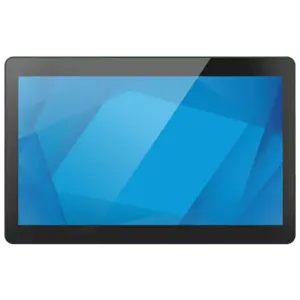
The ELO I-Series 3.0 Touch Computer 21.5-inch Intel Core i7 16GB RAM 16GB SSD Antiglare Wi-Fi 6 RS232 Speaker Black touch computer is compared with several alternative models in the Elo I-Series lineup. All of these devices belong to commercial-grade equipment and are designed for interactive kiosks, digital signage, and POS terminals, sharing a common platform, screen form factor, and reliable build. The main differences lie in processor performance, RAM and storage capacity, display size, stand inclusion, and operating system.
⚙️ The table below compares characteristics such as display diagonal size, processor, RAM capacity, storage type and capacity, operating system availability, and stand configuration, allowing you to evaluate the processing power and hardware capabilities of each configuration.
| Parameter | ELO I-Series 3.0 (Core i7) | Elo I-Series 3.0 (Core i3) | Elo Touch Solutions I-Series 3 (Core i5, 23.8") | ELO Touchsystems I-Series (Core i3, 21.5", No OS) | Elo I-Series 3.0 (15.6", Android) | Elo TouchSystems I-Series 3 (Celeron) | Practical Conclusion |
|---|
| Screen Diagonal | 21.5 inches | 21.5 inches | 23.8 inches | 21.5 inches | 15.6 inches | 21.5 inches | Screen size determines the display area for kiosk information. |
| Processor | Intel Core i7 | Intel Core i3 | Intel Core i5 | Intel Core i3 | Android (SoC) | Intel Celeron | Models with Core i7 provide maximum data processing speed for heavy workloads. |
| RAM | 16 GB | 8 GB | 16 GB | 8 GB | Not specified | 8 GB | Higher RAM capacity allows more efficient multitasking with background apps. |
| Storage | 16 GB SSD | 128 GB SSD | 256 GB SSD | 128 GB SSD | SSD | 128 GB SSD | The Core i7 model features minimal storage, requiring network or external storage. |
| OS and Bundle | No OS specified, speaker, Wi-Fi 6, RS232 | No stand, Wi-Fi 6 | Windows 10/11, 23.8" | No operating system | Android with GMS, 4G, Bluetooth | No operating system, Celeron | Different supply options allow tailoring the system to software requirements. |
◎ The suitability table below evaluates which use cases correspond to each model based on their processing power, screen size, and software environment.
| Use Case | Recommended Product | Why |
|---|
| Maximum performance for demanding enterprise tasks | ELO I-Series 3.0 (Core i7) | Powerful Intel Core i7 processor and 16 GB RAM handle the most demanding professional apps. |
| Standard self-service kiosks with local data storage | Elo I-Series 3.0 (Core i3, 128GB SSD) | Balanced configuration with spacious storage for standalone operation and software installation. |
| Workstations requiring a large Windows environment | Elo Touch Solutions I-Series 3 (Core i5, 23.8") | Larger 23.8-inch screen, preinstalled Windows OS, and a powerful Core i5. |
| Compact mobile and wireless Android POS systems | Elo I-Series 3.0 (15.6", Android) | Compact 15.6-inch screen, Android OS with GMS support, and built-in 4G cellular connectivity. |
| Budget terminals with basic requirements | Elo TouchSystems I-Series 3 (Celeron) | Cost-effective Intel Celeron processor for basic interactive tasks. |
The primary advantage of the ELO I-Series 3.0 Touch Computer 21.5-inch Intel Core i7 16GB RAM 16GB SSD Antiglare Wi-Fi 6 RS232 Speaker Black is the use of a high-performance Intel Core i7 processor combined with 16 GB of RAM, making it the optimal choice for the most resource-intensive professional applications and interactive systems. This model is best suited for developers and integrators who require maximum CPU computing power and plan to utilize network storage or cloud databases due to the modest built-in SSD capacity. If you need more local storage for standalone file keeping or a preinstalled Windows OS, alternative modifications with storage capacities of 128 GB and above will be a more suitable solution.