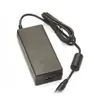
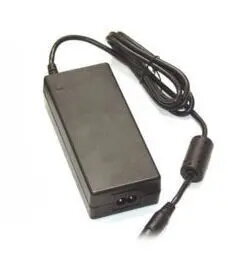
The Elotouch E005277 50W Indoor Power Adapter is a dedicated power supply solution engineered specifically for compatible Elo Touch Solutions devices. This unit provides a stable and consistent power output, ensuring that your professional touch hardware operates reliably in various indoor settings. With its robust construction and included AC power cable, it offers a complete and ready-to-use power management solution for your equipment.
Advantages
This power adapter stands out due to its high compatibility with Elo Touch systems, ensuring optimal performance and safety for your hardware. The wide input voltage range allows for flexible use across different power grids, making it a versatile choice for professional environments. Its efficient 50W output is perfectly calibrated to meet the power requirements of supported touch displays, preventing issues related to underpowering or voltage instability. The inclusion of the necessary AC cable simplifies the installation process, allowing for immediate deployment.
Suitable for
- Elo Touch Solutions touch monitors
- Professional point-of-sale systems
- Interactive digital signage displays
- Self-service kiosks in indoor environments
When it may not be suitable
This power adapter is designed exclusively for indoor use and should not be exposed to moisture, extreme temperatures, or outdoor weather conditions. It is not compatible with devices that require a different voltage output or connector type, so please verify your device specifications before use.
Key specifications
- Power output: 50W
- Output voltage: 12V
- Output current: 4.16A
- Input voltage range: 100-240V AC
- Input frequency: 50/60Hz
- Usage environment: Indoor
- Color: Black
How to use
To use the Elotouch E005277, connect the DC output cable to the power input port on your compatible Elo Touch device. Once connected, plug the provided AC power cable into the adapter brick and then into a standard wall outlet. Ensure that all connections are secure and that the power source meets the specified input voltage requirements. The device will begin receiving power immediately upon connection to the electrical grid.
What to consider before purchase
- Verify that your specific Elo Touch device model is compatible with the 12V 50W power specification.
- Ensure the installation location is indoors and away from water or high humidity.
- Check that your local power outlet matches the plug type provided with the included AC cable.
Usage recommendations
Always ensure the power adapter is placed in a well-ventilated area to prevent overheating during extended operation. Avoid bending the cables at sharp angles to maintain the integrity of the internal wiring.

 Charging device included


