A curated selection of maximum value offers!
In cart {{totalProductsCount}} item(s)
Your cart is empty
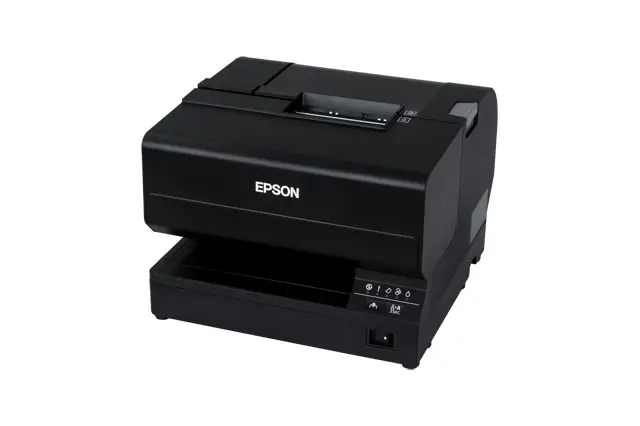
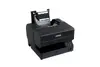
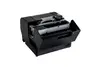
Epson TM-J7700(321PH) Inkjet POS Printer Wired and Wireless 98 mm/sec White Ethernet USB
The Epson TM-J7700(321PH) inkjet POS printer is designed for efficient point-of-sale receipt printing in retail and commercial environments. Utilizing advanced inkjet technology, this device delivers high-resolution printouts at a reliable speed of 98 mm/sec. It combines flexible wired and wireless integration options with a durable build, making it a practical choice for businesses seeking dependable transaction processing.
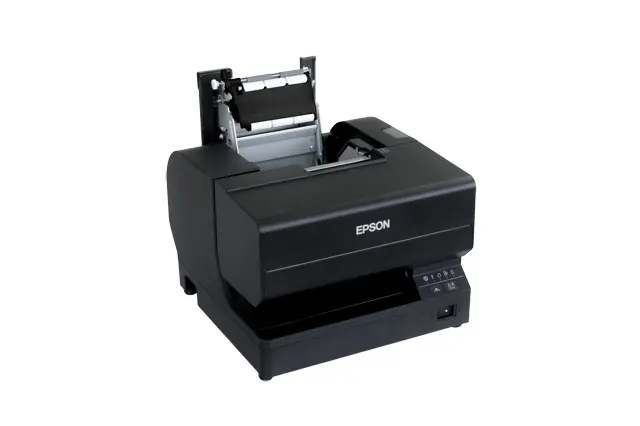
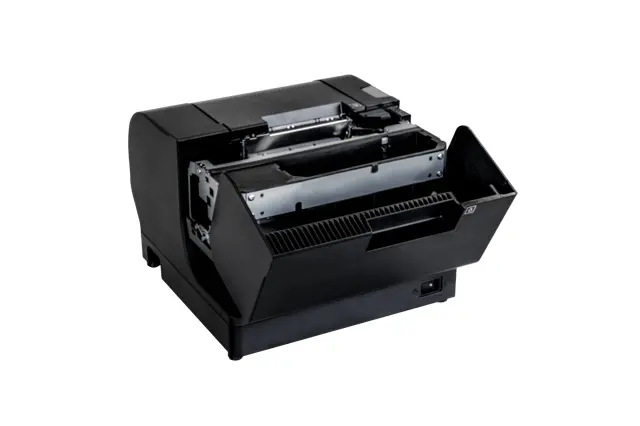
This POS printer utilizes inkjet technology to provide significantly sharper text and graphics compared to traditional models, ensuring professional-looking receipts and slips. It features a reliable construction with a mean time between failures of 180000 hours, supporting continuous operation in demanding retail settings. Maintenance is straightforward thanks to easy-install ink cartridges and a drop-in paper loading mechanism that minimizes downtime at busy counters. Additionally, the device offers broad compatibility with existing setups while providing modern connectivity features.
This printer may not be ideal for high-volume label printing or continuous document production outside of standard point-of-sale applications. It is also not designed for environments that require built-in direct Wi-Fi connectivity without a wired network or separate wireless access setup.
Place the printer on a stable, flat surface near your point-of-sale terminal and connect it to a power source. Connect the device to your network using an Ethernet cable or utilize the available USB ports for direct system integration. Open the paper cover, insert a compatible paper roll using the drop-in loading mechanism, and secure the cover. Install the ink cartridges according to the manufacturer guidelines before sending print jobs from your connected terminal.
For optimal performance and longevity, use recommended genuine Epson ink cartridges and compatible paper rolls, and keep the device in a clean environment away from excessive dust and moisture.
{{highlightedFeature.featureTitle}}:
{{getProductFeatureValueById(product, highlightedFeature.featureId)}}
This product page features the Epson TM-J7700(321PH) receipt printer, which is compared against home and office models: Epson WorkForce WF-2110W, Epson WorkForce Pro WF-C4310DW, Epson EcoTank ET-1810, Epson Expression Photo XP-65, and Epson EcoTank L1230. While the Epson TM-J7700(321PH) is specialized for point-of-sale (POS) environments and receipt printing, the alternative models are designed for general document or photo printing on A4 paper. Most devices share the reliable Epson brand and wired or wireless connectivity options, but their primary purpose differs fundamentally.
⚙️ The table below compares device types, intended use, printing formats, interfaces, and speed to highlight the practical differences between a specialized receipt printer and standard office inkjet printers.
| Parameter | Epson TM-J7700(321PH) | Epson WorkForce WF-2110W | Epson WorkForce Pro WF-C4310DW | Epson EcoTank ET-1810 | Epson Expression Photo XP-65 | Epson EcoTank L1230 | Practical significance |
|---|---|---|---|---|---|---|---|
| Device type | POS receipt printer | A4 inkjet printer | A4 inkjet printer | A4 inkjet printer | A4 inkjet printer | A4 inkjet printer | The main difference is the form factor: the POS printer prints on receipt rolls for retail, while the others print on A4 cut sheets. |
| Intended use | Retail and commercial POS environments | Home & Office | Home & Office | Home & Office | Home & Office | Home & Office | The Epson TM-J7700(321PH) is optimized for cash desk areas, whereas the alternatives focus on office documents and graphics. |
| Print width / format | Receipt width up to 8.3 cm (98 mm/sec) | A4 size | A4 size | A4 size | A4 size | A4 size | The receipt printer outputs narrow rolls continuously, while office devices handle standard cut-sheet paper formats. |
| Connectivity | Ethernet, USB | Wi-Fi, Ethernet, USB | Wi-Fi, Ethernet, USB | Wi-Fi, USB | Wi-Fi, Ethernet, USB | USB | The Epson TM-J7700(321PH) supports wired network integration, while most alternatives also include wireless connectivity. |
◎ The table below evaluates product suitability for different use cases to help choose the right model for specific tasks.
| Use case | Recommended product | Why |
|---|---|---|
| Printing receipts in retail or at a checkout | Epson TM-J7700(321PH) | Designed specifically for efficient operation in retail and commercial checkout environments. |
| Printing office documents wirelessly | Epson WorkForce Pro WF-C4310DW | Offers higher paper capacity and duty cycle suitable for regular office workloads with Wi-Fi support. |
| Everyday basic document printing at home | Epson EcoTank ET-1810 | Built for home environments focusing on standard A4 sheet printing tasks. |
The Epson TM-J7700(321PH) differs fundamentally from the other featured models because it is a dedicated POS receipt printer rather than an office printer for A4 documents. It is ideal for retail businesses and service counters requiring reliable transaction receipts. A buyer should choose this model for a point-of-sale setup, whereas the alternatives are better suited for standard paper document workflows in an office or home.