{{ totalProductsCount }}

In cart {{totalProductsCount}} item(s)

Total:
{{sum | formatAmount}}

Your cart is empty

header-product Epson DS-C490 ADF and Sheet-fed Scanner 600 x 600 DPI A4 Black and White
330.99 €

Epson DS-C490 ADF and Sheet-fed Scanner 600 x 600 DPI A4 Black and White

Fast shipping
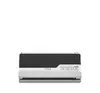
Epson DS-C490 Scanner Photo 1
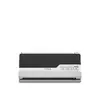
Epson DS-C490 Scanner Photo 2
Epson DS-C490 Scanner Photo 1
Epson DS-C490 Scanner Photo 2
payment

Discount 34%

You save: 178.00 €

The discount is valid from 14.09.2026 to 12.10.2026

Keep track of price changes You keep track of price changes
Watch the price drop

Leave your address - as soon as the price of the product goes down, you'll know about it right away

You keep track of price changes

Epson DS-C490 ADF and Sheet-fed Scanner 600 x 600 DPI A4 Black and White

{{email}}
You keep track of price changes

Epson DS-C490 ADF and Sheet-fed Scanner 600 x 600 DPI A4 Black and White

{{email}}
Price without discount: 508.99 €
Your Price:
{{selectedOffer.price | formatAmount}}

Short description

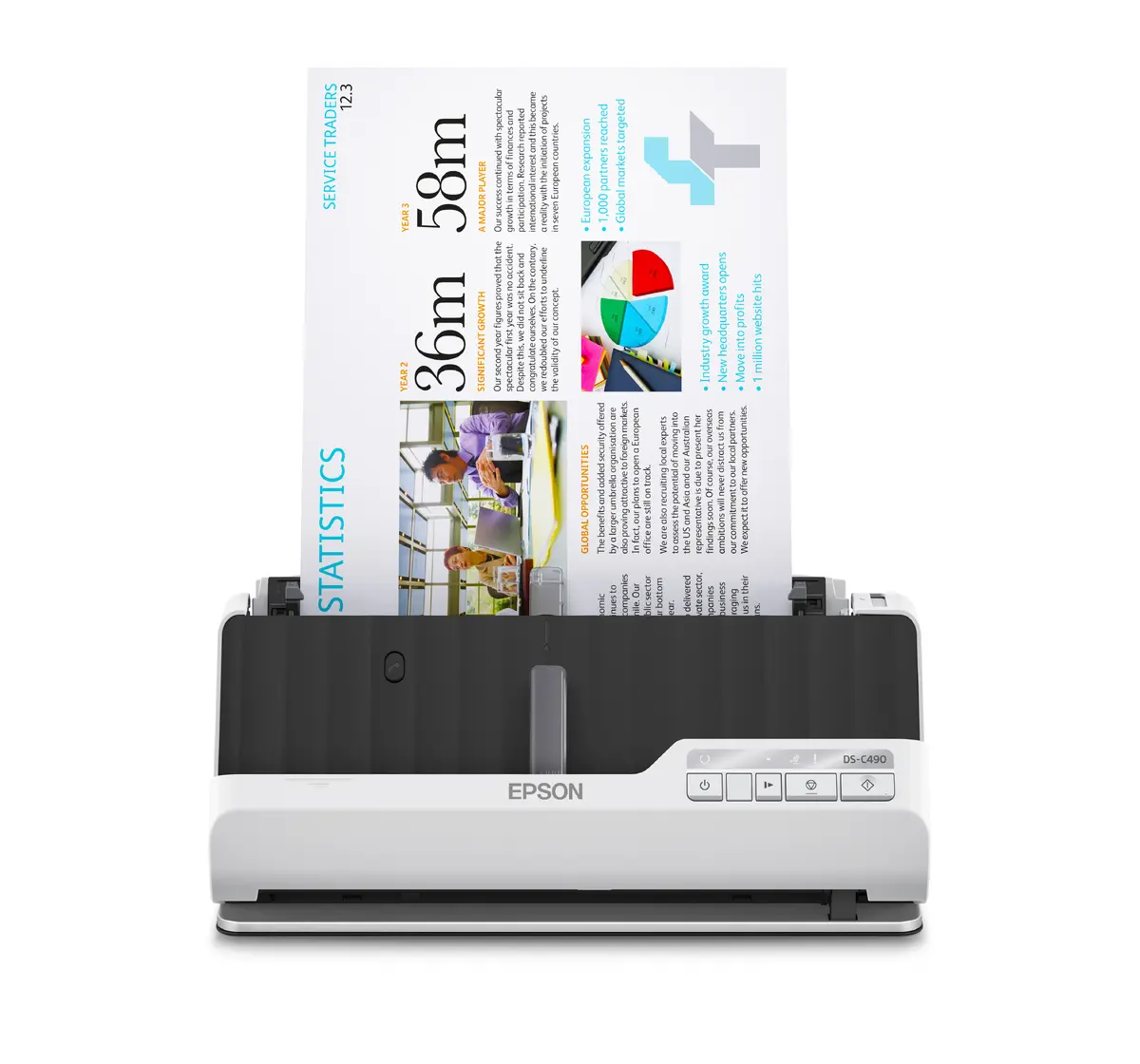
Epson DS-C490 ADF and sheet-fed scanner with a maximum optical resolution of 600 x 600 DPI. Designed for A4 documents supporting duplex scanning, business cards, and plastic cards. Features a 20-sheet input capacity, a daily duty cycle of up to 6500 pages, and versatile scan destinations including e-mail, FTP, and network folders for efficient office workflows.
Available at price 330.99 €: 14 pcs.
Total available for order: 24 pcs.
Warranty: 2 Years
SKU: 10548038
free shipment

Cheapest delivery:

Unisend LV

Pick-up points

Unisend LV

Cost

1.99 €

Deliver

{{selectedOffer.parcelStationDeliveryString}}

Customer service center
2b. Kengaraga str., Riga, Latvia, LV-1063
Wednesday {{selectedOffer.officeDeliveryString}}
free
Courier Delivery Please note that in case of a large parcel additional delivery costs may apply!
28.09.2026 {{selectedOffer.courierDeliveryString}}
From 4.99 € (Weight: 4.97 kg)
Parcel couriers
Unisend LV / Venipak Locker LV / DPD Paku skapis / Omniva LV / Latvijas Pasts pakomāts / Latvijas Pasts nodaļa
28.09.2026 {{selectedOffer.parcelStationDeliveryString}}
From 1.99 €
0 credit

pay in 3 equal parts

today

0 €

afterward

3 mth. х 110.33 €

overpayment

0 €

All payment Methods:
Cash payment, Bank transfer, Bank cards on-line, Apple Pay, Google Pay, Installment
36 months installment: from 9.19 euros per month
Together cheaper
{{product.price | formatAmount}}
{{product.title}}
{{productBundle.reference.specialPrice | formatAmount}}
{{productBundle.title}}
{{productBundlePreviousPrice | formatAmount}}
{{productBundleSpecialPrice | formatAmount}}

You saving {{productBundleYouSave | formatAmount}}

Product information

Description

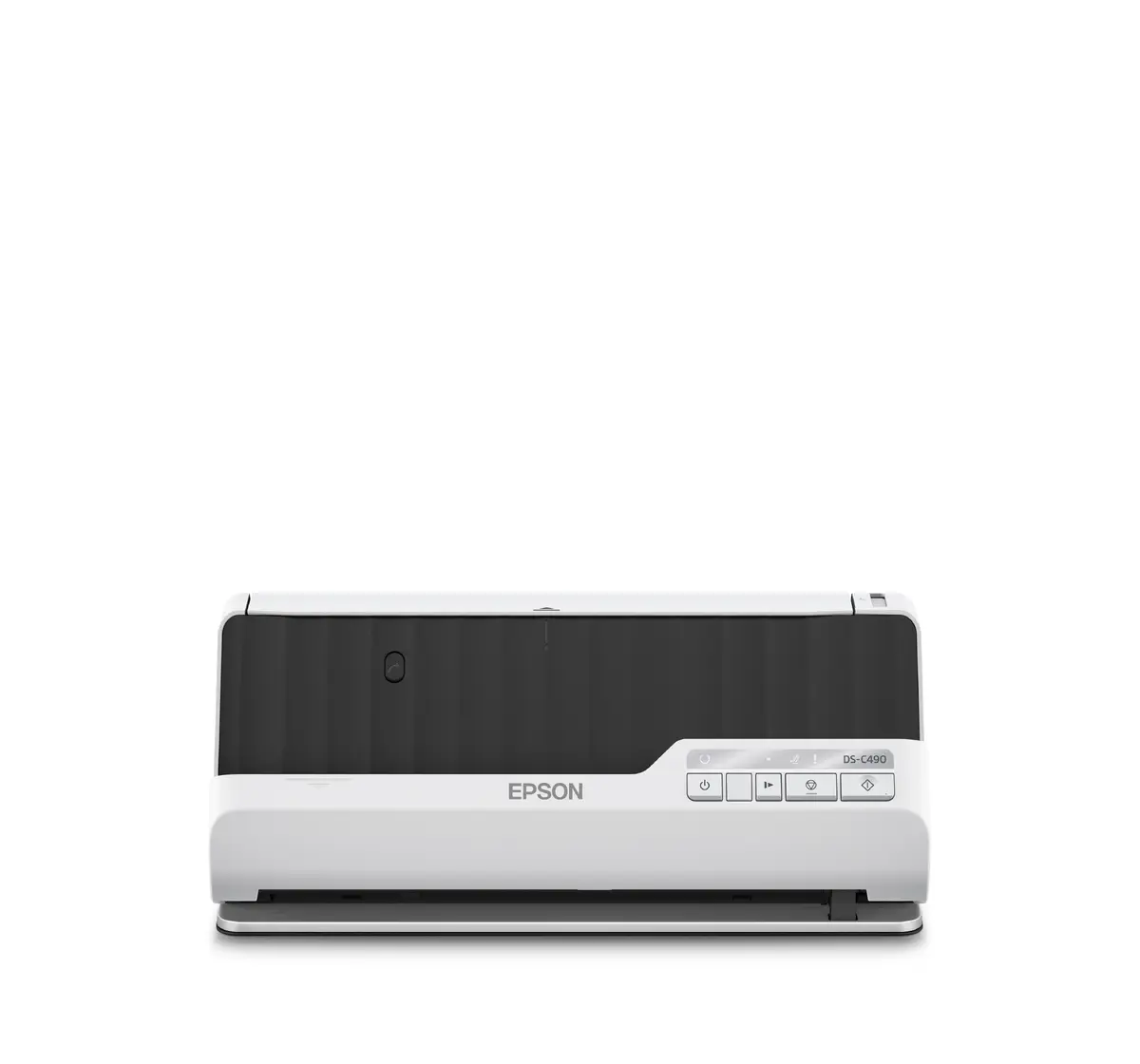
The Epson DS-C490 ADF and Sheet-fed Scanner 600 x 600 DPI A4 Black and White is a high-performance document capture solution built to streamline document management in modern offices. Featuring an automatic document feeder and sheet-fed capability, this premium compact scanner delivers reliable and accurate digitization for a variety of media types up to A4 size. Its thoughtful design includes a space-saving U-turn position and a straight pass mode, making it adaptable to different physical document types without requiring extra desk space. Built to support demanding office environments, it combines robust daily output with eco-friendly features such as construction using up to 30% recycled plastics and low energy consumption.

Advantages

The Epson DS-C490 stands out through its versatile paper handling, supporting standard A4 pages alongside business cards, plastic cards, and thick items like passports and booklets up to 5mm thick thanks to the straight pass mode. The integrated automatic document feeder holds up to 20 sheets, enabling smooth multi-page batch scanning. Automatic paper protection technology safeguards originals from jams or damage during feeds. With duplex scanning capabilities, users can capture both sides of a document in a single pass, significantly improving productivity. Furthermore, the device offers flexible scan destinations including e-mail, FTP, network folders, and direct print integration to optimize digital workflows.

Suitable for

  • Digitizing multi-page A4 office reports and correspondence
  • Scanning plastic ID cards and standard business cards
  • Capturing bound booklets and passports using the straight pass mode
  • Integrating document capture into network folders, e-mail, and FTP workflows
  • Handling moderate daily document loads in busy work environments

When it may not be suitable

This scanner is not designed for oversized media exceeding A4 width or specialized high-resolution photographic archival scanning where optical resolution beyond 600 DPI is required. Organizations needing ultra-high volume continuous batch scanning exceeding thousands of pages daily without manual reloading of the 20-sheet feeder may require a larger production-class floor or heavy-duty departmental scanner.

Key specifications

  • Scanner type: ADF and sheet-fed scanner
  • Optical scanning resolution: 600 x 600 DPI
  • Maximum ISO A-series paper size: A4
  • Duplex scanning: Yes
  • Automatic document feeder capacity: 20 sheets
  • Maximum daily duty cycle: Up to 6500 pages
  • Connectivity: USB port
  • Supported media: Standard paper, business cards, plastic cards, postcards

How to use

To begin using the Epson DS-C490, connect the device to a compatible power source using the AC adapter and link it to your computer via the USB port. Place your documents into the 20-sheet automatic document feeder or feed them individually depending on the selected path. Choose your preferred paper path configuration, utilizing the U-turn position for standard sheets or switching to the straight pass mode for thicker items like passports. Select your destination preferences such as e-mail, FTP, or network folder through your scanning software interface, and press the control buttons on the device to initiate the capture process.

What to consider before purchase

  • Ensure your workspace can accommodate the compact footprint and power requirements of an AC-powered device
  • Verify that the maximum paper size of A4 meets your standard document requirements
  • Check compatibility with your existing operating systems and software environments for network and direct USB workflows
  • Assess your typical daily document volume to ensure the 6500-page daily duty cycle aligns with your workload
Usage recommendations: Place the scanner on a stable, flat surface with adequate clearance for the chosen paper path to ensure smooth document feeding. Regularly clean the glass and feed rollers according to maintenance guidelines to prevent dust accumulation and maintain optimal scan quality over time.

Specifications

Power supply type: The type of power supply which this product uses.
AC
USB port: The device features a socket into which a USB cable can be plugged.
Yes
Maximum ISO A-series paper size: The maximum paper size the device can handle, defined by ISO A-series.
A4
Daily duty cycle (max): The maximum percentage of time a machine or piece of equipment can be in operation for in one day in relation to the time it must remain out of operation. For instance, a max daily duty cycle of 30 percent means it will operate for a maximum 30 percent of the day and then not be used for the other 70 percent of the day.
6500 pages
Built-in display: A display which is part of the product, so you do not need to attach another display.
No
Scanner type: Indicates the type of scanner this product is.
ADF + Sheet-fed scanner
Duplex scanning: Feature of computer scanners and multifunction printers (MFPs) that allows the automatic scanning of a sheet of paper on both sides.
Yes
Optical scanning resolution: How many pixels a scanner can see. Most commonly, this is measured in dots per inch (dpi).For example, a typical flatbed scanner will use a scanning head with 300 sensors per inch, so it can sample 300 dots per inch (dpi) in one direction. To scan in the other direction, it will move the scanning head along the page, stopping 300 times per inch, so it can scan 300 dpi in the other direction as well. This scanner would have an optical resolution of 300 x 300 dpi. Some manufacturers stop the scanning head more frequently as it moves down the page, so their machines have resolutions of 300 x 600 dpi or 300x1200 dpi.
600 x 600
Maximum scan size:
215.9 x 5588
Product colour: The colour e.g. red, blue, green, black, white.
White, Black
All features

Operational conditions

Storage relative humidity (H-H):
15 - 85
Operating relative humidity (H-H):
15 - 80
Storage temperature (T-T): The minimum and maximum temperatures at which the product can be safely stored.
-25 - 60
Operating temperature (T-T): The minimum and maximum temperatures at which the product can be safely operated.
5 - 35

System requirements

Windows operating systems supported: Windows vesions wich can be used with the device.
Windows 7, Windows 8, Windows 11, Windows 10
Server operating systems supported:
Windows Server 2003, Windows Server 2008, Windows Server 2008 R2, Windows Server 2012 R2, Windows Server 2012 x64, Windows Server 2016

Weight & dimensions

Weight: Weight of the product without packaging (net weight). If possible, the net weight is given including standard accessories and supplies. Please note that sometimes the manufacturer leaves out the weight of accessories and/or supplies.
1.9 kg
Height: The measurement of the product from head to foot or from base to top.
125 mm
Depth: The distance from the front to the back of something.
104 mm
Width: The measurement or extent of something from side to side.
296 mm

Power

Input voltage: The voltage (V) which is required to power the product.
100 - 240
Power consumption (PowerSave):
4 W
Power consumption (standby): The amount of electricity that is consumed when the product is on standby.
1 W
Power consumption (typical): Amount of power consumed by this model, often expressed in watts (W). Typical values that manufacturers give are power consumption when off, standby/suspended mode, typical use, maximum usage.
10 W
Power supply type: The type of power supply which this product uses.
AC

Ports & interfaces

USB version: Universal Serial Bus (USB) is an industry standard developed in the mid-1990s that defines the interface used for connection, communication and power supply between computers and electronic devices. Every new version - for example 1.1, 2.0, 3.0 - is much faster than the previous one.
2.0
USB port: The device features a socket into which a USB cable can be plugged.
Yes

Paper handling

Paper tray media weight:
40 - 413
Legal:
Yes
Letter:
Yes
ISO A-series sizes (A0...A9): Different sizes of paper from A0 (big) to A9 (small). A4 is the most common size used for printing documents.
A6, A4, A5
ISO B-series sizes (B0...B9):
B6, B5
Scanning media types supported:
Business Card, Plastic Card, Post Card(JPN)
Maximum ISO A-series paper size: The maximum paper size the device can handle, defined by ISO A-series.
A4

Input capacity

Standard input capacity: The number of sheets of paper that can be held by a device.
20 sheets

Performance

Scan drivers:
SANE, ISIS, ICA, WIA
Scan to:
Print, Network folder, FTP, E-mail
Daily duty cycle (max): The maximum percentage of time a machine or piece of equipment can be in operation for in one day in relation to the time it must remain out of operation. For instance, a max daily duty cycle of 30 percent means it will operate for a maximum 30 percent of the day and then not be used for the other 70 percent of the day.
6500 pages
Light source:
ReadyScan LED

Design

Control type: The way in which the device is controlled.
Buttons
Product colour: The colour e.g. red, blue, green, black, white.
White, Black
Built-in display: A display which is part of the product, so you do not need to attach another display.
No
Scanner type: Indicates the type of scanner this product is.
ADF + Sheet-fed scanner

Scanning

Output monochrome depth:
8
Output colour depth:
24
Input colour depth: Colour depth of the input into the product. The colour depth is either the number of bits used to indicate the color of a single pixel, in a bitmapped image or video frame buffer, or the number of bits used for each color component of a single pixel. High-end laptops have 24-bit colour depth.
30
Duplex scanning: Feature of computer scanners and multifunction printers (MFPs) that allows the automatic scanning of a sheet of paper on both sides.
Yes
Optical scanning resolution: How many pixels a scanner can see. Most commonly, this is measured in dots per inch (dpi).For example, a typical flatbed scanner will use a scanning head with 300 sensors per inch, so it can sample 300 dots per inch (dpi) in one direction. To scan in the other direction, it will move the scanning head along the page, stopping 300 times per inch, so it can scan 300 dpi in the other direction as well. This scanner would have an optical resolution of 300 x 300 dpi. Some manufacturers stop the scanning head more frequently as it moves down the page, so their machines have resolutions of 300 x 600 dpi or 300x1200 dpi.
600 x 600
Maximum scan size:
215.9 x 5588

Similar products

{{product.title}}
Show details Hide details

{{highlightedFeature.featureTitle}}:

{{getProductFeatureValueById(product, highlightedFeature.featureId)}}

{{product.price | formatAmount}}

Product comparison

This product page focuses on the Epson DS-C490 scanner, which is compared against several alternative models: Epson ES-C380W, Epson DS-C330, Epson ES-C320W, Brother ADS-4700W, and Epson WorkForce DS-530III. All reviewed devices support A4 paper size, automatic duplex scanning, and an optical resolution of 600 x 600 DPI, ensuring a similar baseline image quality. The primary differences lie in their maximum daily duty cycles, paper input capacities, wireless connectivity, and maximum document scanning length.

⚙️ The specifications comparison table below contrasts the scanner type, maximum resolution, input tray capacity, daily duty cycle, Wi-Fi availability, and maximum scan size to highlight the practical performance differences between the devices.

ParameterEpson DS-C490Epson ES-C380WEpson DS-C330Epson ES-C320WBrother ADS-4700WEpson WorkForce DS-530IIIPractical significance
Scanner typeADF + Sheet-fedADF + Sheet-fedADF + Sheet-fedADF + Sheet-fedADF + Sheet-fedSheet-fedMost models combine automatic document feeding and sheet-fed paths, whereas the Epson DS-530III uses a traditional sheet-fed design.
Resolution600 x 600 DPI600 x 600 DPI600 x 600 DPI600 x 600 DPI600 x 600 DPI600 x 600 DPIIdentical optical resolution delivers the same level of detail for text and document scanning.
Daily duty cycleUp to 6500 pagesUp to 3500 pagesUp to 5000 pagesUp to 3500 pagesUp to 6000 pagesUp to 6500 pagesThe Epson DS-C490 offers high daily endurance, outperforming the ES-C380W, DS-C330, and ES-C320W models.
Input capacity20 sheets20 sheets20 sheets20 sheets80 sheets60 sheetsThe Brother ADS-4700W and Epson DS-530III hold significantly more sheets at once, reducing user intervention.
Wireless connectivityNoWi-FiNoWi-FiYesNoThe Epson ES-C380W, ES-C320W, and Brother ADS-4700W feature Wi-Fi for flexible placement in the office.
Maximum length5588 mm5588 mm3048 mm3048 mm355.6 mm6096 mmThe Epson DS-C490 handles very long documents, second only to the DS-530III model.

◎ The suitability table below evaluates which product is best tailored to specific user needs and use cases to help guide your purchasing decision.

Use caseRecommended productWhy
Busy office handling long documentsEpson DS-C490A high daily duty cycle of up to 6500 pages and support for long media up to 5588 mm make it ideal for demanding office workloads.
Office requiring wireless connectivityEpson ES-C380WBuilt-in Wi-Fi enables easy network placement without cable clutter, though the daily workload capacity is lower.
High-volume daily batch scanningBrother ADS-4700WAn 80-sheet input tray capacity and robust batch handling are better suited for regular multi-page document scanning.

The main advantage of the Epson DS-C490 is its combination of a high daily duty cycle of up to 6500 pages and the capability to handle exceptionally long documents within a compact paper path. It is best suited for busy offices with regular document scanning needs that do not require wireless Wi-Fi connectivity. If wireless networking is a priority, consider the Epson ES-C380W, while heavy multi-page batch scanning makes the Brother ADS-4700W a stronger alternative.

Might be useful
{{product.manufacturerName}}
{{product.categoryName}}
{{product.title}}
{{product.specialPrice}}
{{product.price}}
Stock data
Warehouse Stock Delivery to the store Store Price
BT5 14 Wednesday Best delivery
Fast shipping
Discount 34%
330.99 € Best price
EU85 2 05.10.2026
506.99 €
BT17 2 28.09.2026
520.99 €
Show all offers Hide
Available only for legal entities
Warehouse Stock Delivery to the store Store Price
WH109 4 19.10.2026
650.99 €
WH345 1 05.10.2026
673.99 €
Fast shipping
Discount 34%
330.99 €
Stock: 14
Delivery Date: Wednesday Best delivery
Warehouse: BT5
506.99 €
Stock: 2
Delivery Date: 05.10.2026
Warehouse: EU85
520.99 €
Stock: 2
Delivery Date: 28.09.2026
Warehouse: BT17
625.99 €
Stock: 1
Delivery Date: 05.10.2026
Warehouse: EU3
Available only for legal entities
650.99 €
Stock: 4
Delivery Date: 19.10.2026
Warehouse: WH109
673.99 €
Stock: 1
Delivery Date: 05.10.2026
Warehouse: WH345

Customer reviews

Customer questions

FAQ

How much does the Epson DS-C490 Scanner cost, and is it available for purchase?

The price is 330.99 € (valid at the time of publication and already includes all taxes). The item is available for order — 24 pcs. are in stock, and you can place your purchase right now with delivery across Latvia and Europe or choose pickup at the Riga collection point. We offer favorable purchase terms, including the option to split the payment into convenient monthly installments. Availability and price are updated in real time, so we recommend placing your order in advance.

If I order this product today, when will I receive my order?

If you place your order today, delivery will be as fast and convenient as possible. You will be able to pick up your order on Wednesday at the Riga pickup point or choose delivery across Latvia and Europe. We carefully inspect every purchase and pack it securely for safe transportation.

What payment options are available?

AiO.lv offers several payment methods: Cash payment, Bank transfer, Bank cards on-line, Apple Pay, Google Pay, Installment. All transactions are 100% secure and encrypted.

Can Epson DS-C490 Scanner be purchased with a lease?

Yes, the purchase is available both on credit and with an interest-free installment plan. We work with leading banks and leasing companies in Latvia, allowing you to make your purchase on convenient terms — with a minimal down payment and a repayment period from 3 to 36 months. You can apply for credit or installments for the Epson DS-C490 Scanner online, and the application process is as simple as possible:
  • Select the product on the website and add it to your cart;
  • When placing your order, choose the payment method “Installments”;
  • Fill in the required details for the lending partner;
  • Receive a decision within a few minutes.
For more information about available payment options, interest-free installment terms, and credit conditions in Latvia, please visit the Payment page.

Can this product be purchased for a company (with VAT)?

Yes. AiO.lv works with legal entities in Latvia and across Europe. The product price already includes VAT. For certain product categories, as well as for companies from other EU countries with a valid VAT number, a 0% VAT rate may apply. We issue the invoice immediately after the order is placed, support electronic BIS invoices, and automatically generate all necessary accounting documents. You can complete the purchase for a company online — simply select the company profile and choose bank transfer as the payment method during checkout.

What is the warranty period?

All Epson products come with an official 2 Years warranty. It covers all manufacturing defects and malfunctions that may occur during use. The warranty is valid at all authorized Epson service centers and through AiO.lv

Can the product be returned after purchase?

Yes, you can return the product within 14 days of purchase if you bought it as a consumer (not a legal entity). Returns are possible without giving any reason — the main condition is that the product retains its original appearance and full set of accessories. We will make the process as simple and convenient as possible: just contact our customer support team, and we will help you arrange the return.

Where should I contact for warranty service?

For warranty-related questions you can contact the AiO.lv (SIA VSPRO) customer support team. We will assist with consultation, warranty claim processing, and coordination with certified service centers.

How can I tell if this product suits my needs?

When making a choice, we recommend paying attention to the key features: power supply type, usb port, maximum iso a-series paper size, daily duty cycle (max), built-in display, scanner type, duplex scanning, optical scanning resolution, maximum scan size, product colour, compatibility with your devices or usage conditions, material quality, functionality, and warranty terms. These characteristics will help you determine how well the model meets your needs.

Where can I download the instructions for Epson DS-C490 Scanner?

You can download the instructions in PDF format from the “Instructions” section on the product description page. The file contains complete information about installation, setup, and usage.

warranty
14-Day Return Policy We are confident in our quality, but if the purchase doesn’t fit — you have 14 days to return the product with peace of mind.
shipping
Fast Delivery Get your orders as quickly as possible — right to your door, parcel lockers, or pickup points across Latvia and the EU.
payment
Secure Payment Pay the way you prefer: cash, VISA, MasterCard, Apple Pay, Google Pay, bank transfer, or 0% installment plan.
warranty
Quality Since 2008 AiO.lv has been on the market for over 18 years and has earned trust — with more than 6000 genuine positive reviews on Google.