
Filters you can trust. Pure water every day.
In cart {{totalProductsCount}} item(s)
Your cart is empty
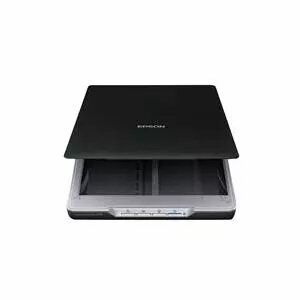
Flatbed scanner Epson Perfection V19 A4 4800 dpi USB — reflective and film scanning
The Epson Perfection V19 is a compact flatbed scanner with a space-saving design and an integrated stand that allows use flat or on its side. It connects via USB and delivers up to 4,800 dpi optical resolution with fast scanning speeds for high-quality photo and document capture. The scanner supports A4 originals and uses a CIS (Contact Image Sensor) for image acquisition; color input is 48-bit and output 24-bit. Included are drivers, utility software, USB cable and documentation.
The V19 offers a slim form factor and an adjustable integrated stand to save desk space. Its 4,800 dpi scanning resolution and 48-bit input deliver detailed results for photos and documents. USB 2.0 connectivity ensures easy plug-and-play operation with supported Windows and Mac OS versions. The package includes drivers and utility CDs plus installation and user guides for straightforward setup.
Place the scanner on a stable surface and choose flat or upright position using the integrated stand. Connect the scanner to a computer with the supplied USB 2.0 cable. Install the provided drivers and utilities from the CD or download the latest versions from Epson's support site. Open the scanning utility, select appropriate resolution and color settings, place the original on the scanner glass, and start the scan. Save scanned files in the desired format and folder.
For best results with photographs, clean the scanner glass before each session and use the 4,800 dpi setting when capturing fine detail. For routine document scans, lower resolutions will reduce file size and speed up processing. Ensure your operating system is supported and drivers are up to date.
{{highlightedFeature.featureTitle}}:
{{getProductFeatureValueById(product, highlightedFeature.featureId)}}
{{ productComparisonGenerationError }}
