
Powerful EcoFlow stations for energy anywhere!
In cart {{totalProductsCount}} item(s)
Your cart is empty
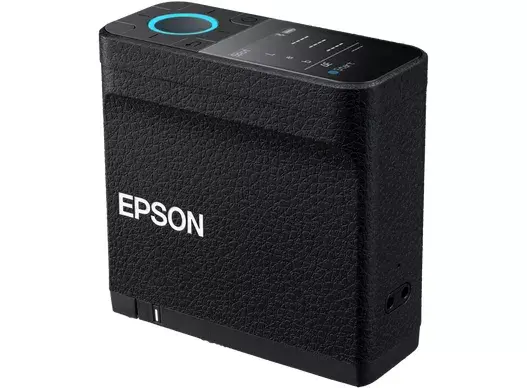
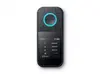
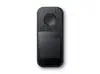
Epson SD-10 Spectrophotometer with LCD Display, Black
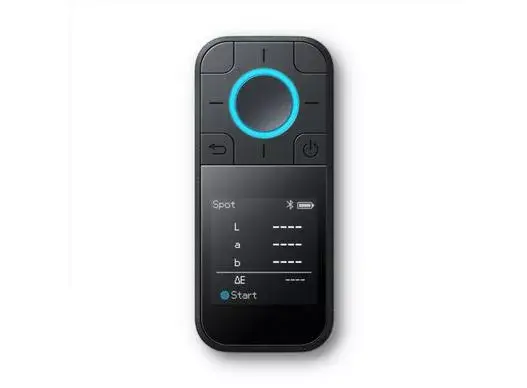
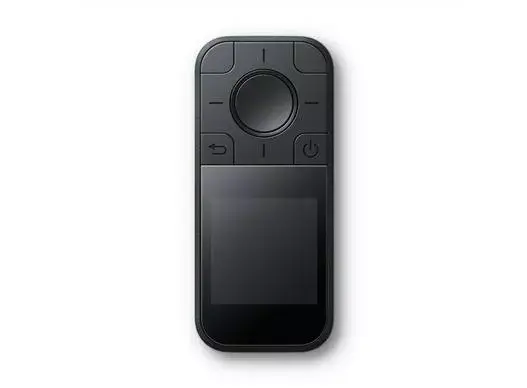
The Epson SD-10 is a professional-grade spectrophotometer engineered for precise color measurement and management in demanding printing and design environments. Featuring a clear LCD display and a robust black housing, this portable device provides reliable performance for professionals who require consistent color reproduction and quality control. Its compact design and integrated battery ensure that you can perform accurate color analysis in the field or at your workstation with ease.
This spectrophotometer offers exceptional versatility through its seamless integration with modern digital workflows. By utilizing Bluetooth or USB connectivity, users can easily connect the device to Epson Edge Print software to measure and replace colors directly within their production process. The accompanying mobile application enhances functionality by allowing users to build comprehensive color libraries, create custom palettes, and identify similar Pantone colors. Furthermore, the device provides immediate feedback on whether a specific color can be accurately reproduced by your current printer, media, and ICC profile configuration, ensuring high levels of color confidence.
The Epson SD-10 is specifically optimized for professional printing workflows and may not be necessary for casual users or those who do not require precise color management. It is not intended for non-printing applications, such as medical or industrial chemical analysis, where different spectral measurement standards are required.
To begin using the Epson SD-10, ensure the device is fully charged via the integrated battery. Connect the unit to your computer or mobile device using Bluetooth or the provided USB connection. Use the Epson Spectrometer mobile app to initiate measurements and sync data with your color libraries. When measuring a surface, place the device flat against the target area using the included alignment guide to ensure accurate readings. The LCD screen will display the measurement data, which can then be processed through the software to verify color reproduction or to create new color palettes.
For optimal results, ensure the device is calibrated regularly and the lens is kept clean. Always use the provided alignment guide to maintain consistent distance and angle during measurements to achieve the highest level of accuracy.
{{highlightedFeature.featureTitle}}:
{{getProductFeatureValueById(product, highlightedFeature.featureId)}}
{{ productComparisonGenerationError }}
