Dreame vacuums for fast and efficient cleaning!
In cart {{totalProductsCount}} item(s)
Your cart is empty
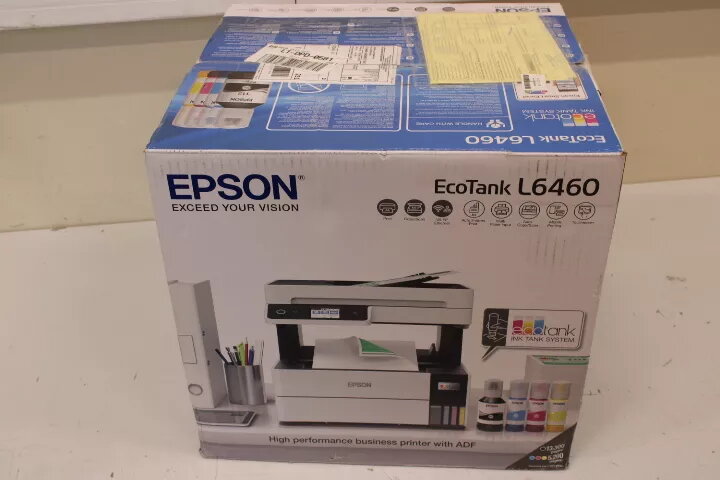
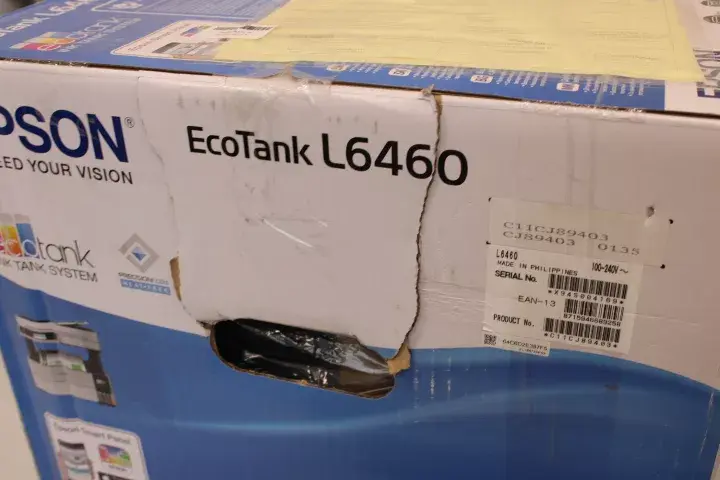
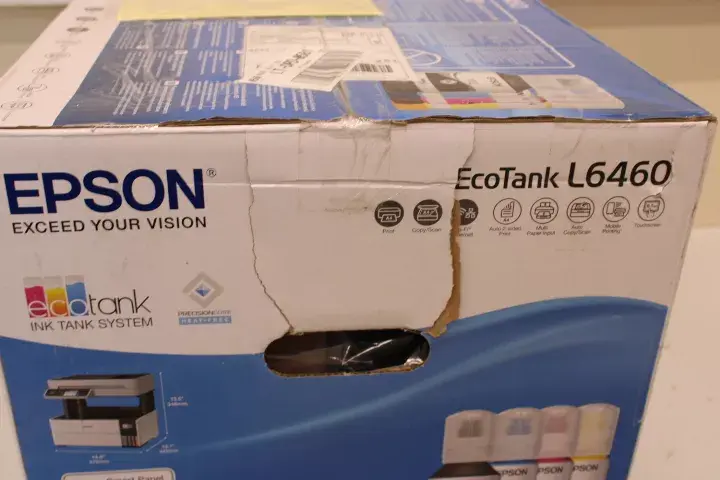
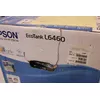
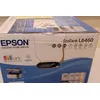
Epson Colour Inkjet 3-in-1 Wi‑Fi printer C11CJ89403SO — colour inkjet, 3‑in‑1, Wi‑Fi (damaged packaging)
The Epson Colour Inkjet 3-in-1 Wi‑Fi printer is a compact multifunction inkjet device that combines printing, scanning and copying in a single unit. It uses colour inkjet technology and supports wireless connectivity via Wi‑Fi, allowing flexible placement in a home or small office environment. The printer is designed for everyday document printing and photo reproduction; the listing notes that the item is supplied with damaged packaging while the product condition itself is not specified.
This Epson 3‑in‑1 unit integrates print, scan and copy functions to reduce the need for separate devices, saving space. Colour inkjet printing provides a wide colour range suitable for documents and photos. Built‑in Wi‑Fi enables cable‑free placement and simple connection to computers, laptops and mobile devices. The compact footprint and straightforward controls make it suitable for locations with limited space.
Place the printer on a stable, level surface within range of your wireless network. Install the ink cartridges and paper according to the manufacturer’s instructions, then connect the device to your Wi‑Fi network using the on‑device controls or the provided software. From a computer or mobile device, install the driver or printing app and select the printer in print settings. Use the scanner lid to place originals for scanning or copying, and select the required resolution and copy count from the control panel or software before starting the job.
For reliable operation, keep the device firmware and drivers up to date, use recommended paper types for photo or document printing, and store spare ink cartridges according to supplier guidance. Check the device after unpacking because packaging is noted as damaged; inspect for any visible transport damage before setup.
{{highlightedFeature.featureTitle}}:
{{getProductFeatureValueById(product, highlightedFeature.featureId)}}
This Epson Colour Inkjet 3-in-1 Wi‑Fi printer C11CJ89403SO is a basic multifunction inkjet device offering print, scan, and copy functions with wireless Wi-Fi connectivity for home or small office use, supplied with damaged packaging. In comparison, alternative models such as the Epson EcoTank L6370, Epson EcoTank L4366, HP Smart Tank 750, Epson EcoTank L8160, and HP OfficeJet Pro 8132e offer various technological enhancements including high-capacity ink tank systems (EcoTank), faster print speeds, wired Ethernet networking, automatic document feeders (ADF), and specialized photo or fax capabilities.
⚙️ The table below compares key characteristics including device type, maximum print resolution, connectivity, automatic document feeding, and duplex printing features.
| Parameter | Epson C11CJ89403SO | Epson EcoTank L6370 | Epson EcoTank L4366 | HP Smart Tank 750 | Epson EcoTank L8160 | HP OfficeJet Pro 8132e | Practical conclusion |
|---|---|---|---|---|---|---|---|
| Device type | Multifunction (print, scan, copy) | Multifunction (print, scan, copy) | Multifunction (print, scan, copy) | Multifunction (print, scan, copy, fax) | Multifunction (print, scan, copy) | Multifunction (print, scan, copy, fax) | All units provide core print, scan, and copy functions, while HP models additionally include fax capabilities. |
| Print technology | Colour inkjet | Colour inkjet (EcoTank) | Colour inkjet (EcoTank) | Thermal inkjet | Inkjet (6 colours) | Thermal inkjet | EcoTank models use refillable tanks for low running costs, whereas the L8160 is tailored for enhanced photo printing. |
| Connectivity | Wi-Fi | Wi-Fi, Ethernet | Wi-Fi, Ethernet | Wi-Fi, Ethernet, Wi-Fi Direct | Wi-Fi, Ethernet, direct printing | Wi-Fi, Ethernet, Bluetooth, Wi-Fi Direct | The base model features Wi-Fi only, while alternatives add wired Ethernet and extra wireless interfaces. |
| Maximum resolution | Not specified | 4800 x 1200 DPI | 4800 x 1200 DPI | 4800 x 1200 DPI | 5760 x 1440 DPI | 4800 x 1200 DPI | The Epson L8160 provides the highest resolution for detailed photo printing. |
| Duplex printing | Not specified | Automatic (print, scan, copy) | Automatic (print, scan, copy) | Automatic | Automatic (print) | Automatic (print) | Alternative models offer convenient automatic two-sided document handling. |
◎ The table below evaluates how well each model suits different user needs and usage scenarios.
| Use case | Recommended product | Why |
|---|---|---|
| Basic home tasks with budget savings | Epson C11CJ89403SO | Suitable for occasional printing and scanning at home, supplied with damaged packaging while retaining core functionality. |
| Office work with larger volumes and document feeding | Epson EcoTank L6370 | Features an EcoTank system for cost-effective printing and a built-in scanner with an automatic document feeder (ADF). |
| Cost-effective document printing in a small office | Epson EcoTank L4366 | Combines high black print speeds (33 ppm) with high-capacity ink tanks. |
| Versatile office tasks with fax and feeding | HP Smart Tank 750 or HP OfficeJet Pro 8132e | Provide fax capabilities, larger paper capacities, and robust network options for small workgroups. |
| High-quality photo printing at home | Epson EcoTank L8160 | Uses a six-colour printing system for detailed and vibrant photo output. |
The Epson Colour Inkjet 3-in-1 Wi‑Fi printer C11CJ89403SO is a straightforward wireless option for basic home tasks and is sold with damaged packaging, making it suitable for buyers seeking an affordable device without advanced networking. Alternative models are better suited for regular office workloads, high-volume printing, automatic duplex scanning, or specialized photo printing thanks to advanced ink tank systems and broader connectivity features.