Powerful EcoFlow stations for energy anywhere!
In cart {{totalProductsCount}} item(s)
Your cart is empty
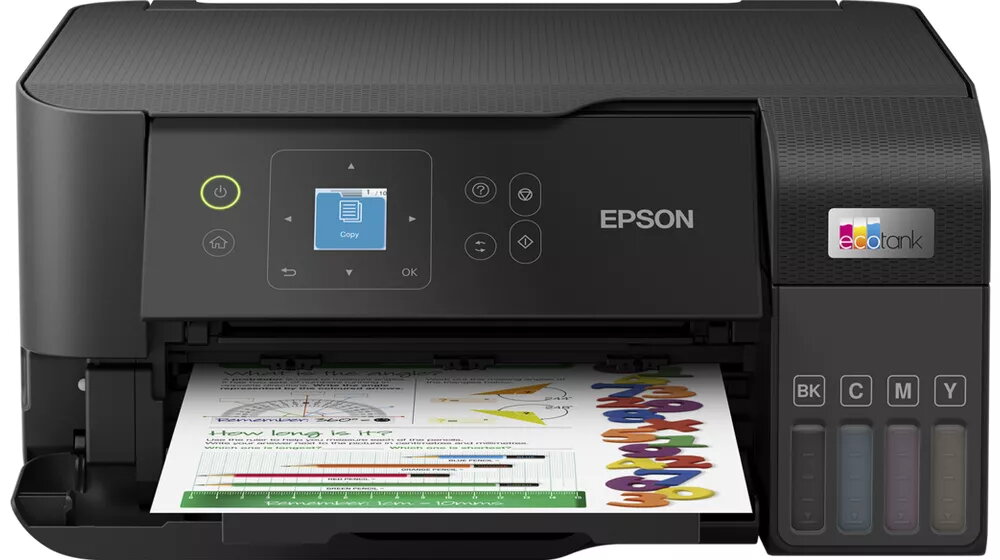
Multifunction Printer Epson EcoTank ET-2840 Inkjet Colour Printing
The Epson EcoTank ET-2840 Inkjet Colour Printing multifunction printer is a compact, refillable-ink solution designed for home and small office environments. It provides high-resolution colour printing up to 4800 x 1200 dpi and supports colour copying and scanning with optical resolutions up to 1200 x 2400 dpi. The device includes wireless connectivity for direct printing from computers and mobile devices and combines printing, copying and scanning functions in a single unit with a small footprint and a black finish.
The printer uses an EcoTank refillable ink system that reduces the need for frequent cartridge replacement and lowers running costs compared with traditional cartridge printers. It delivers fast output with print speeds up to 33 ppm for black text in normal quality and maintains high print and scan detail at the stated maximum resolutions. Built-in Wi‑Fi enables convenient cable-free setup and direct printing from smartphones, tablets and laptops. Its lightweight, compact design simplifies placement on desks or shelves.
Place the printer on a stable, level surface and connect it to power. Follow the Quick Start instructions to fill the EcoTank reservoirs with the supplied inks, taking care to avoid spills. Complete the initial setup by installing the driver and software on your computer or using the Epson mobile app for smartphone setup. Load paper in the input tray sized up to A4, select appropriate print settings in the application you use, and send print, copy or scan jobs via USB or Wi‑Fi. For copying and scanning, place originals on the scanner glass and select the required resolution and output format in the control panel or software.
For consistent print quality, use genuine Epson ink and follow periodic maintenance recommendations in the user manual. Store replacement ink bottles upright in a cool, dry place. When using Wi‑Fi printing, ensure the printer and devices are on the same network and keep firmware up to date to maintain compatibility and security.
{{highlightedFeature.featureTitle}}:
{{getProductFeatureValueById(product, highlightedFeature.featureId)}}