
Filters you can trust. Pure water every day.
In cart {{totalProductsCount}} item(s)
Your cart is empty
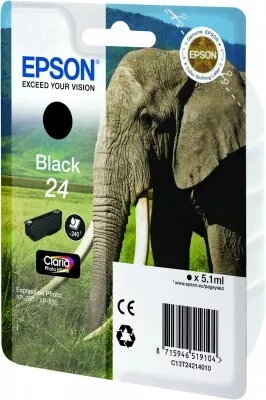
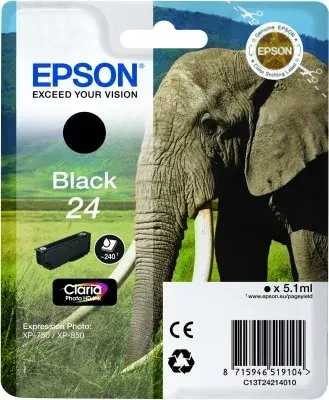
Epson 24 Claria Photo HD Black Ink Cartridge
The Epson 24 Claria Photo HD Black Ink Cartridge is a high-quality printing solution engineered specifically for users who demand professional-grade results from their home or office printers. Utilizing advanced pigment-based ink technology, this original Epson supply delivers deep, rich black tones and razor-sharp text clarity, ensuring that every document and photograph meets high standards of quality and durability.
This ink cartridge provides exceptional reliability and consistent performance throughout its entire lifespan. By using genuine Epson ink, you ensure that your printer operates at its peak efficiency, preventing clogging and maintaining the longevity of the print head. The ink is formulated to resist fading, smudging, and water damage, which is essential for preserving precious photographs and important business documents for years to come. Its seamless integration with compatible printers makes the installation process straightforward and hassle-free.
This cartridge is designed exclusively for specific Epson printer models and will not function in printers from other manufacturers or incompatible Epson series. It is not intended for high-volume industrial printing environments where bulk ink systems are more cost-effective.
To install the cartridge, ensure your printer is powered on and open the printer cover to access the ink carriage. Remove the empty cartridge by pressing the release tab and pulling it out of the slot. Take the new Epson 24 Claria Photo HD cartridge out of its packaging, remove the protective yellow tape, and insert it firmly into the corresponding slot until it clicks into place. Close the printer cover and follow the on-screen instructions on your printer or computer to complete the installation process.
For the best results, always use genuine Epson photo paper to maximize the color accuracy and longevity of your prints. Keep the printer in a clean environment and perform regular nozzle checks if the printer has been idle for an extended period.
{{highlightedFeature.featureTitle}}:
{{getProductFeatureValueById(product, highlightedFeature.featureId)}}
{{ productComparisonGenerationError }}
