
Filters you can trust. Pure water every day.
In cart {{totalProductsCount}} item(s)
Your cart is empty
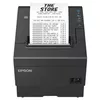
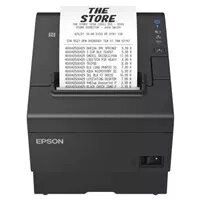
Thermal receipt printer Epson TM-T88VII with USB, USB Host, RS232 and Ethernet, black
The Epson TM-T88VII is a thermal receipt printer designed for point-of-sale environments where reliable, high-speed receipt printing and flexible connectivity are required. This open-box, complete unit supports multiple interfaces — USB, USB Host, RS232 serial and Ethernet — enabling easy integration with a wide range of POS systems and networked deployments. The compact black housing and fast printing performance make it suitable for retail checkouts, restaurants, ticketing desks and service counters.
The printer delivers consistent thermal printing quality and fast throughput to reduce customer wait times. Multiple interface options allow connection to legacy serial devices as well as modern USB and networked systems, while support for USB Host simplifies direct peripheral connections. Its compact footprint and standard paper handling facilitate straightforward installation at busy counters. Built-in reliability features and straightforward paper loading contribute to lower maintenance and downtime.
Place the Epson TM-T88VII on a stable counter surface and connect it to your point-of-sale system using the preferred interface: USB for direct host connection, RS232 for legacy hardware, or Ethernet for networked printing. If connecting peripherals such as barcode scanners or payment devices, use the USB Host port where applicable. Load a thermal paper roll into the paper compartment following the drop-in loading procedure, close the cover, and perform a feed test to verify installation. Install the appropriate printer driver or POS software integration and configure the interface settings in the POS application before beginning normal operation.
Use recommended thermal paper of correct width and thickness to ensure optimal print quality and to minimize paper jams. For network deployments, assign a fixed IP or configure DHCP reservations to maintain stable connectivity. Schedule periodic checks for paper roll status and clean the print head as advised by maintenance guidelines to extend service life and maintain consistent print legibility.
{{highlightedFeature.featureTitle}}:
{{getProductFeatureValueById(product, highlightedFeature.featureId)}}
{{ productComparisonGenerationError }}
