
Sale OUT! Discount 8%
You save: 5.00 €
Sale OUT! Discount 8%
You save: 5.00 €
In cart {{totalProductsCount}} item(s)
Your cart is empty
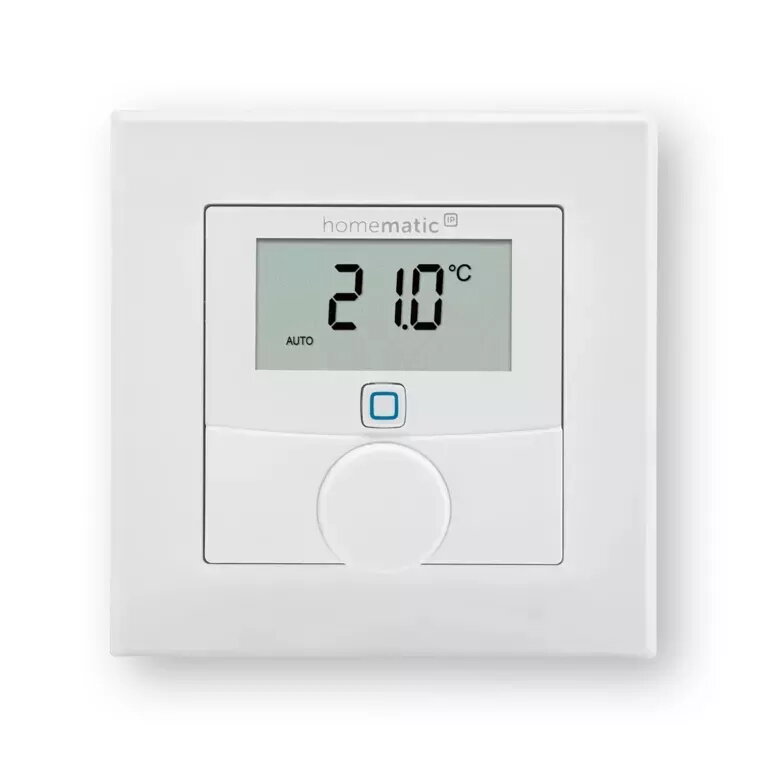
Digital thermostat Homematic IP HmIP-WTH-1
Sale OUT! Discount 8%
You save: 5.00 €
Sale OUT! Discount 8%
You save: 5.00 €
The Homematic IP HmIP-WTH-1 digital thermostat is a compact room thermostat by eQ-3 designed for precise temperature control in residential and small commercial spaces. The device communicates via a wireless RF interface compatible with the Homematic IP ecosystem, displays current and set temperatures on a clear digital screen, and is powered by two AAA batteries (1.5 V). With dimensions of 55 mm x 23.5 mm x 55 mm, the HmIP-WTH-1 offers a small footprint suitable for wall mounting or placement on flat surfaces, enabling straightforward integration into existing Homematic IP smart heating setups.
The digital thermostat Homematic IP HmIP-WTH-1 provides accurate temperature sensing and digital setpoint adjustment through an intuitive display. Its wireless RF interface simplifies installation by eliminating wired connections and allows seamless pairing with Homematic IP base stations and other compatible devices. Battery operation ensures continued use during power outages and flexible placement options. The compact design reduces visual impact while maintaining reliable performance for daily climate control tasks.
Install the Homematic IP HmIP-WTH-1 in a central location of the room, away from direct sunlight, drafts and heat sources to ensure accurate temperature readings. Insert two AAA batteries (1.5 V) following the polarity markings, then pair the thermostat with a Homematic IP access point or compatible gateway using the device pairing procedure described in the manufacturer's manual. Use the digital display to view the current room temperature and set the desired setpoint. Adjust settings via the thermostat interface or through the Homematic IP app once the device is connected to the system.
To maintain reliable operation, replace batteries as soon as low-battery warnings appear and check wireless signal strength after installation. For precise control, position the thermostat at typical head height and avoid mounting near radiators or windows. Consult the Homematic IP documentation for details on advanced configuration, firmware updates and integration with scenes or schedules.
{{highlightedFeature.featureTitle}}:
{{getProductFeatureValueById(product, highlightedFeature.featureId)}}