
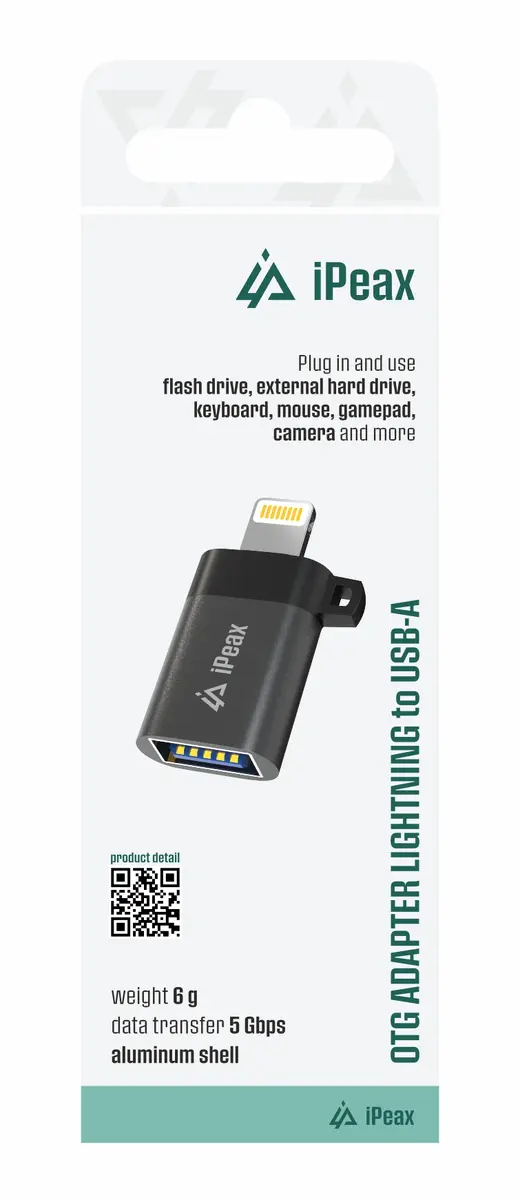
The ER OTG Lightning to USB-A Female Adapter Black is compared against several alternative adapters from brands including ER, D-Fruit, ORICO, and Usams. All these devices are designed to expand connectivity for mobile electronics and computers, but they differ fundamentally in port types and primary functions. The main distinctions lie in compatibility with specific source connectors (Lightning, USB Type-C, Micro USB) and supported peripheral device categories (such as data transfer for flash drives or audio output for headphones).
⚙️ The table below compares the input connector type, output port type, physical format, and practical purpose of each adapter to help determine compatibility with your hardware.
| Parameter | ER Lightning to USB-A | OTG Adapter ER USB-C | D-Fruit DF140 USB-C | ORICO CAF31 USB-C | Usams US-SJ009 Micro USB | ER Lightning to 3.5 mm | Practical Significance |
|---|
| Input Connector | Lightning (male) | USB Type-C (male) | USB Type-C (male) | USB Type-C (male) | Micro USB (male) | Lightning (male) | Determines adapter compatibility with your smartphone, tablet, or laptop. |
| Output Port | USB-A (female) | USB-A (female) | USB-A (female) | USB-A (female) | USB-A (female) | 3.5 mm Jack (female) | Determines connected peripheral type: USB devices or wired headphones and audio systems. |
| Physical Format | Compact adapter | Compact adapter | Compact adapter | Cable with 30 cm length | Compact adapter | Cable with 1.5 m length | Form factor influences portability for mobile use or convenience in stationary setups. |
| Primary Purpose | Connecting USB peripherals to Apple Lightning | Connecting USB peripherals to USB-C | Connecting USB peripherals to USB-C | High-speed data transfer and USB-C peripherals | Connecting USB peripherals to Micro USB | Connecting wired headphones to Apple Lightning | Defines use case scenarios for file management, data storage access, or audio streaming. |
◎ The table below evaluates which adapter matches specific user needs and usage scenarios.
| Use Case | Recommended Product | Why |
|---|
| Connecting USB flash drives and keyboards to Apple Lightning devices | ER OTG Lightning to USB-A Female Adapter Black | Designed specifically for integrating standard USB-A peripherals with Apple hardware featuring a Lightning port. |
| Connecting USB peripherals to modern USB-C devices | OTG Adapter ER USB-C / D-Fruit DF140 / ORICO CAF31 | Provides a conversion path from standard USB-A to universal USB Type-C ports on laptops and tablets. |
| High-speed data tasks with extended 30 cm reach | ORICO CAF31 USB-C to USB-A | Offers a cable form factor with a 30 cm length and high-speed data transfer support via USB 3.1 Gen 2. |
| Working with legacy Micro USB mobile hardware | Usams US-SJ009 Micro USB | Enables connection of mice and flash storage to smartphones and tablets equipped with a Micro USB port. |
| Attaching wired headphones to iPhone or iPad | ER Lightning to 3.5 mm Jack Audio Adapter Cable | Built for routing audio signals to headphones or external speakers from Apple Lightning ports. |
The ER OTG Lightning to USB-A Female Adapter Black differs from the alternatives through its specialized focus on the Apple ecosystem and Lightning connectivity for USB peripherals. It is most suitable for users of older iPhone or iPad models who need to connect flash drives or keyboards. If your device uses a USB-C or Micro USB port, or if you need to attach headphones, alternative models in the comparison list will be more appropriate.