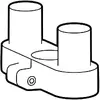
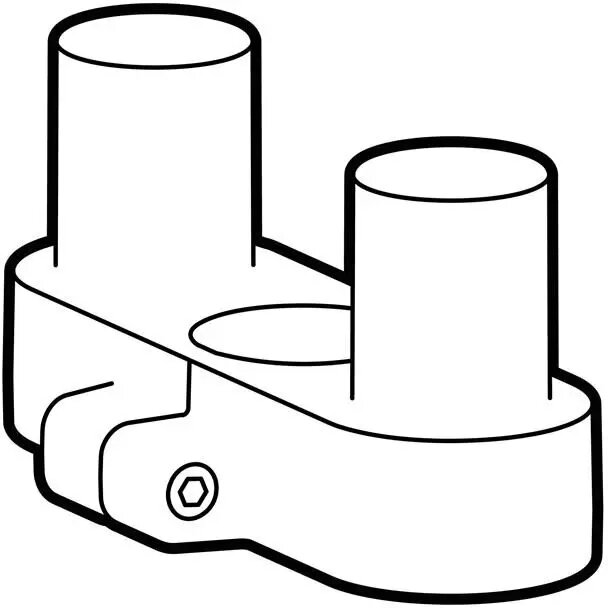
The ERGOTRON LX Pro Accessory Single to Dual Side-by-Side Conversion Kit enables converting an existing single LX Pro monitor arm into a dual side-by-side configuration. This kit supplies the mechanical components required to mount two monitors next to each other on a single LX Pro system, allowing users to expand screen real estate while retaining the arm’s adjustable movement and cable management features. It is intended for use with compatible LX Pro arms and standard VESA-mounted monitors.
Advantages
This conversion kit provides a compact way to add a second display without replacing the original arm assembly. It preserves the LX Pro’s articulated motion, height adjustment, and tilt functions, and maintains integrated cable routing for a tidy installation. The accessory is engineered to match the build quality of ERGOTRON products, offering a stable mounting solution for dual-screen setups.
Suitable for
- Office workstations requiring two side-by-side monitors
- Home office setups where desk space is limited but dual displays are needed
- Collaborative workstations and control rooms with adjacent-screen layouts
- Users who already own an LX Pro single monitor arm and want to expand to dual monitors
When it may not be suitable
This conversion kit is not a complete replacement for an LX Pro arm; it is an accessory designed specifically to pair with an existing LX Pro system. It may not be suitable for monitors that exceed the weight, size, or VESA pattern compatibility of the LX Pro arm. If your setup requires independent arms for each monitor or non-side-by-side configurations, a different mounting solution may be more appropriate.
Key specifications
- Purpose: converts single LX Pro arm to dual side-by-side configuration
- Compatibility: designed for use with ERGOTRON LX Pro monitor arm series
- Mount type: side-by-side dual mounting for VESA-compatible monitors
- Material: metal components consistent with LX Pro construction
- Finish: matches LX Pro aesthetic (typical black finish for this accessory)
- Included components: mounting bracket and hardware required for conversion
How to use
Install the conversion kit by following the manufacturer’s instructions to remove or modify the existing single-arm mounting head and attach the dual-side bracket. Secure monitors to the provided bracket using their VESA mounting points and the supplied hardware. After mounting, adjust height, tilt, and rotation to align displays and balance the arm according to the LX Pro’s weight-adjustment procedure. Ensure cables are routed through the arm’s cable management channels for a clean installation.
What to consider before purchase
- Ensure your current LX Pro arm is compatible with side-by-side conversion and in good mechanical condition
- Verify each monitor’s weight, size, and VESA pattern fall within the LX Pro arm’s limits
- Confirm desk or clamp mounting type and available space for a wider dual-monitor layout
- Check that the kit includes all necessary mounting hardware for your configuration
Usage recommendations
Balance monitor weights and follow the LX Pro adjustment guidelines after installation. Use two monitors of similar size and weight for best balance and smoother arm movement. Periodically check mounting hardware tightness and cable routing to maintain stable and safe operation.