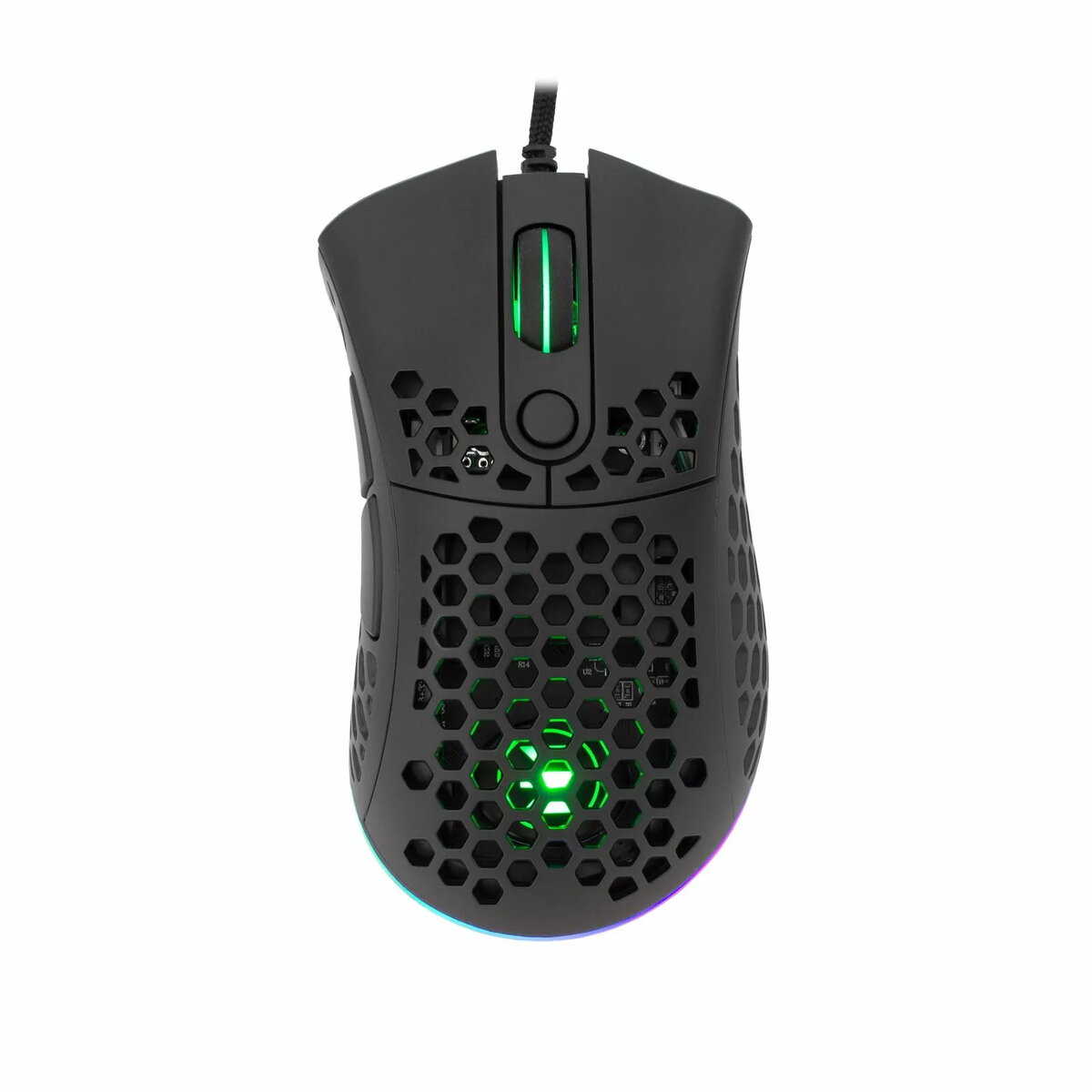
We have compared the Mouse White Shark Premium Line ESL-M6 Shuriken T-MLX47002 eShark gaming mouse with similar alternatives from the same brand: Mouse White Shark Premium Line ESL-M3 Aikuchi USB, Gaming Mouse White Shark GM-5006B Hannibal-2 USB, Mouse White Shark GM-5017 Mordred Black USB, Mouse White Shark GM-9004 Tristan-2 White RGB USB, and Mouse White Shark WGM-5015 Aero Pink AERO-P. All these devices are designed for gamers and feature ergonomic builds, RGB lighting, and optical sensors, while differing in maximum DPI, button counts, colorways, and exterior details.
⚙️ The table below compares key technical specifications and design features, including sensor type, maximum DPI resolution, button quantity, product color, and the practical significance of these differences for the user.
| Parameter | Mouse White Shark Premium Line ESL-M6 Shuriken T-MLX47002 eShark | Mouse White Shark Premium Line ESL-M3 Aikuchi USB | Gaming Mouse White Shark GM-5006B Hannibal-2 USB | Mouse White Shark GM-5017 Mordred Black USB | Mouse White Shark GM-9004 Tristan-2 White RGB USB | Mouse White Shark WGM-5015 Aero Pink AERO-P | Practical conclusion |
|---|
| Device type | Gaming mouse | Gaming mouse | Gaming mouse | Gaming mouse | Gaming mouse | Gaming mouse | All devices are optimized for gaming and daily computer use. |
| Sensor type | Optical | Optical | Optical | Optical | Optical | Optical | An optical sensor ensures stable and precise tracking across all models. |
| Max resolution | Up to 3200 DPI | 7200 DPI | Up to 3200 DPI | Up to 3200 DPI | Up to 3200 DPI | Adjustable DPI | The Aikuchi model offers a higher DPI capability (7200) for fast-paced gaming, whereas the other models stick to 3200 DPI for standard precision. |
| Button quantity | Not specified | 8 buttons | 6 programmable buttons | Not specified | Not specified | Responsive buttons | Aikuchi and Hannibal-2 provide enhanced control options with more buttons, while Shuriken focuses on core precision and clean styling. |
| Color and design | White | Black | Black with RGB | Black | White with RGB | Pink | A wide choice of colors lets users match the mouse to their desk setup and personal style. |
◎ The table below shows which product is best suited for specific use cases, control preferences, and workstation aesthetics.
| Use case | Recommended product | Why |
|---|
| Precise gaming and standard sensitivity up to 3200 DPI | Mouse White Shark Premium Line ESL-M6 Shuriken T-MLX47002 eShark | Delivers balanced features with a white finish and RGB lighting for users who want reliable tracking and clean styling. |
| Fast-paced gaming requiring higher DPI flexibility | Mouse White Shark Premium Line ESL-M3 Aikuchi USB | Features a maximum resolution of 7200 DPI and eight buttons for advanced control customization. |
| Macro usage and additional physical keys | Gaming Mouse White Shark GM-5006B Hannibal-2 USB | Equipped with six programmable buttons and a durable braided cable for extended gaming sessions. |
| Ergonomic black design with a secure grip | Mouse White Shark GM-5017 Mordred Black USB | Includes an anti-slip surface to ensure a firm hold during intense gaming moments. |
| Bright white desk setup and aesthetic harmony | Mouse White Shark GM-9004 Tristan-2 White RGB USB | Stands out with a stylish white finish and RGB lighting tailored for light-themed workstations. |
| Vibrant and unique desk style | Mouse White Shark WGM-5015 Aero Pink AERO-P | Offers a lightweight build and a pink finish suited for casual use and colorful setups alike. |
The Mouse White Shark Premium Line ESL-M6 Shuriken T-MLX47002 eShark differs from alternatives through its balanced white design and precise optical sensor with up to 3200 DPI. It is best suited for gamers who value ergonomics, RGB lighting, and standard precision without needing overly high DPI settings. A buyer might prefer it over alternatives if they want a clean white aesthetic, whereas those requiring more buttons or higher DPI will be better served by options like Aikuchi or Hannibal-2.