
A curated selection of maximum value offers!
In cart {{totalProductsCount}} item(s)
Your cart is empty
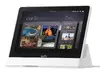
Eufy T87A03W1 Smart Home Central Control Unit with 8-inch LCD Touch Display
The Eufy T87A03W1 Smart Home Central Control Unit serves as a sophisticated hub designed to streamline the management of your connected home environment. Featuring a crisp 8-inch LCD touch display with a resolution of 1280 x 800 pixels, this device provides an intuitive interface for monitoring and controlling your smart ecosystem. Its sleek white design integrates seamlessly into modern interiors, while the inclusion of Wi-Fi 6 technology ensures a stable and high-speed connection for responsive performance across all linked devices.
This central control unit offers a highly responsive touch interface that simplifies complex home automation tasks into a single, accessible point of control. By utilizing advanced Wi-Fi 6 connectivity, the device maintains a robust link to your network, reducing latency and ensuring that commands are executed promptly. The high-resolution display provides clear visuals for security feeds and device status updates, while the integrated battery backup adds a layer of reliability, allowing the unit to remain functional even during minor power fluctuations.
This device may not be suitable for users who do not have an existing ecosystem of compatible smart home products, as its primary function is to act as a bridge for these systems. Additionally, it is not intended for high-performance media streaming or intensive gaming applications, as it is optimized specifically for home management and control tasks.
To use the Eufy T87A03W1, mount or place the unit in a central location within your home where it can easily connect to your Wi-Fi network. Connect the device to a standard power outlet using the provided power supply. Follow the on-screen prompts to connect the unit to your home network and pair it with your existing smart devices via the dedicated application. Once configured, you can navigate the interface using simple touch gestures to adjust settings or view status updates.
For the best experience, ensure the device is placed in an area with a strong Wi-Fi signal and keep the software updated to the latest version to benefit from improved security and feature enhancements.
{{highlightedFeature.featureTitle}}:
{{getProductFeatureValueById(product, highlightedFeature.featureId)}}
{{ productComparisonGenerationError }}