


Internal USB 3.2 Gen 1 Adapter EXSYS EX-11042 PCIe Female Green Silver

Offer for a legal entity, non-cash payment.
Short description

Cheapest delivery:
Unisend LV
Product information
Description
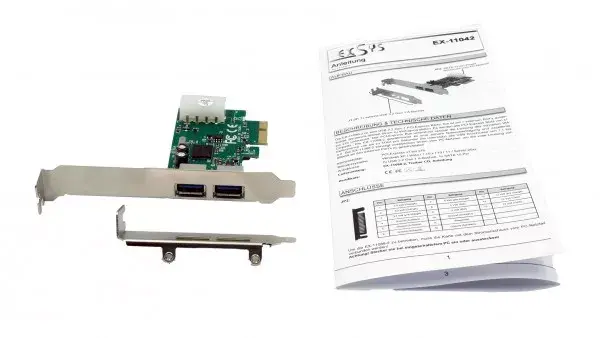
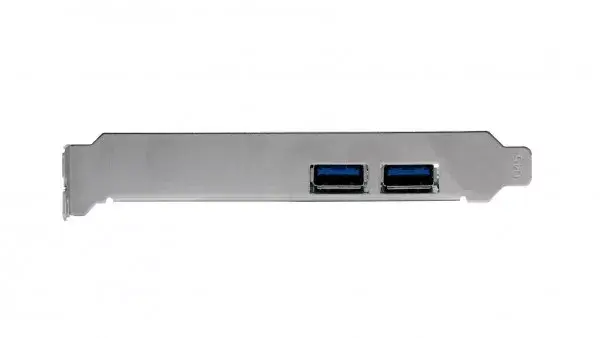
The EXSYS EX-11042 is a high-performance internal USB 3.2 Gen 1 adapter designed to expand the connectivity of your desktop PC or server. Utilizing a reliable PCIe host interface, this card provides two female USB ports, allowing for the seamless integration of various peripherals. It is engineered to support a wide range of data transfer speeds, ensuring compatibility with older USB standards while providing the high-speed capabilities of modern USB 3.2 Gen 1 technology.
Advantages
This adapter offers a significant boost to your system's connectivity by adding two high-speed USB ports directly to your motherboard via the PCIe slot. The inclusion of the NEC D720200 chipset ensures stable and reliable data transmission across all connected devices. Its compact form factor, measuring 75 mm in width and 45 mm in height, allows for easy installation in most standard PC cases without obstructing other components. By drawing power directly from the PC power supply, the card ensures that each port can provide a stable 900mA output, which is essential for powering external drives and other demanding peripherals.
Suitable for
- Connecting external storage enclosures and hard drives
- Integrating digital cameras and webcams
- Connecting scanners and printers
- Expanding USB connectivity for workstations and servers
This adapter may not be suitable for laptops or small form factor systems that lack an available PCIe expansion slot. It is also not intended for use in systems running operating systems other than Windows, as driver support is specifically optimized for this environment.
Key specifications
- Host interface: PCIe
- Ports: 2 x USB 3.2 Gen 1 female
- Chipset: NEC D720200
- Data transfer rates: Up to 5Gbps (Super-Speed)
- Power output: 900mA per port
- Dimensions: 75 mm x 45 mm
- Weight: 0.108 kg
To use the EXSYS EX-11042, first ensure your computer is powered off and disconnected from the mains. Insert the card into an available PCIe slot on your motherboard and secure it with a screw. Connect the necessary power cable from your PC power supply to the card to ensure adequate power delivery. Once installed, boot your computer and install the necessary drivers if prompted by your Windows operating system. After the installation is complete, you can plug your USB devices into the two female ports on the back of the card.
What to consider before purchase
- Verify that your motherboard has an available PCIe slot
- Ensure your PC power supply has an available connector for the card
- Check that your computer case has enough physical space for the card
- Confirm that your system is running a compatible version of Windows
For optimal performance and stability, ensure that the power cable from your PC power supply is securely connected to the card. Avoid using unpowered USB hubs with this adapter to maintain the full 900mA power delivery to your connected devices.
Features
- Host interface:
- PCIe
- Weight:
- 0.108 kg
- Product colour:
- Silver, Green


