


Internal Ethernet Card EXSYS EX-60102 1000 Mbit/s PCI Express Wired
Offer for a legal entity, non-cash payment.
Short description

Cheapest delivery:
Unisend LV
Product information
Description
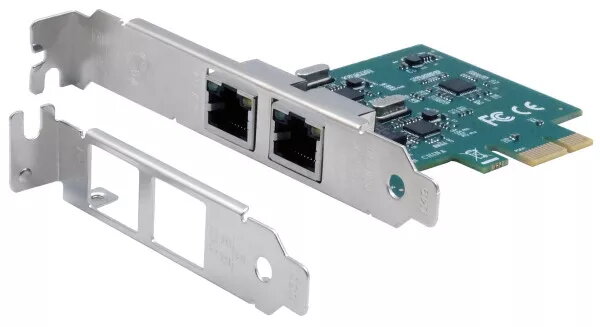
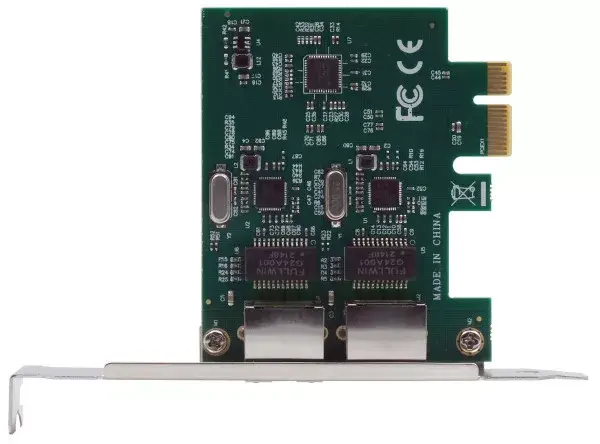
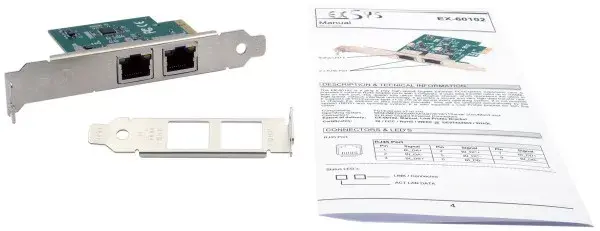
The EXSYS EX-60102 internal Ethernet card is a wired PCI Express network adapter designed for desktop computers. Supporting a maximum data transfer rate of 1000 Mbit/s, this card provides a standard Gigabit Ethernet connection over a PCI Express slot. It is compatible with common Ethernet and networking standards and is available in a grey and green colour scheme. The compact card weighs approximately 0.12 kg and is intended to deliver reliable, low-latency wired network access for general networking tasks.
Advantages
The card offers Gigabit performance with support for IEEE 802.3, IEEE 802.3u and IEEE 802.3ab standards, enabling stable throughput for large file transfers and multimedia streaming. The PCI Express host interface ensures direct connection to the motherboard with low overhead and minimal latency. Support for IEEE 802.1p and IEEE 802.1Q provides basic traffic prioritization and VLAN tagging capabilities for segmented networks. Its wired connectivity reduces interference risks compared with wireless alternatives.
Suitable for
- Desktop computers requiring a wired Gigabit Ethernet connection
- Home or small office network environments for file sharing and streaming
- Systems needing VLAN support or traffic prioritization
- Replacement or upgrade of older 10/100 Mbps network adapters
Key specifications
- Maximum data transfer rate: 1000 Mbit/s (Gigabit Ethernet)
- Host interface: PCI Express
- Connectivity technology: Wired Ethernet
- Supported networking standards: IEEE 802.3, IEEE 802.3u, IEEE 802.3ab, IEEE 802.3x, IEEE 802.1p, IEEE 802.1Q
- Product colour: Grey, Green
- Approximate weight: 0.12 kg
How to use
Power off the computer and open the case according to the manufacturer's instructions. Locate an available PCI Express slot on the motherboard and remove the corresponding expansion slot cover from the chassis. Insert the Ethernet card firmly into the PCI Express slot and secure it with the chassis screw. Close the case and power on the system. Install any required drivers supplied by the operating system or the device manufacturer, then connect an Ethernet cable to the RJ45 port on the card and to the network switch or router. Verify link status and configure network settings in the operating system as needed.
Usage recommendations
Use quality Cat5e or Cat6 Ethernet cabling for optimal Gigabit throughput; verify driver updates for compatibility with your operating system and apply static grounding precautions when handling internal components.
Features
- Connectivity technology:
- Wired
- Interface:
- Ethernet
- Host interface:
- PCI Express
- Maximum data transfer rate:
- 1000 Mbit/s
- Weight:
- 0.12 kg
- Networking standards:
- IEEE 802.3u, IEEE 802.3x, IEEE 802.3ab, IEEE 802.3, IEEE 802.1p, IEEE 802.1Q
- Product colour:
- Grey, Green


