


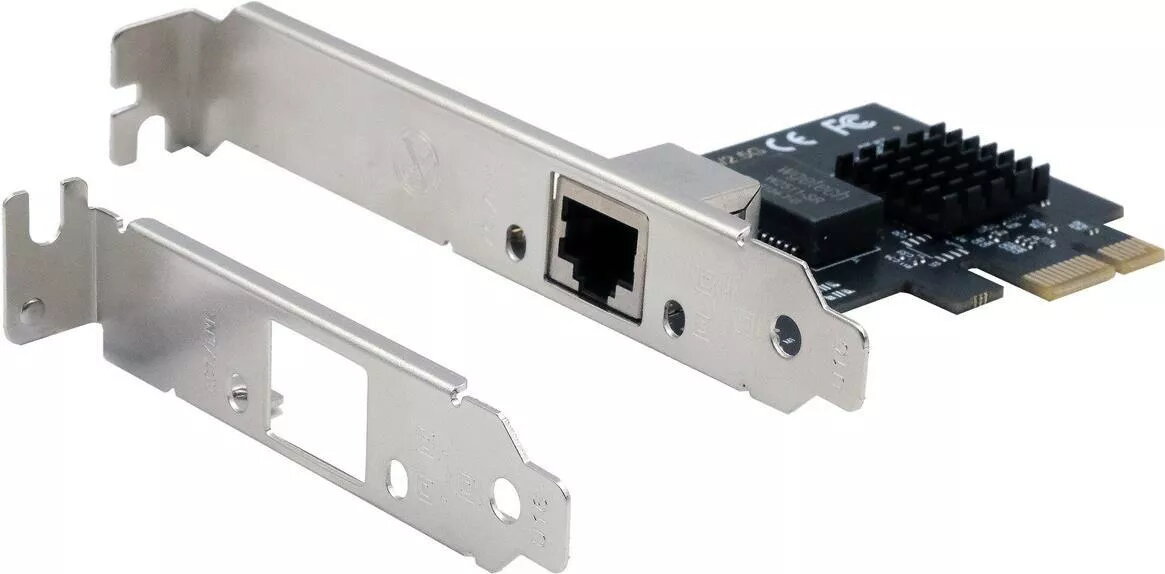
PCIe Network Card Exsys EX-60111 — 2.5 Gigabit Ethernet, PCIe interface
Offer for a legal entity, non-cash payment.
Short description

Cheapest delivery:
Unisend LV
Product information
Description
Exsys EX-60111 is a PCIe network card that provides 2.5 Gigabit Ethernet connectivity through a standard PCIe interface. Designed for desktop PCs and workstations, the card increases wired LAN throughput above standard gigabit speeds to support faster file transfers, smoother high-resolution streaming and improved overall network responsiveness. The compact add-in card fits into an available PCIe slot and delivers a reliable copper Ethernet connection for environments that require higher bandwidth than 1 Gbps.
Advantages
The Exsys EX-60111 delivers multi-gigabit performance over existing Ethernet cabling where supported by infrastructure and switches, offering a cost-effective upgrade path compared with replacing cabling or switches. Its PCIe interface provides low-latency data transfer to the host system and maintains compatibility with common desktop and workstation motherboards. The card offers stable wired connectivity for tasks that demand consistent throughput and reduced network bottlenecks.
Suitable for
- Desktop and workstation LAN upgrades to 2.5 Gbps
- High-bandwidth file transfers and backups
- Smooth 4K/8K media streaming and video editing workflows
- Small office or home office environments requiring faster wired connections
- Networked gaming setups that benefit from reduced latency and higher throughput
Key specifications
- Network speed: 2.5 Gigabit Ethernet
- Interface: PCI Express (standard full-height card form factor)
- Connector type: RJ45 copper Ethernet port
- Link modes: backward compatible with 1 Gbps and 100 Mbps links
- Intended use: desktop and workstation wired networking
How to use
Install the Exsys EX-60111 into an available PCIe slot on a powered-off desktop or workstation, secure the card to the chassis and connect a suitable Cat5e or better Ethernet cable to the RJ45 port and to a compatible switch or router. Power on the system and install any required drivers provided by the operating system or the manufacturer. After driver installation, configure network settings in the operating system to match the local network (DHCP or static IP) and verify the link speed shown by the OS or network management tools.
Usage recommendations
Use Cat5e or higher-rated cabling and a 2.5G-capable switch or router to achieve full 2.5 Gigabit throughput. Check the motherboard PCIe slot version and available lanes to ensure optimal performance, and install the latest drivers from Exsys or the system vendor for best compatibility.


