


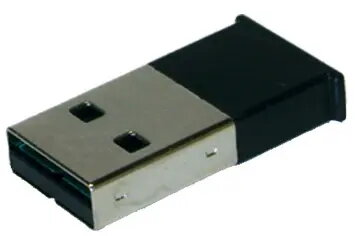
Exsys EX-6203 Bluetooth USB Adapter Wireless 1 Mbit/s Black and Grey
Offer for a legal entity, non-cash payment.
Short description

Cheapest delivery:
Unisend LV
Product information
Description
The Exsys EX-6203 Bluetooth USB Adapter Wireless 1 Mbit/s Black and Grey is a reliable networking solution designed to add wireless connectivity to devices lacking built-in Bluetooth capabilities. Utilizing a standard USB host interface, this compact adapter offers convenient plug-and-play setup for desktop computers and laptops. Operating on the 2.4 GHz frequency band, it delivers a stable wireless connection for everyday peripheral pairing and data exchange.
Advantages
This Exsys Bluetooth USB Adapter provides a straightforward method to upgrade older computer systems with modern wireless capabilities without requiring internal hardware modifications. Its lightweight and compact construction ensures that it remains unobtrusive when plugged into a computer port. Powered directly through the USB interface, the device does not require external power supplies or cumbersome cables, maintaining a tidy workspace.
Suitable for
- Adding wireless connectivity to desktop computers
- Upgrading laptops with Bluetooth capabilities
- Connecting wireless peripherals such as mice and keyboards
- Enabling short-range wireless data transfer on the 2.4 GHz frequency band
When it may not be suitable
This adapter is not designed for high-bandwidth data transfers, heavy media streaming, or long-distance wireless communication due to its maximum data transfer rate of 1 Mbit/s. Users requiring faster connection speeds or support for modern high-speed Bluetooth protocols should look for alternative networking solutions.
Key specifications
- Wireless connectivity technology
- USB host interface
- Maximum data transfer rate of 1 Mbit/s
- Single-band 2.4 GHz frequency support
- USB powered operation
- Compact black and grey design
- Weight of 0.05 kg
How to use
To use the Exsys EX-6203 Bluetooth USB Adapter, insert the device into an available USB port on your desktop computer or laptop. The computer operating system will typically recognize the hardware and prompt for necessary driver installation if required. Once the installation is complete, access your operating system's Bluetooth settings menu to search for and pair nearby wireless devices and peripherals.
What to consider before purchase
- Verify that your computer operating system supports standard Bluetooth USB adapters
- Confirm that a maximum data transfer rate of 1 Mbit/s meets your intended usage requirements
- Check for available USB ports on your computer system
For optimal performance, ensure the adapter is plugged into an unobstructed USB port and kept within standard operational range of your paired wireless devices.
Features
- Connectivity technology:
- Wireless
- Host interface:
- USB
- Maximum data transfer rate:
- 1 Mbit/s
- Weight:
- 0.05 kg
- Product colour:
- Black, Grey


