
FireWire PCI Card EXSYS EX-6450 2+1 Port
{{selectedOffer && selectedOffer.price | formatAmount}}
{{selectedOffer && selectedOffer.price | formatAmount}}
Offer for legal entity, cashless payment.
Why is an item available only for a legal entity?
This is due to long delivery times and limited product warranties.
This is due to long delivery times and limited product warranties.
Short description
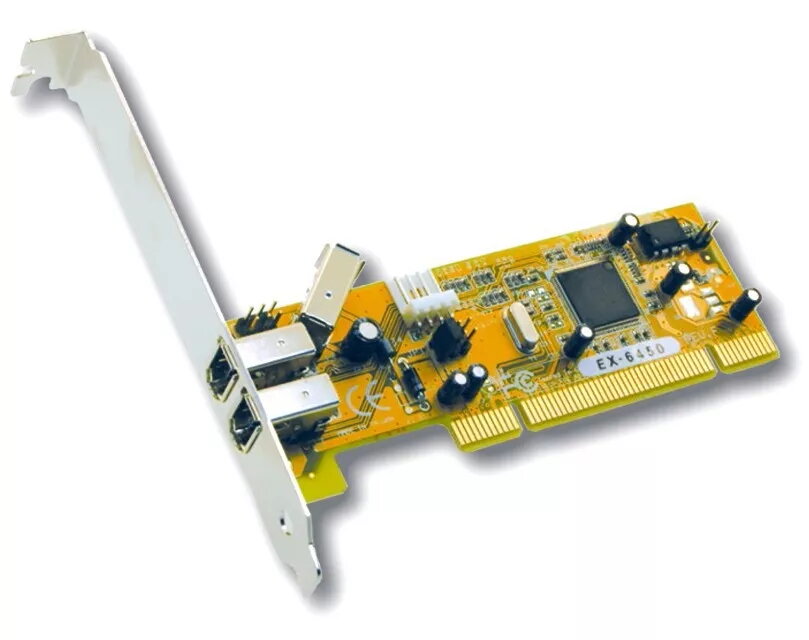
The EXSYS 2+1 Port FireWire PCI Card (EX-6450) features a Texas TSB43AB22A chipset, ensuring reliable performance with a data transfer rate of 400 Mbit/s. This wired connectivity solution is designed for PCI 32-bit slots, measuring 120 mm in width and 40 mm in depth, and weighs 200 g. Ideal for expanding your system's connectivity options.
Cheapest delivery:
Unisend LV
Pick-up points
Unisend LV
Cost
1.99 €
Deliver
{{selectedOffer.parcelStationDeliveryString}}
- Delivery country: {{ userCountryName }}
Customer service center
2b. Kengaraga str., Riga, Latvia, LV-1063
12.11.2026
{{selectedOffer.officeDeliveryString}}
free
Courier Delivery
Please note that in case of a large parcel additional delivery costs may apply!
From 4.99 € (Weight: 0.20 kg)
Parcel couriers
Unisend LV / Venipak Pickup LV / Venipak Locker LV / DPD Paku skapis / Omniva LV / Latvijas Pasts pakomāts / Latvijas Pasts nodaļa
17.11.2026
{{selectedOffer.parcelStationDeliveryString}}
From 1.99 €

Payment Methods:
Cash payment, Bank transfer, Bank cards on-line, Apple Pay, Google Pay
Available for private customers at price 71.49 €:
1 pcs.


